Why adopt SaaS for workforce management: a guide for startups and SMBs



TL;DR:
- Switching from spreadsheets to SaaS workforce management software reduces costs, improves compliance, and increases visibility. It automates scheduling, payroll, and compliance tasks, leading to faster operations and fewer errors. Proper evaluation and integration ensure maximum ROI and operational efficiency for growing startups and SMBs.
If you’re still managing shifts in spreadsheets or chasing down timesheets over email, you’re not just wasting time. You’re leaving money on the table and exposing your business to compliance risks that grow every time you add a new hire. Understanding why adopt SaaS for workforce management is no longer a theoretical exercise for growing startups and SMBs. It’s one of the most practical decisions you can make right now. This guide cuts through the noise and gives you the evidence, the frameworks, and the real-world examples to make that call confidently.
Table of Contents
- Understanding SaaS workforce management: what it is and why it matters
- The operational and financial benefits of adopting SaaS WFM
- How SaaS WFM improves compliance and legal risk management
- Choosing the right SaaS workforce management solution for your startup or SMB
- Maximizing ROI with SaaS workforce management: practical tips and real use cases
- Why many startups overlook critical SaaS WFM features and how to avoid common pitfalls
- Explore Teambuilt’s SaaS workforce management features designed for growing teams
- Frequently asked questions
Key Takeaways
| Point | Details |
|---|---|
| Centralized management | SaaS workforce management combines scheduling, time tracking, payroll, and compliance in one platform for better accuracy. |
| Cost savings | Automation reduces labor costs by up to 20% and cuts scheduling time by up to 80%, improving operational efficiency. |
| Compliance automation | SaaS solutions automatically enforce labor laws, reducing legal risks and costly penalties. |
| Scalable choices | Choosing mobile-friendly, integrative platforms ensures your WFM system grows with your startup or SMB. |
| Maximized ROI | Successful SaaS WFM adoption depends on careful vendor selection, team buy-in, and using real-time data for decision-making. |
Understanding SaaS workforce management: what it is and why it matters
SaaS workforce management (WFM) refers to cloud-based software that runs on a subscription model and handles the full lifecycle of managing your people at work. You do not install anything locally. Updates happen automatically. Your entire team can access it from a browser or mobile app anywhere in the world.
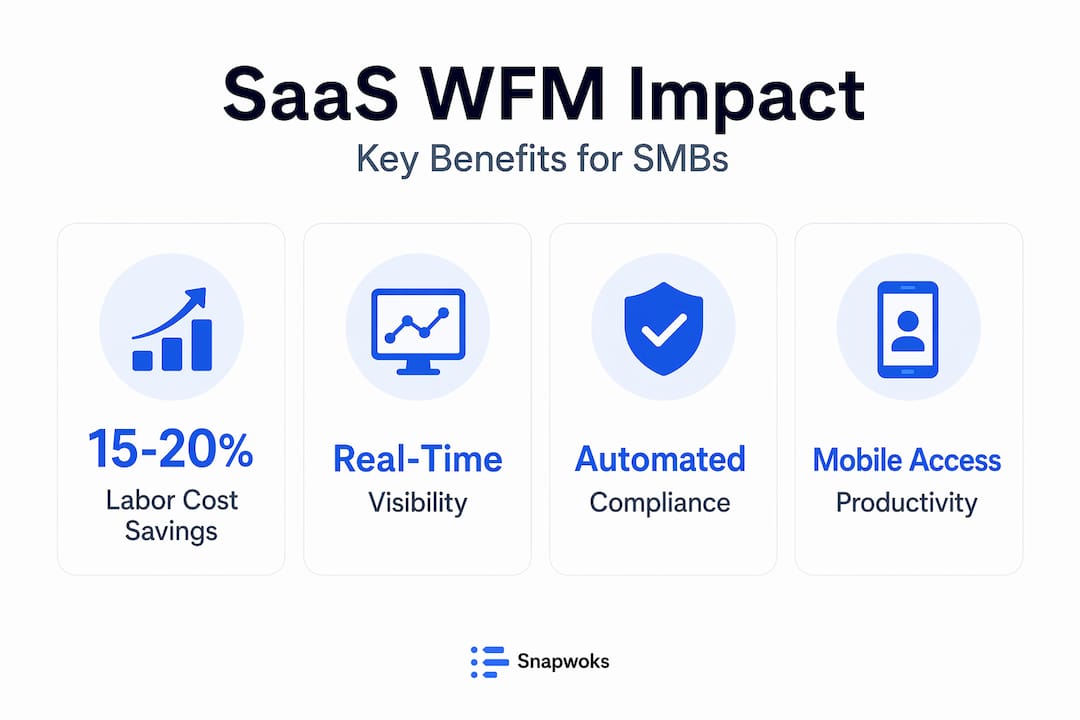
Workforce management software centralizes scheduling, time tracking, payroll, and compliance into one connected system. That matters enormously because the alternative is a patchwork of disconnected tools, manual data entry, and someone on your ops team spending Friday afternoons reconciling spreadsheets instead of doing actual work.
Here is what a modern SaaS WFM platform typically handles:
- Scheduling and shift planning across multiple teams or locations
- Time and attendance tracking with clock-in verification
- Payroll data preparation to reduce manual hand-offs to finance
- Compliance monitoring for overtime rules, rest periods, and labor law changes
- Reporting and analytics to spot capacity gaps before they become crises
For growing startups and SMBs, the real value is not just automation. It is visibility. When you can see in real time who is working, what their workload looks like, and where the gaps are, you stop making reactive decisions. That is exactly why SaaS empowers teams to move faster without the friction of siloed information.
Cloud access also means your managers are not tied to a desk to approve schedules or check attendance. A mobile-first design lets team leads approve shift swaps during a commute and flag coverage gaps before they affect delivery.
The operational and financial benefits of adopting SaaS WFM
The numbers behind SaaS WFM adoption are not modest. Organizations implementing WFM software report 15 to 20 percent labor cost reduction, 80 percent less scheduling time, and 28 percent fewer no-shows. Those are not outlier results. They reflect what happens when you replace guesswork with data and manual processes with automation.
SaaS-based WFM reduces HR and payroll processing time by 30 to 50 percent through automation. For a 50-person company running payroll every two weeks, that is dozens of hours per month returned to your team.
Here is a breakdown of where the gains typically show up:
- Labor cost control: Automated overtime alerts and smarter demand forecasting prevent expensive overstaffing
- Scheduling speed: What used to take a manager two to three hours now takes minutes with template-based scheduling tools
- No-show reduction: Automated reminders and shift confirmation reduce last-minute gaps
- Payroll accuracy: Direct integration between attendance data and payroll eliminates duplicate data entry errors
| Metric | Traditional process | SaaS WFM process |
|---|---|---|
| Scheduling time per week | 3 to 5 hours | 30 to 60 minutes |
| Payroll error rate | High (manual entry) | Near zero (automated sync) |
| Overtime spend | Unpredictable | Forecasted and controlled |
| Compliance tracking | Manual, often missed | Automated and logged |
| No-show rate | Baseline | Up to 28% lower |
The financial ROI compounds over time. Fewer errors mean fewer correction cycles. Better schedules mean better utilization. Better utilization means you can deliver more with the same headcount. You can see this in action across SMB productivity examples where the shift from manual to automated workforce planning consistently moves the needle on delivery speed and team satisfaction.
Pro Tip: Track your current scheduling and payroll processing hours for one month before switching to SaaS WFM. It gives you a concrete baseline to measure your actual time savings against after implementation.
How SaaS WFM improves compliance and legal risk management
Labor law is not getting simpler. Overtime rules, rest period requirements, predictive scheduling mandates, and union agreements vary by industry, state, and employee class. Keeping up manually is not just tedious. It is genuinely risky.
Cloud SaaS WFM platforms provide automated compliance with complex labor laws, reducing the exposure to fines that can be devastating for a startup with thin margins. The platform enforces rules automatically and logs everything, giving you an audit trail if a dispute arises.
What automated compliance actually looks like in practice:
- Overtime thresholds are flagged before they are breached, not after
- Rest period rules are built into scheduling logic so managers cannot accidentally violate them
- Regulatory updates are pushed to the platform without requiring IT involvement
- Documentation is stored automatically for audits or employee disputes
“62% of buyers suffer financial damage from poor WFM software choices without proper scoping of their scheduling complexity and integration needs.” That statistic is a warning. Choosing the wrong tool because it looked affordable or was easy to sign up for costs more than the tool itself.
The scoping lesson here is direct: before you evaluate any platform, map out your specific compliance requirements. Do you have employees in multiple states with different overtime rules? Do you have union agreements? Do you manage contractors alongside full-time staff? The answers determine which features are non-negotiable, not nice-to-haves.
Choosing the right SaaS workforce management solution for your startup or SMB
Most startups approach software selection backwards. They look at pricing pages first, then book a demo, then realize three months into implementation that the tool does not integrate with their payroll provider or cannot handle their scheduling complexity. Avoid that sequence.
Here is a practical selection process that works for growing teams:
- Document your pain points before you look at any tool. Identify where errors occur most, which processes take the longest, and what compliance requirements are currently being handled manually.
- Map your integration requirements. Your SaaS WFM needs to connect to payroll, HR, and project management systems. A tool that lives in isolation creates new data silos.
- Evaluate mobile usability directly. Log in on a phone during your trial. If your managers cannot approve a schedule or check attendance from their phone without friction, adoption will be low.
- Check how the platform handles growth. A 20-person startup that hits 80 people in 18 months needs a tool that does not require a full migration mid-scale.
- Involve your operations team in the trial. The people who will use it daily need to validate whether it fits their workflow, not just whether it looks good in a demo.
Structured WFM connects scheduling, payroll, and planning to reduce costs and improve productivity in ways that disconnected tools simply cannot replicate. That connectivity is the core of the value proposition. Look for it explicitly when you evaluate platforms.
Pro Tip: Run a two-week parallel test where one team continues with your current process while another uses the SaaS WFM trial. The efficiency gap will be visible and convincing to any skeptical stakeholder.

Explore Teambuilt’s features if you want a platform designed specifically for teams managing complex projects and multi-team scheduling without enterprise-level complexity.
Maximizing ROI with SaaS workforce management: practical tips and real use cases
Implementing SaaS WFM is the first step. Getting full return on it requires intentional adoption, not just account creation.
The most instructive example comes from Salutem Care and Education, a large care provider. After switching to a SaaS WFM platform, they saved over £1.3m in payroll, freed managers from four to eight hours of admin work per week, and achieved 100 percent staff adoption within three months. The adoption speed matters. They prioritized training, chose a mobile-first tool, and made the switch-over mandatory rather than optional. That combination is why results came fast.
SMBs using SaaS WFM scale efficiently while automating leave and compliance management, which builds employee trust in the process over time. That trust is often underrated. When employees see that their schedule is fair, their time off is tracked accurately, and their pay reflects actual hours worked, engagement goes up.
Here are the tactics that separate high-ROI implementations from average ones:
- Set adoption targets on day one. Define what full adoption looks like (e.g., 100% of shifts created in-platform within 30 days) before you launch.
- Use real-time scheduling data to run weekly capacity reviews. The real-time scheduling benefits extend beyond scheduling itself. They inform hiring decisions, project timelines, and budget forecasts.
- Automate the routine, not just the obvious. Most teams automate scheduling but miss automating leave approvals, shift reminders, and compliance reports.
- Run quarterly optimization reviews. Pull utilization data every 90 days and compare it against project delivery performance. Gaps in that data tell you exactly where your workforce planning needs adjustment.
| Process | Manual approach | SaaS WFM approach |
|---|---|---|
| Shift creation | Built in spreadsheets, emailed to staff | Built in-platform, pushed via app notification |
| Leave requests | Email chain, manual calendar update | Self-service portal, auto-approved by rules |
| Overtime tracking | Reviewed at payroll run | Flagged in real time, before it happens |
| Compliance reporting | Compiled manually before audits | Always available, auto-generated |
For team scheduling optimization, the comparison above is not academic. It represents hours per week for your managers and dollars per month for your business.
Pro Tip: Pull your first utilization report within 72 hours of going live. The data will almost always surface a surprise: a team member who is significantly overloaded or a role that is underutilized. Act on it immediately to demonstrate the platform’s value internally.
Why many startups overlook critical SaaS WFM features and how to avoid common pitfalls
Here is what most articles on this topic will not tell you: the biggest SaaS WFM failures have nothing to do with the software itself.
The pattern is consistent. A project manager or operations lead researches tools, picks something that looks capable and fits the budget, and launches it without fully mapping the current state of their scheduling complexity or integration needs. Three months later, the platform technically works but the real problems, the ones that motivated the purchase, are still happening.
The 62% of buyers who suffer financial damage from poor WFM software choices share a common thread: they evaluated features in isolation from workflow reality. They asked “does this tool do X?” instead of “does this tool handle how we actually do X?”
Startups in particular tend to undervalue two things. First, integration depth. A scheduling tool that does not sync cleanly with your payroll provider will create a manual reconciliation step that eventually becomes someone’s part-time job. Second, scheduling complexity. If you have split shifts, multiple locations, or different rules for different employee classes, a tool built for simple shift work will break under your actual requirements.
The fix is not complicated, but it requires discipline. Bring your operations lead and IT contact into the evaluation from the first demo, not after you have already decided. Define your integration requirements as a hard filter, not a wish list. And resist the pull of a polished interface. A tool that looks great in a demo but cannot handle your edge cases will fail in production.
The organizations that get full value from SaaS WFM treat the selection process as seriously as the implementation. That mindset shift is the actual difference between a tool that transforms your operations and one that becomes shelfware by Q2.
Explore Teambuilt’s SaaS workforce management features designed for growing teams
After reading through the evidence, the benefits, and the common pitfalls, the logical next question is: what does the right platform actually look like for a team like yours?
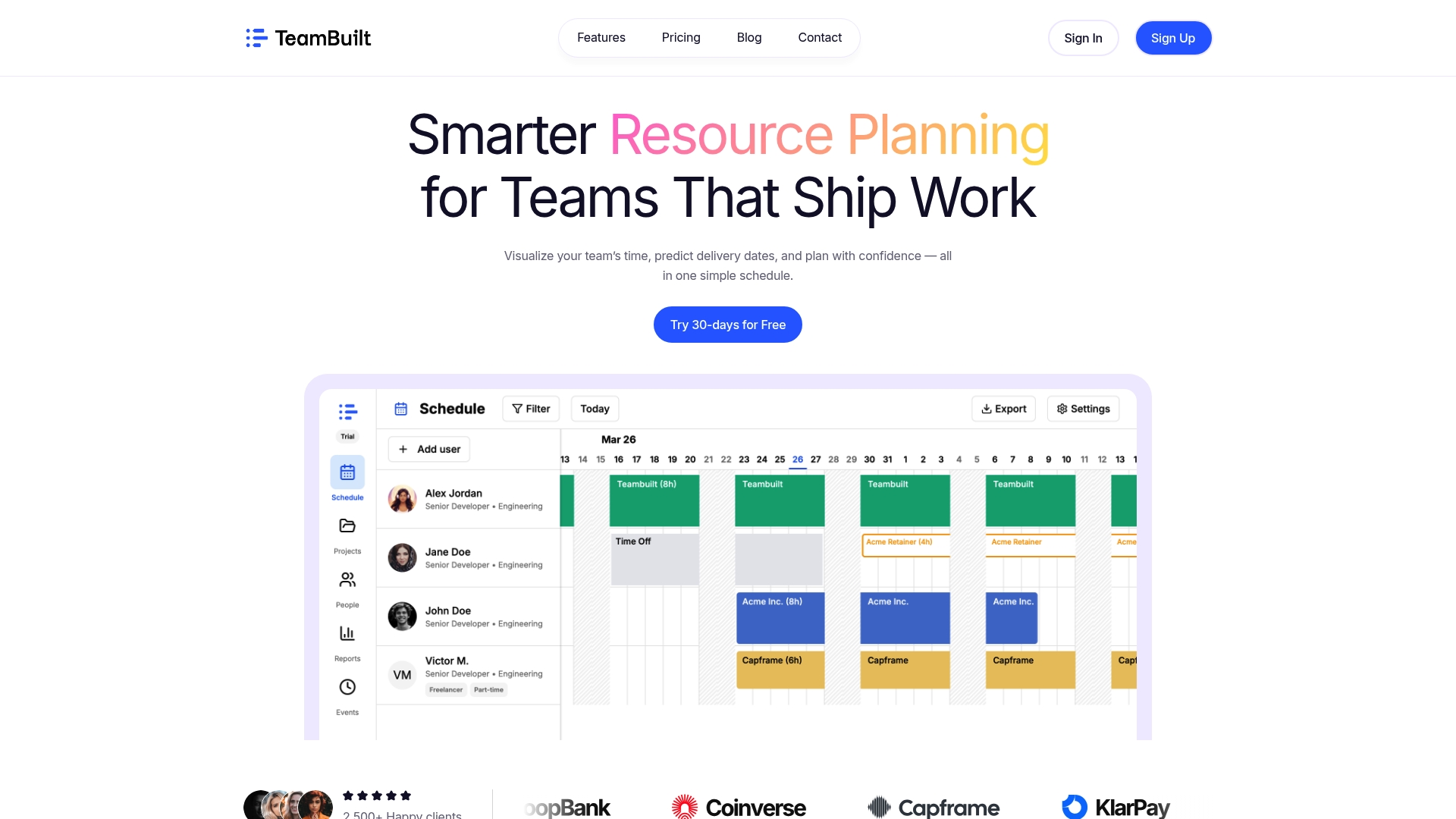
Teambuilt is built specifically for project managers and operations leads at growing startups, SMBs, and agencies who need real-time visibility into team capacity, workload, and project timelines without enterprise complexity. It combines scheduling, resource planning, capacity tracking, and cross-team coordination in one place, replacing the spreadsheets and scattered tools that create the exact problems this article describes. With AI-powered forecasting, a mobile-first interface, and open API integrations with payroll and accounting systems, it is designed to deliver the ROI this guide outlines from day one. Explore everything Teambuilt does and see how it maps to your current workflow.
Frequently asked questions
What is the main advantage of using SaaS for workforce management?
SaaS workforce management centralizes scheduling, attendance, payroll, and compliance into one connected platform, reducing errors and giving your entire team real-time visibility into workforce data.
How does SaaS WFM help with labor cost control?
Automated forecasting and overtime alerts keep labor spend predictable, and organizations typically report 15 to 20 percent labor cost reductions after implementing WFM software.
Can SaaS workforce management improve legal compliance?
Yes. Cloud SaaS WFM platforms automatically enforce complex labor laws and update when regulations change, significantly reducing your exposure to fines and legal disputes.
What should SMBs consider when choosing a SaaS WFM tool?
Prioritize integration depth with your payroll and HR systems, mobile accessibility for your managers, and how well the platform handles your specific scheduling complexity. Structured WFM that connects scheduling and payroll delivers far more value than point solutions that operate separately.
How quickly can my team expect ROI from SaaS workforce management?
Most organizations see meaningful payback within months through reduced scheduling time, lower labor costs, and payroll accuracy gains. The average payback period for workforce management solutions is under five months.
Recommended