Collaborative Project Planning Tips for Team Leaders



TL;DR:
- Effective project teams require clear, measurable goals and defined roles from the outset to ensure alignment.
- Strong communication rhythms, workflow structuring, real-time status visibility, and the right tools enhance collaboration and prevent delays.
Getting a diverse team aligned on a shared project is one of the hardest things you will do as a project manager. Miscommunication, unclear roles, and scattered tools quietly drain momentum until deadlines slip and budgets burst. In fact, 11% of project investment is wasted outright due to poor project performance. These collaborative project planning tips are built for the realities you face: hybrid teams, tight timelines, and the constant pressure to deliver. Each section gives you a specific, tested approach you can apply this week.
Table of Contents
- Key takeaways
- 1. Set S.M.A.R.T. goals and define roles on day one
- 2. Build a communication rhythm your team can rely on
- 3. Structure workflows with clear phases and deliverables
- 4. Make project status visible to everyone in real time
- 5. Select and integrate the right collaboration tools
- 6. Adapt your approach for remote and hybrid teams
- 7. Recognize and work with diverse collaboration styles
- 8. Measure collaboration effectiveness and keep improving
- What I have actually learned running collaborative teams
- How Teambuilt helps you put these tips into practice
- FAQ
Key takeaways
| Point | Details |
|---|---|
| Start with S.M.A.R.T. goals | Tie every project goal to a measurable KPI so your team always knows what success looks like. |
| Structure your communication | Assign specific channels for specific purposes to reduce noise and increase clarity across the team. |
| Make progress visible | Use dashboards and shared boards so everyone sees blockers before they become crises. |
| Respect collaboration styles | Adapt your facilitation to analytical, expressive, and delegative personalities for more inclusive planning. |
| Measure and improve continuously | Run regular retrospectives and track completion metrics to keep collaboration sharp over time. |
1. Set S.M.A.R.T. goals and define roles on day one
Vague goals produce vague results. Before your team writes a single line of code or designs a single deliverable, you need a shared definition of what you are actually trying to achieve. S.M.A.R.T. goals give your team specific, measurable targets that cut through ambiguity and improve collaborative alignment from the start.
Do not stop at the goal statement. Link each goal directly to a KPI your team can track weekly. For example, if the project objective is to grow trial signups, the KPI might be a 10% increase in signups within 90 days. That number gives every team member a concrete reference point for their decisions.
Role clarity is just as critical as goal clarity. Define who owns what, and more importantly, who has decision rights in each area. When a frontend developer and a product manager both think they own the UI spec, you get delays, not decisions.
- Document roles in a shared space everyone can access
- Hold a project kickoff where each person introduces their responsibilities
- Separate “responsible” from “consulted” and “informed” to prevent decision gridlock
- Review role assignments after each major phase shift
Pro Tip: In your kickoff meeting, ask each team member to restate their role and top responsibility in their own words. The gaps and surprises that surface will save you weeks of confusion later.
2. Build a communication rhythm your team can rely on
Poor communication is not just an inconvenience. Nearly 48% of construction rework is directly caused by miscommunication, and the pattern repeats across every industry. The fix is not more meetings. It is cleaner communication architecture.
Start by assigning a purpose to each channel. Instant messaging handles quick questions. Video calls work for decisions that require discussion. Email covers formal updates and documentation. A shared project workspace holds everything else. When people know which channel to use, they stop duplicating messages and hunting for answers across five platforms.
Establish a weekly rhythm: one short sync for blockers, one async status update mid-week, and a Friday wrap summarizing what moved forward. This creates predictability without over-scheduling.
- Use threaded messages to keep context together
- Set response time expectations per channel (e.g., IM within 2 hours, email within 24)
- Keep video calls for discussions that require real-time back-and-forth
- Use a real-time collaboration guide to set up centralized file and task management
Pro Tip: Protect focus time by capping meeting hours. Meeting time under 25% of the total work week keeps your team sharp. Async written updates replace half your recurring meetings without losing alignment.
3. Structure workflows with clear phases and deliverables
A project without structure is just a list of hopes. One of the most reliable collaborative planning best practices is breaking the work into defined phases, each with a clear deliverable and an owner. This makes it obvious when a phase is done, who is responsible, and what comes next.
Phase structure also changes how people communicate. When team members know they are in the “discovery phase” versus the “build phase,” they frame their questions and updates differently. The conversation sharpens.
Here is a quick comparison of two workflow approaches most project teams use:
| Approach | Best for | Weakness |
|---|---|---|
| Waterfall (sequential phases) | Fixed-scope, regulatory, or hardware projects | Slow to adapt when requirements change |
| Agile sprints | Software, product, and creative work with shifting needs | Requires disciplined daily communication |
Neither is wrong. The right choice depends on how much your requirements are likely to change mid-project. Many teams run a hybrid: waterfall for the overall project arc, agile for execution sprints within each phase.
Linking project goals to tasks creates a single source of truth so nobody is guessing why a task exists or how it connects to the objective.
Pro Tip: Standardize your task templates. A consistent structure (task name, owner, due date, status, blockers) cuts the cognitive load of every update and makes onboarding new team members two times faster.
4. Make project status visible to everyone in real time
The biggest hidden cost in team project management is the time spent figuring out where things stand. Status updates consumed in a Monday meeting are already stale by Wednesday. Real-time visibility in a connected workspace accelerates decision-making and problem-solving because the information is always current.

Kanban boards work well for tracking task flow across stages. Gantt charts are better for dependencies and timeline management. Shared calendars handle milestone and deadline visibility across the team. The tool matters less than the habit: everyone updates their tasks every day, without being asked.
Build a culture where surfacing blockers early is rewarded, not penalized. A team that hides problems until Friday’s standup is not protecting anyone. They are compounding risk. When people know that raising an issue early gets them help rather than blame, they do it consistently.
5. Select and integrate the right collaboration tools
With 62% of employees working remotely at least part of the time, a scattered tool stack creates serious coordination gaps. The goal is not to have every tool available. It is to have fewer tools that connect to each other.
When evaluating platforms for planning projects as a team, look for three things: centralized communication, task and file management in one place, and API or native integrations with the tools your team already uses. A platform that forces people to copy data manually between systems will be abandoned within a month.
Avoid the trap of adopting a new tool for every problem. Most teams do not need more software. They need to actually use the software they already have with more discipline and consistency. Start by auditing which tools your team uses daily versus which ones got adopted enthusiastically and then ignored. Cut the latter.
Explore collaborative planning templates to give your team a repeatable starting point for new projects instead of building from scratch each time.
6. Adapt your approach for remote and hybrid teams
Remote teams do not collaborate less effectively by default. They collaborate differently, and managers who treat remote work as a degraded version of in-office work consistently underperform those who design for it intentionally.
Async-first communication is the foundation. Not every question needs a live answer. A well-written message with context, options, and a requested response time respects time zones and focus blocks simultaneously. Video calls should be reserved for decisions, not updates.
For hybrid teams, the biggest risk is an uneven information flow where in-office members hear things informally that remote members miss. Standardize documentation so no decision lives only in someone’s memory or an in-person conversation. Every significant decision gets written down, with context, and posted in the shared workspace.
- Use written pre-reads before video meetings so discussion time is productive
- Record key meetings for team members across time zones
- Build explicit social time into remote team rhythms (not just work talk)
- Check in one-on-one regularly to catch communication breakdowns before they spread
7. Recognize and work with diverse collaboration styles
Not everyone on your team processes work the same way, and the most experienced project leaders know this is an advantage when managed well. Collaboration styles fall into broad types: analytical (data-driven, methodical), delegative (empowering others, big-picture), expressive (relationship-focused, high energy), and network-oriented (connector, cross-functional).
Problems arise when a manager designs every meeting and process for one style. The analytical team member goes quiet in an unstructured brainstorm. The expressive collaborator disengages in a purely data-heavy review.
Design for range. Open brainstorms before structured analysis. Give people processing time before expecting live decisions. Build in both written and verbal input options. Structured mentoring programs also improve psychological safety and cross-style communication, particularly for newer team members who might hesitate to speak up in group settings.
The fundamental principle here is that no software replaces culture. Tools support collaboration. Trust and respect for how different people work is what actually makes it happen.
8. Measure collaboration effectiveness and keep improving
You cannot improve what you do not measure. These are the steps for successful project collaboration that tend to stick because they create feedback loops, not just snapshots.
- Track task completion rates. Weekly completion percentage tells you whether the team is sizing work accurately or consistently overcommitting.
- Monitor communication frequency by channel. If people stop using the designated channels, something is wrong with either the tool or the norms.
- Run project retrospectives after every phase. Ask three questions: What worked? What did not? What will we do differently? Document the answers and actually revisit them.
- Measure team satisfaction quarterly. A short pulse survey (five questions, anonymous) surfaces morale issues before they become attrition issues.
- Celebrate collaborative wins explicitly. When a team hits a milestone through strong coordination, name it. Credit the collaboration, not just the output.
- Protect work-life balance as a performance metric. Burnout erodes the exact behaviors you are trying to build. A team running at 90% capacity consistently outperforms a team sprinting at 120% and crashing.
Retrospectives work best when the facilitator is not the project manager. Rotate facilitation so feedback flows more freely and you get honest input instead of polished updates.
What I have actually learned running collaborative teams
I have watched organizations spend significant money on project management platforms and then wonder why their teams still miss deadlines and duplicate work. The honest answer is almost always the same: the tool was not the problem.
In my experience, the teams that collaborate best share two things. They have leaders who model transparency (admitting when something is off track, asking for help publicly) and they have built enough psychological safety that people say what they actually think in meetings rather than saving it for the hallway conversation afterward.
I used to believe that better structure was the answer to almost every collaboration failure. Add more process, tighten the workflow, define the RACI matrix more clearly. And yes, structure helps. But I have seen perfectly structured projects fall apart because a team lead was unapproachable, and I have seen loosely structured projects ship on time because the team trusted each other enough to flag problems the moment they surfaced.
My honest advice: spend as much energy on how your team communicates as on what tools they use. The project delivery practices that actually stick are the ones built on clear expectations, honest feedback, and leaders who listen.
— Dima
How Teambuilt helps you put these tips into practice
If you are managing multiple teams with overlapping projects, the biggest friction point is usually visibility. Who is actually available? Where are the bottlenecks? When will this realistically be done?
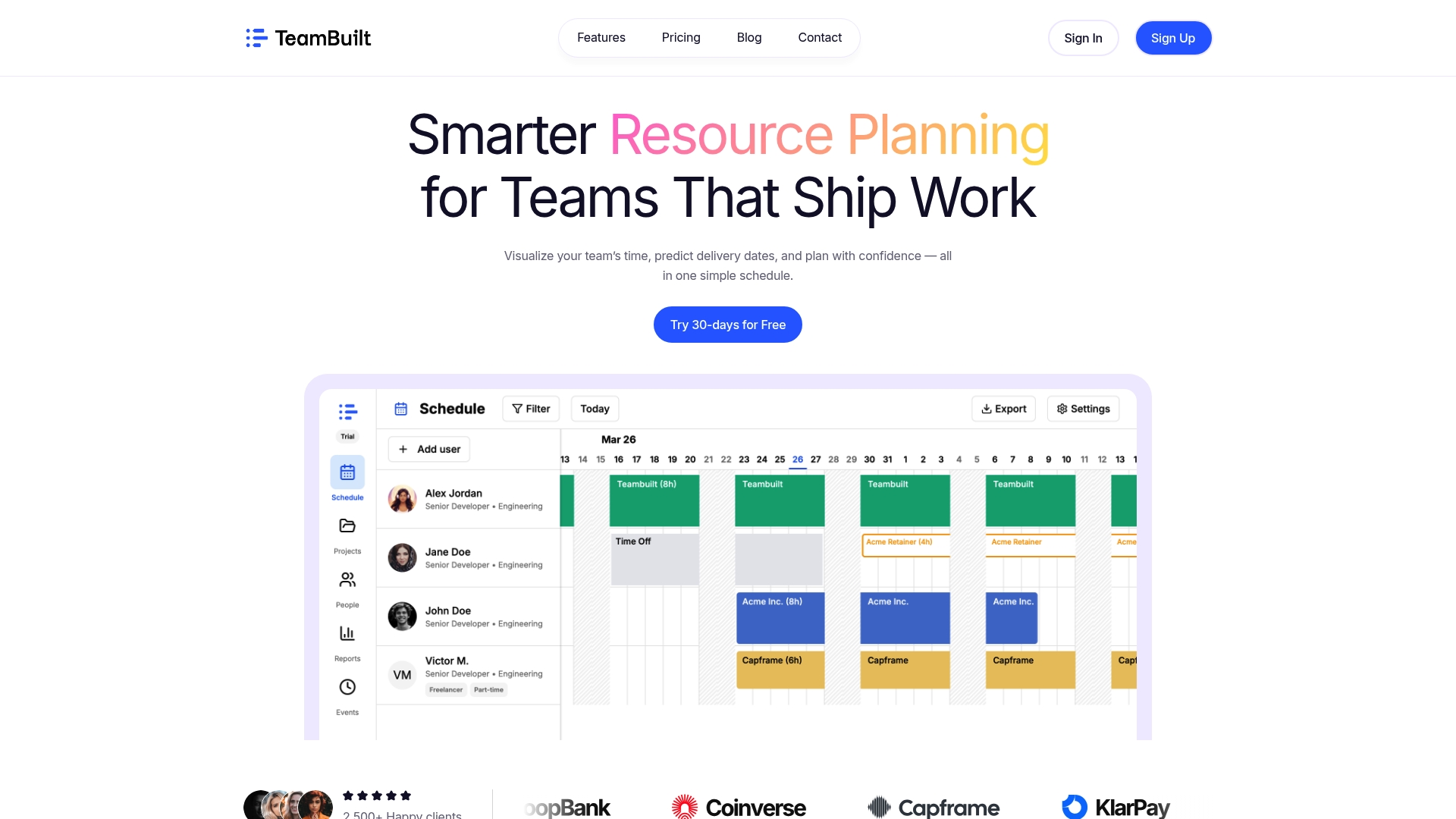
Teambuilt is built specifically for that challenge. Its resource planning and scheduling features give you real-time visibility into team capacity, workload distribution, and delivery forecasting, all in one place. You can see at a glance who is overloaded and who has room, then redistribute work before it becomes a problem. Cross-team coordination happens through centralized planning tools that replace scattered spreadsheets and disconnected calendars. For project managers trying to apply collaborative planning best practices without adding administrative overhead, Teambuilt is worth a close look.
FAQ
What are the most important collaborative project planning tips?
The highest-impact tips are setting S.M.A.R.T. goals with linked KPIs, defining roles and decision rights before work starts, and creating real-time visibility into task status. Structured communication channels and regular retrospectives sustain that collaboration over the project’s lifetime.
How do you manage group projects across remote teams?
Use async-first communication as the default, standardize documentation so no decisions are lost in informal conversation, and create shared workspaces where every team member has equal access to project status and files. Regular one-on-one check-ins help catch communication breakdowns early.
How often should project teams hold status meetings?
Keeping meetings under 25% of total work hours protects focus time and reduces burnout. One weekly sync for blockers, combined with async mid-week updates, covers most teams’ coordination needs without over-scheduling.
What collaboration styles should project managers know about?
The four main styles are analytical, delegative, expressive, and network-oriented. Designing meetings and processes that accommodate all four, through both written and verbal input options and varied meeting formats, produces more honest participation and better outcomes.
Why do collaborative projects fail despite good tools?
Most collaboration failures trace back to culture, not software. Teams that lack psychological safety or have unapproachable leadership will underperform regardless of the platform. Investing in trust, transparency, and honest feedback channels matters more than any single tool choice.
Recommended