Explaining Team Capacity Planning for Project Managers



TL;DR:
- Team capacity planning requires accurately calculating available hours after deducting meetings, PTO, and overhead to prevent sprint collapses. Splitting work types and reviewing capacity weekly enhances transparency and allows proactive adjustment to stay on track. Planning in hours or developer-weeks ensures realistic commitments, building team trust and stakeholder confidence while avoiding unnecessary hires.
If you’ve ever watched a sprint collapse mid-cycle despite having a “full team,” you already understand why explaining team capacity planning matters more than most leaders realize. The problem isn’t effort. It’s math. Most teams confuse headcount with actual available hours, and that gap is where delivery dates go to die. This article walks through how to calculate real capacity, split work types intelligently, run sprint-level reviews that actually protect your team, and use the right units to make your planning stick.
Table of Contents
- Key Takeaways
- Explaining team capacity planning: why headcount isn’t enough
- Work type splits: the smarter approach to allocation
- Sprint-level capacity reviews and real-time adjustments
- Planning in real units and connecting capacity to delivery
- What I’ve learned from years of watching capacity plans fail
- How Teambuilt makes capacity planning practical
- FAQ
Key Takeaways
| Point | Details |
|---|---|
| Headcount is not capacity | Real available hours shrink fast once meetings, PTO, and overhead are subtracted. |
| Apply a 20% buffer | Reserve at least 20% of available hours for unplanned work to prevent mid-sprint collapse. |
| Split work by type | Dividing capacity across features, tech debt, support, and learning creates honest trade-off conversations. |
| Review capacity every sprint | Short weekly checks outperform quarterly reviews by catching drift before it compounds. |
| Plan in real units | Hours and developer-weeks anchor commitments in reality far better than story points alone. |
Explaining team capacity planning: why headcount isn’t enough
The single most damaging assumption in team capacity management is treating the number of people on a team as the unit of capacity. It feels logical. Ten engineers times 40 hours equals 400 hours per sprint. Commit accordingly. Then reality shows up: three people are in back-to-back meetings, one is on PTO, two are fielding production incidents, and the sprint collapses before Thursday.
Knowledge workers often have 50% or less of total time available for deep work once meetings and interruptions are factored in. That 400-hour sprint just became 200 hours, generously.

Calculating real available hours
The correct starting point for how to plan team capacity is subtracting everything that isn’t focused work. For each team member, you remove scheduled meetings, recurring ceremonies, planned PTO, company holidays, and a reasonable estimate for ad-hoc communication. Meeting audits are critical for uncovering hidden time drains that managers rarely account for, including the one-off syncs and informal reviews that stack up invisibly.
Here’s a simplified example for a two-week sprint with a five-person team:
| Input | Hours per person | Total (5 people) |
|---|---|---|
| Gross available hours | 80 | 400 |
| Less: meetings and ceremonies | 10 | 50 |
| Less: PTO and holidays | 8 | 40 |
| Less: 20% buffer for unplanned work | 12 | 62 |
| Net committed capacity | 50 | 248 |
That 20% buffer isn’t padding. It’s math. Teams with 120 available hours post-overhead commit only 96 hours to protect against unplanned interruptions. On average, 30 to 50% of time is consumed by unplanned work including bug fixes, production issues, and impromptu requests. Planning at 100% utilization assumes none of that exists.
Pro Tip: Run a two-week meeting audit before your next planning cycle. Have each team member log actual meeting time. Most teams discover they’ve been assuming 20% more capacity than they actually have.
The teams planning at 75 to 80% utilization see 35 to 40% higher sprint completion rates compared to teams pushing full capacity. That’s not a coincidence. It’s what happens when your plan reflects reality instead of optimism.
Work type splits: the smarter approach to allocation
Most teams treat their capacity as a single undifferentiated block and then wonder why strategic work never gets done. Feature development competes directly with bug fixes, tech debt, and learning time. Everything feels urgent because nothing has a designated budget.

Splitting capacity by work type changes that dynamic entirely. Separating capacity by work type shifts conversations from individual tasks to strategic allocation, which improves transparency and stakeholder trust.
What a healthy allocation split looks like
A typical high-performing software team might allocate capacity roughly as follows:
- Feature development: 50 to 60% of committed capacity
- Technical debt and system maintenance: 15 to 20%
- Support and operational load: 10 to 15%, budgeted from historical data
- Learning and team development: 5 to 10%
- Unplanned buffer: Already subtracted in the capacity calculation above
The exact percentages will vary by team maturity, product stage, and customer volume. What matters is that these allocations exist explicitly rather than being assumed.
Here’s why the undifferentiated approach breaks down versus a split approach:
| Approach | Visibility | Trade-off conversations | Outcome |
|---|---|---|---|
| Single bucket | Low | Absent or reactive | Feature work crowds out everything else |
| Allocation split | High | Proactive and data-driven | Work types compete on strategy, not urgency |
High-performing teams budget support capacity based on historical data rather than optimism. If your team historically spends 12% of sprint time on support tickets, that number belongs in your plan before anyone commits to feature work.
Pro Tip: Start with three buckets: planned work, unplanned operational work, and a growth or improvement category. Even a rough split surfaces conversations that were previously invisible to stakeholders.
One underappreciated benefit of this structure is what it does to your relationship with leadership. When a stakeholder asks why a feature is delayed, you can show them exactly where the capacity went. That kind of transparency builds far more credibility than a post-sprint retrospective apology.
Sprint-level capacity reviews and real-time adjustments
Quarterly capacity reviews are planning theater. By the time you act on data from three months ago, the team has already missed two sprint goals and someone is quietly burning out. Effective team capacity analysis requires a shorter loop.
The sprint start check is the most practical intervention most teams aren’t doing consistently. It takes roughly 20 minutes and covers four things:
- Confirm individual availability. Has anything changed since last sprint? New PTO, unexpected interviews, a sick kid? Update your numbers before committing.
- Review carryover work. What didn’t complete last sprint? That work has already consumed capacity planning attention. It needs a place in this sprint’s budget.
- Adjust committed scope. Given actual available hours this sprint, what can the team realistically commit to? Cut scope before it cuts you.
- Flag risk items. Which tasks depend on external teams, external APIs, or decisions still pending? Those items carry hidden capacity risk and need a contingency.
Sprint start checks take roughly 20 minutes but prevent missed goals, burnout, and stakeholder mistrust. That’s an exceptional return on a single planning meeting.
Pro Tip: Create a simple spreadsheet or tool entry for each sprint showing planned vs. actual hours per person. After four sprints, you’ll have a velocity baseline that makes the next planning cycle much more accurate.
The broader principle here is that capacity planning should function as a dynamic strategy, not a static document. Microsoft uses AI-driven visibility to adjust capacity in hours rather than waiting for periodic planning. Most teams don’t need AI to get there. They need the discipline to check the numbers at the start of every sprint and adjust before committing.
Frequent capacity reviews allow proactive detection of over-commit risks, but this requires cultural discipline. Teams that normalize honest capacity conversations stop treating missed goals as personal failures and start treating them as planning failures. That’s a much healthier and more fixable problem.
Planning in real units and connecting capacity to delivery
Story points have a role in estimating relative complexity. They are poor tools for capacity planning. The problem is unit mismatch. Capacity is measured in hours. Story points are not. Mapping one to the other requires a conversion factor that drifts sprint over sprint and varies by team member.
Successful teams plan in hours or developer-weeks, which increases predictability. “This feature will take two developer-weeks” anchors a commitment in something stakeholders and engineers both understand. “This feature is eight story points” does not, unless you’ve spent months calibrating velocity and even then it shifts.
Here’s what real-unit planning looks like in practice:
- Translate each sprint backlog item into an estimated hour range, not a point value
- Assign work to specific team members and check against their individual availability
- Sum committed hours and compare to net available capacity from your calculation
- If committed hours exceed capacity, remove or defer scope before the sprint starts
This approach also makes capacity and delivery tracking far more useful. When you know a feature requires 18 developer-hours and you have 60 developer-hours available, you can forecast delivery dates with real confidence. When everything is in story points, that same forecast requires several layers of assumption.
One more thing worth addressing directly: capacity planning is not automatically a signal to hire. Teams should first analyze capacity constraints versus adding headcount under pressure. In many cases, the constraint is process overhead, meeting load, or poor work type allocation. Fixing those issues can recover 20 to 30% of real capacity without a single new hire.
What I’ve learned from years of watching capacity plans fail
I’ve seen teams spend three weeks building a capacity plan and then abandon it by week two of the first sprint. The plan looked great. The reality didn’t match. And rather than updating the plan, the team just stopped trusting it.
The cultural piece is the hardest part. In my experience, most capacity planning failures aren’t math problems. They’re honesty problems. Teams feel pressure to say yes, so they overcommit. Leaders feel pressure to show progress, so they accept optimistic estimates. And everyone quietly knows the numbers are wrong but no one says it out loud.
What actually changes things is when the planning conversation shifts from “how much can we promise?” to “how much do we genuinely have?” That sounds simple. Getting a team to internalize it takes months. But once it clicks, you get something rare: a team that consistently delivers what it commits to, and stakeholders who trust those commitments.
The capacity planning strategies that work long-term are the ones built on honest accounting, not aspirational math. Realistic plans that get executed beat ambitious plans that collapse every single time.
— Dima
How Teambuilt makes capacity planning practical
If everything in this article sounds right but your current process still runs on spreadsheets and calendar gut-checks, the gap between knowing and doing is a tooling problem as much as a process one.
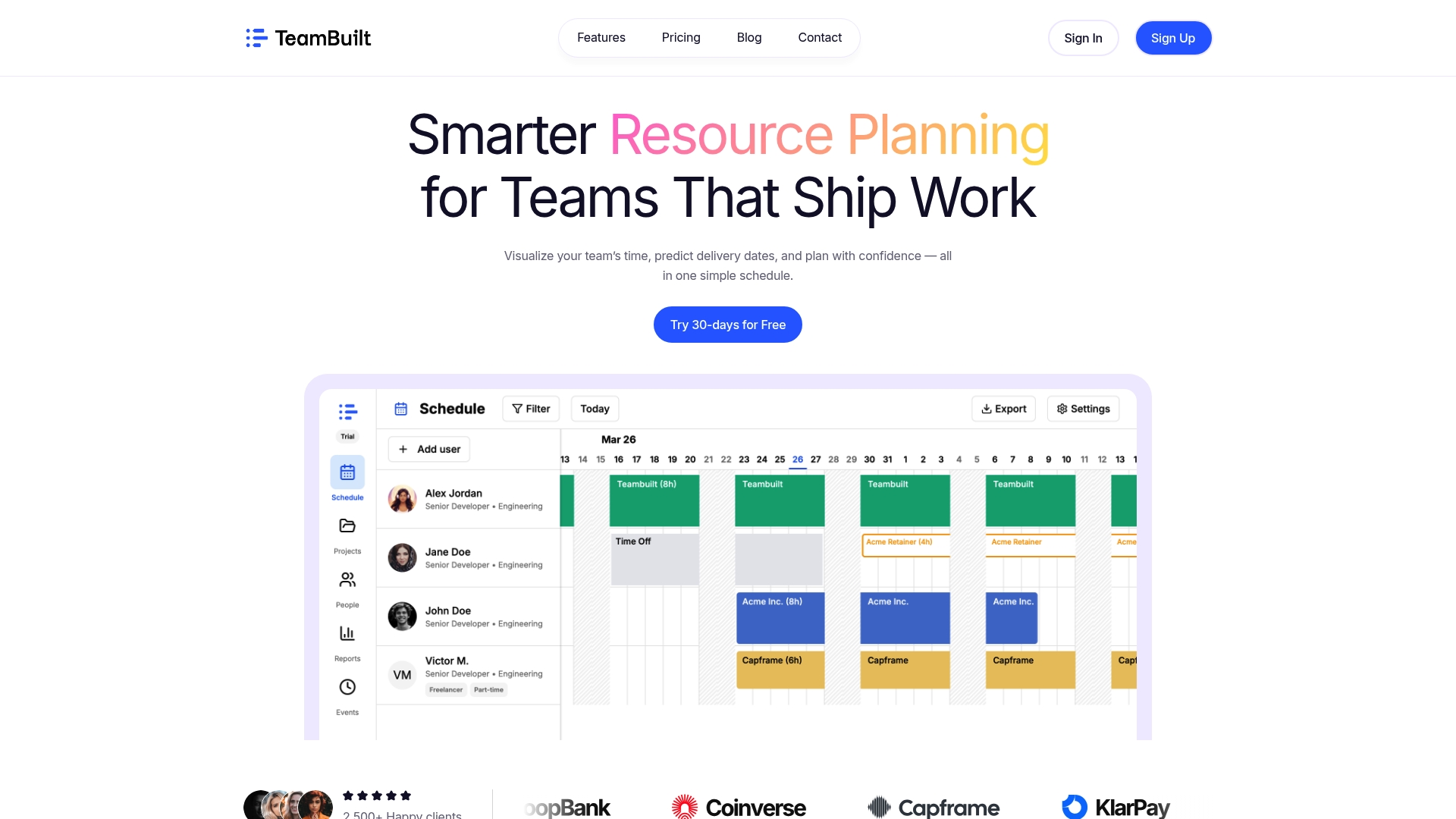
Teambuilt was built specifically for teams that have outgrown ad-hoc planning. The platform gives you real-time visibility into individual availability, tracks utilization across work types, and surfaces over-commit risks before they become sprint failures. You can model allocation splits directly in the tool, run sprint-level reviews with up-to-date data, and forecast delivery dates based on actual capacity rather than assumptions. For teams managing complex resource planning across multiple projects, the move from scattered workflows to a single planning view changes how reliably you can commit and deliver. Explore what’s possible at teambuilt.app.
FAQ
What is team capacity planning?
Team capacity planning is the process of calculating how much work a team can realistically complete in a given time period by accounting for actual available hours, work type allocations, and buffers for unplanned work.
Why shouldn’t I plan at 100% capacity?
Teams planning at full utilization have no room for unplanned work, which typically consumes 30 to 50% of sprint time. Planning at 75 to 80% utilization produces significantly higher sprint completion rates.
How often should teams review their capacity?
Teams should run a short capacity check at the start of every sprint, not just quarterly. A 20-minute review at sprint start prevents the drift between planned and actual work that causes missed goals.
What’s wrong with using story points for capacity planning?
Story points measure relative complexity, not time. Capacity is measured in hours. Planning in hours or developer-weeks produces more accurate forecasts because the units match what’s actually being measured.
When does low capacity mean you need to hire?
Low capacity doesn’t automatically mean you need more people. Analyzing process overhead, meeting load, and work type allocation first can recover significant capacity. Hiring should follow that analysis, not precede it.
Recommended
- Optimize Team Capacity: A Practical Guide for Growing Teams | Teambuilt Blog
- Optimize Team Capacity: A Practical Guide for Growing Teams | Teambuilt Blog
- Team capacity planning: 40% more story points delivered | Teambuilt Blog
- 6 major benefits of capacity tracking for team efficiency | Teambuilt Blog