
How APIs transform project management and collaboration



TL;DR:
- APIs transform project management by enabling automatic data synchronization across tools, reducing manual effort and errors. They allow real-time updates, better resource planning, and scalable workflows, which are essential for growing teams. Implementing API integrations with security and phased rollouts leads to strategic operational improvements and long-term agility.
Every project manager has lived this scenario: a developer closes a ticket in one tool, but the status never updates in the project board, the client report, or the resource plan. Someone sends an email. Someone else sends a follow-up. Hours later, three people have duplicate work, and the delivery forecast is wrong again. Manual coordination is not just annoying; it quietly drains thousands of hours per year. APIs (Application Programming Interfaces) change this dynamic entirely, connecting your tools so data flows automatically where it needs to go, when it needs to get there.
Table of Contents
- Why APIs matter in modern project management
- Core API use cases: Collaboration and resource planning
- Avoiding integration pitfalls: Security and data hygiene
- Implementing APIs: PoC-first rollouts and scale-up strategies
- The real transformation: Beyond automation to strategic advantage
- Streamline your project management with purpose-built API tools
- Frequently asked questions
Key Takeaways
| Point | Details |
|---|---|
| APIs cut manual work | API integrations reduce manual entry and eliminate error-prone email updates for project teams. |
| Real-time collaboration | Synchronized APIs ensure teams always access the latest project information and reduce duplicate work. |
| Security is non-negotiable | Project managers must treat API security as core to project delivery from design through ongoing monitoring. |
| Start with PoC | Roll out API integrations using a staged approach, beginning with a small proof of concept to manage risk. |
| Strategic advantage | APIs are a gateway to smarter resource planning, better forecasting, and sustained business agility. |
Why APIs matter in modern project management
Most growing teams reach a tipping point where their tool stack becomes the problem. You have a project tracker, a communication app, a billing system, and a scheduling tool. None of them talk to each other by default. Someone ends up being the human integration layer, copying data from one place to another, and that person is usually your most experienced project manager.
APIs solve this by acting as a structured communication channel between software platforms. When your project management tool exposes an API, other systems can read from it, write to it, and react to changes in real time. The result is what is often called a “single source of truth,” where project actuals and resources stay synchronized across every connected platform without manual intervention.
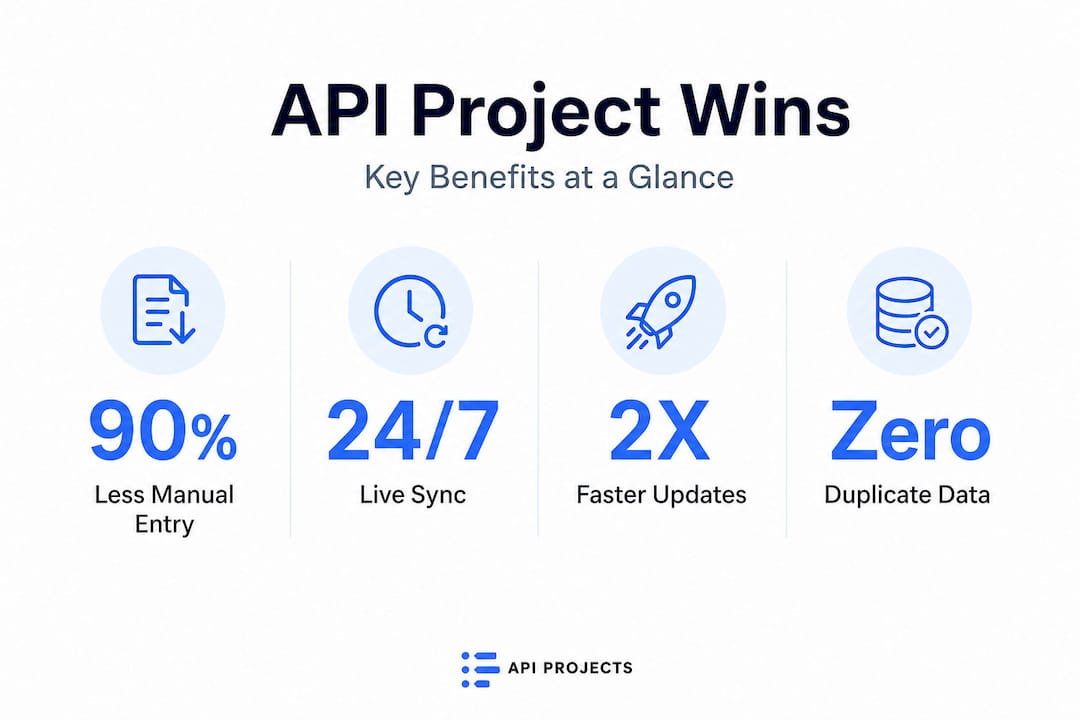
The impact is measurable. Salesforce and Jira API integration case studies show up to a 90% reduction in manual data entry and significantly faster issue resolution, because the moment a ticket changes status, every connected system knows about it immediately. For teams managing agency project workflows across multiple clients, this kind of speed is not a luxury; it is a competitive necessity.
There is also a scalability argument. A team of five can survive on spreadsheets. A team of fifty cannot. APIs are what allow you to add new tools, onboard new clients, or expand into new service lines without rebuilding your entire operational foundation each time.
| Metric | Before API integration | After API integration |
|---|---|---|
| Manual data entry time | High (daily updates required) | Near zero (automated sync) |
| Error rate in reports | Frequent (copy-paste mistakes) | Low (single source of truth) |
| Cross-team status visibility | Delayed by hours or days | Real time |
| New tool onboarding time | Weeks of manual config | Days via API connection |
| Delivery forecast accuracy | Inconsistent | Reliable and up to date |
“The biggest hidden cost in project management is not missed deadlines—it is the invisible labor of keeping disconnected systems in sync. APIs eliminate that cost at the root.”
Good workflow automation examples consistently show that the first APIs teams implement create an immediate, noticeable reduction in administrative overhead. The benefits compound quickly, because each new integration removes another layer of manual coordination.
Core API use cases: Collaboration and resource planning
With the broader case established, let’s look at what API-powered collaboration actually looks like in practice for the kinds of teams you are leading.
The most common starting point is syncing issue tracking between platforms. Real-time collaboration through API integrations means that a status change in one platform triggers an update in another without any human action. For example, when a developer resolves an issue in Jira, that resolution can automatically close the linked card in Trello, update the milestone in your project plan, and adjust the resource availability in your scheduling tool.
What makes this powerful for fast-growth teams is configurability. Jira and Trello platform APIs expose core project management entities like tasks, assignees, due dates, and priority levels, allowing you to choose exactly which fields sync and which stay local. This matters because not every team needs to see every detail from another team. A client-facing project board should not be flooded with internal developer notes or backend task breakdowns.
Here is where resource planning becomes especially valuable. When resource allocation changes in your scheduling tool, those changes can automatically flow into your analytics dashboard, your billing software, and your capacity tracker. Teams using resource data integration avoid the painful manual reconciliation that happens at the end of every sprint or billing cycle.

Key API-supported capabilities by platform:
| Platform | API capabilities | Common use case |
|---|---|---|
| Jira | Issues, sprints, workflows, users | Dev task sync and reporting |
| Trello | Cards, boards, checklists, labels | Visual project status updates |
| Oracle Primavera | Project actuals sync | Resource and cost tracking |
| TeamBuilt | Resource planning, forecasting | Capacity and delivery forecasting |
| Billing/ERP tools | Time entries, invoices, budgets | Financial reporting automation |
For teams investing in project delivery forecasting, API-driven resource data is the fuel that makes accurate predictions possible. When your forecast tool knows in real time who is assigned to what, how much capacity they have, and which deadlines are shifting, it can surface accurate delivery dates instead of best guesses.
Key benefits you can expect from well-designed API collaboration:
- Automatic status updates across all linked tools when a task progresses
- Real-time resource availability reflected in scheduling and forecasting tools
- Reduced meeting overhead because status is always visible without asking
- Fewer errors in client reports, billing reconciliations, and delivery timelines
- Faster onboarding for new team members who inherit a connected, self-updating workflow
Pro Tip: Do not try to connect every tool at once. Pick one workflow that causes the most daily friction and build your first integration around that. Prove the value, measure the time saved, and use that evidence to justify expanding the integration layer across your stack.
Avoiding integration pitfalls: Security and data hygiene
Understanding use cases is important, but implementation carries real risks. Poorly configured API integrations can leak sensitive client data, overwrite records, or create duplicate entries that undermine the very “single source of truth” you were trying to build.
The first risk category is authentication and authorization. Every API connection requires credentials, typically an API key or an OAuth token. If those credentials are stored carelessly, shared across environments, or never rotated, they become a security liability. API security must be built into the project lifecycle from the start, not bolted on after the integration is already live. Treat security as a core delivery criterion, not an optional checklist item.
The second risk is data hygiene. Without careful mapping, duplicated or overwritten data can quietly corrupt your project records. Imagine two tools each trying to write the “true” status of a task simultaneously, and neither knowing about the other’s update. The result is a conflict that neither system can resolve cleanly. This is called a sync collision, and it is more common than most teams expect on first implementation.
Follow these steps for a secure, reliable integration rollout:
- Risk assessment: Before writing a single line of integration code, map every data field that will cross system boundaries. Identify which fields contain sensitive information and which do not need to sync at all.
- Access controls: Use the principle of least privilege. Each API connection should only have access to the specific data it needs, nothing more. Avoid admin-level API keys for read-only integrations.
- Environment separation: Test all integrations in a staging environment before deploying to production. This prevents accidental data corruption during setup and configuration.
- Field-level mapping review: Document which fields sync in which direction, and build in rules for handling conflicts. Decide in advance which system “wins” when both update the same record.
- Continuous monitoring: Set up alerts for failed sync events, unexpected data changes, or unusual API call volumes. Do not assume an integration is working correctly just because it worked yesterday.
- Periodic access audits: Review which integrations are active, which credentials are in use, and whether any connections have been orphaned by staff changes or tool switches.
Pro Tip: Before you go live with any integration, write down exactly which fields, attachments, and comments should sync. Keep a simple map document. It takes thirty minutes to create and saves days of debugging when something goes wrong.
A secure planning workflow does not happen by accident. It requires intentional design, documented decisions, and ongoing oversight.
Post-launch oversight is not optional. An integration that worked perfectly at launch can drift out of alignment as tools update their APIs, teams change their workflows, or new data types get introduced. Build a monthly review into your operations calendar.
Implementing APIs: PoC-first rollouts and scale-up strategies
With pitfalls mapped out, your approach to implementation determines whether API integration becomes a strategic asset or a technical headache. The most reliable path is a staged rollout built around a proof of concept (PoC).
A PoC is exactly what it sounds like: a small, low-risk test of a specific workflow using the actual tools and data you plan to use in production. The goal is not to build the full integration. The goal is to validate that the approach works and generates measurable improvement before you commit significant time and resources to expanding it.
The staged rollout approach works like this:
- Phase 1: PoC. Pick one workflow. Connect two tools. Measure the impact on time, errors, and visibility. Keep scope small enough to complete in one sprint.
- Phase 2: Validate. After two to four weeks, review the data. Did manual entry drop? Did error rates fall? Did the team actually use the integration or work around it? Use this evidence to decide whether to proceed.
- Phase 3: Expand. Add one new integration or one new data flow at a time. Avoid connecting three or four new tools simultaneously, because if something breaks, you will not know which integration caused it.
- Phase 4: Monitor. Establish ongoing monitoring, alerting, and documentation. Assign ownership so there is always one person responsible for each integration’s health.
Integration debt is a real problem. Every new connection you add creates a dependency. If that dependency is not documented, monitored, or owned, it becomes invisible technical debt that accumulates quietly until something breaks at a critical moment. Check out API rollout best practices to build a rollout framework that keeps your stack clean and auditable.
Pro Tip: Assign a project champion for each new integration phase. This is not necessarily a developer. It can be the operations lead who owns the workflow. Their job is to monitor adoption, flag issues, and advocate for improvements.
For teams investing in real-time collaboration, a PoC-first mindset also builds internal confidence. When the first integration clearly solves a real problem, teams become enthusiastic adopters rather than skeptical resisters of future automation.
The real transformation: Beyond automation to strategic advantage
Here is something most articles on API integration will not say directly: the majority of teams who adopt APIs are using them far below their actual potential.
The typical path looks like this. A team gets frustrated with manual status updates. They implement a Jira-to-Slack integration. Updates flow automatically. Everyone feels good. The integration gets forgotten, and the team goes back to solving the next surface-level frustration. Tactical improvement, not strategic transformation.
The real leverage in API-driven operations is not the hours you save on data entry. It is the quality of decision-making that becomes possible when your data is live, connected, and trustworthy. When your resource plan reflects actual capacity in real time, your forecasts become reliable. When your project delivery dates are based on real availability rather than optimistic estimates, your client commitments become credible. When every stakeholder sees the same data simultaneously, alignment happens without a meeting.
Teams who invest early in API discipline also find themselves far more adaptable when circumstances change. A client switches platforms. A tool gets acquired and changes its pricing. A new service line requires a new workflow. If your integration layer is well-documented and modular, you can swap components without rebuilding everything. If it is a tangle of undocumented connections, every change becomes a crisis.
The uncomfortable truth is that automation without discipline does not simplify operations. It amplifies them. Every poorly designed integration multiplies your tech debt and makes your stack harder to change, not easier.
The best-performing teams we work with treat their API layer as a product. It has an owner, a roadmap, documentation, and performance metrics. They ask not just “what can we automate?” but “what decisions do we need to make better, and what data do we need flowing to make them?” That question leads to very different, and far more valuable, integration choices.
If you are building toward that kind of secure team planning infrastructure, the architecture decisions you make today will define how flexible and responsive your operations are two years from now.
Streamline your project management with purpose-built API tools
APIs are most powerful when the platforms they connect are designed with integration in mind from the ground up. A well-built API is not enough if the tool it connects to lacks real-time visibility, capacity tracking, or collaborative scheduling.
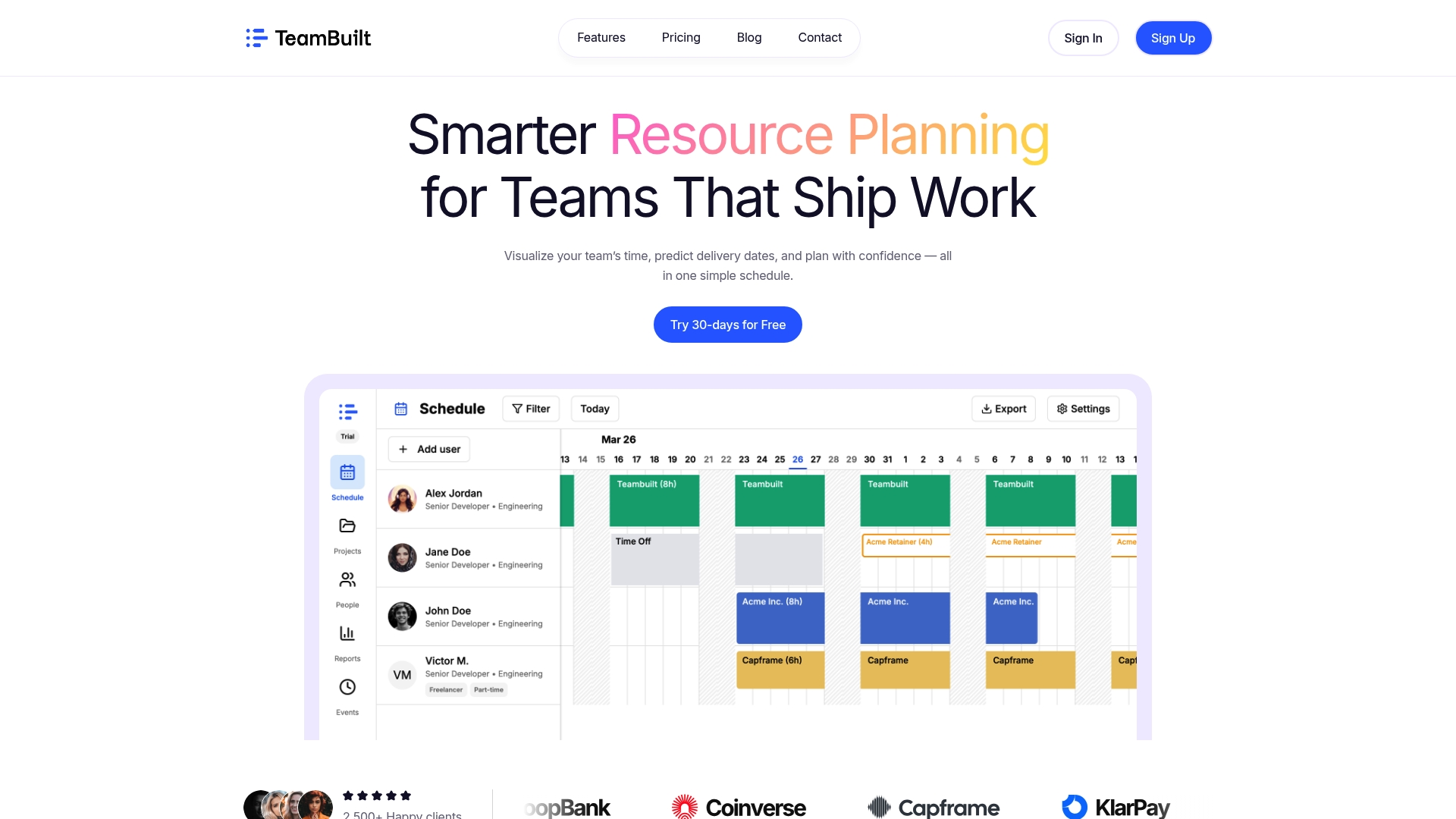
TeamBuilt is built specifically for teams that need reliable, connected resource planning without stitching together a dozen separate tools. The TeamBuilt platform offers open API support alongside pre-built integrations, so your resource schedules, team capacity data, and delivery forecasts stay synchronized with the rest of your stack. Whether you are managing five projects or fifty, the resource planning features give you real-time visibility into who is available, what is at risk, and where your next bottleneck is forming. Book a live demo and see how a purpose-built integration layer can replace the spreadsheets and manual updates your team is still relying on today.
Frequently asked questions
What is an API in project management?
An API (Application Programming Interface) allows project tools to connect so data, tasks, and updates sync automatically between platforms. Platform APIs expose core project management entities like tasks, users, and statuses so external tools can interact with them programmatically.
How do APIs make project collaboration easier?
APIs enable real-time data sharing between tools, reducing manual entry and keeping every connected platform updated automatically so your team always works from current information.
How should teams handle API security?
API security should be built into the project lifecycle from day one, including proper authentication methods like OAuth, access controls scoped to least privilege, and ongoing monitoring after launch.
What is a proof of concept (PoC) in API integration?
A PoC is a small-scale initial implementation that tests new API-based workflows before deploying them at full scale. PoC-first rollouts reduce risk by validating assumptions on a single workflow before expanding to the broader tool stack.
What measurable benefits have businesses seen from API integration?
Businesses report up to 90% reductions in manual data entry and significantly faster workflow handoffs when integrating APIs into their project management stack, with improvements visible within the first weeks of adoption.
Recommended




