Top 4 Productive.io Software Alternatives 2026

Coordinating resource schedules and preventing team overloads remain difficult when different planners work from isolated spreadsheets or tools. Many tools limit flexibility with restricted real-time visibility, integration gaps, or lack clear forecasting for shifting project priorities. You can compare real-time scheduling, forecasting accuracy, and integration reach to confidently pick a Productive.io alternative that fits your team’s needs.
Table of contents
Teambuilt
At a glance
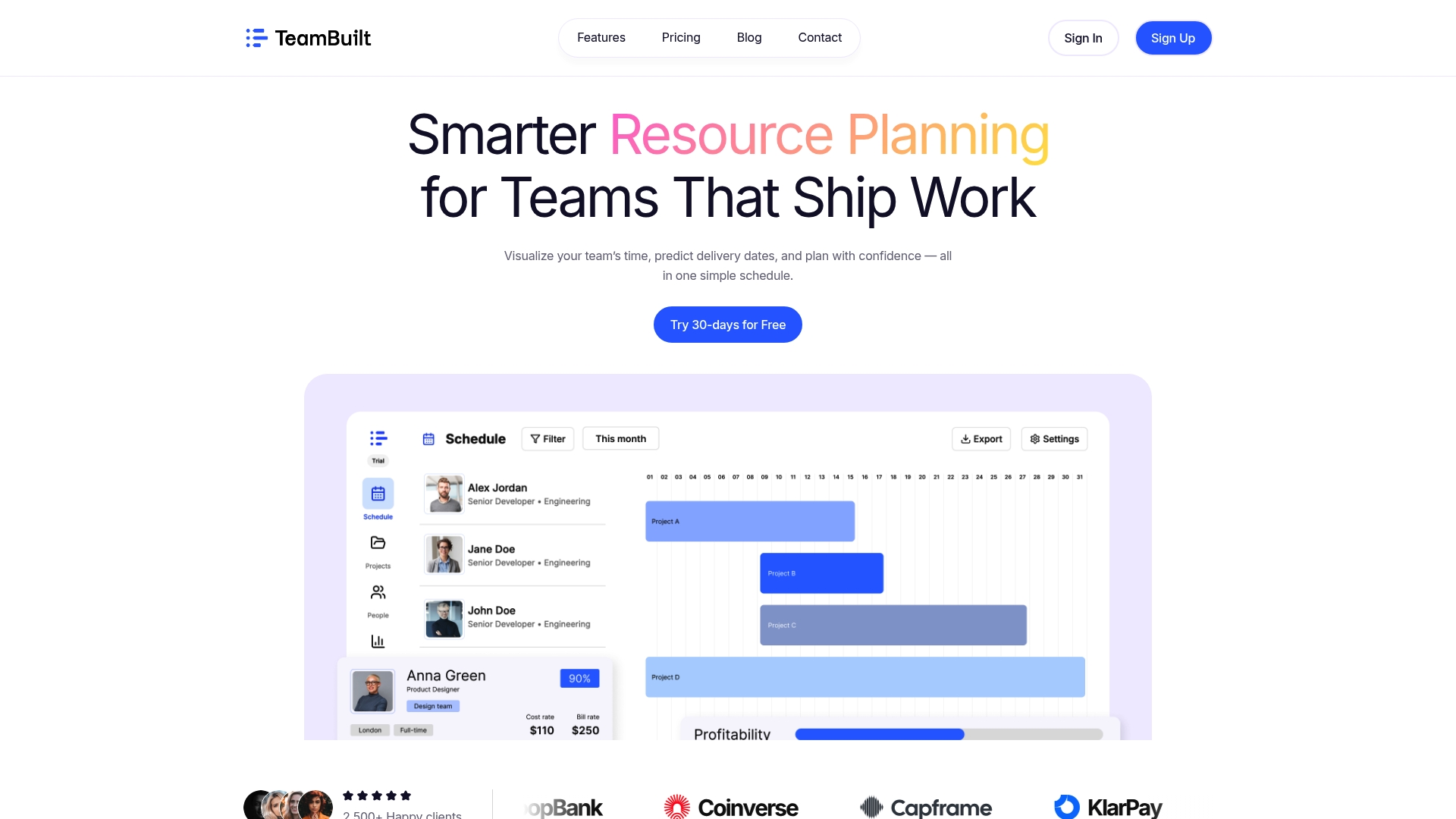
Live team schedules update as availability shifts, letting planners see delivery date changes in real time. Teambuilt combines schedule visualization with capacity tracking to keep workload conflicts visible across teams. The platform emphasizes privacy and a centralized planning workspace that replaces scattered spreadsheets.
Core features
- Real-time team scheduling visualization for live calendars and availability views.
- Project forecast and delivery date planning that recalculates timelines based on resource changes.
- Capacity and utilization tracking to show who is underloaded or overloaded.
- Cross-team coordination using shared plans and dynamic schedule updates for shifting priorities.
Key differentiator
The standout capability is unified, live visibility across teams paired with flexible forecasting tools. That combination lets you spot overbooking and then push updated forecasts to impacted projects instantly. For multi-team organizations this reduces the need to reconcile separate spreadsheets and keeps delivery expectations aligned with actual availability.
Pros
-
Provides a single, live view of workloads and schedules. This reduces reliance on fragmented spreadsheets and saves time reconciling plans.
-
Uses live data in forecasting to make delivery dates more realistic. Teams see how a resource change affects multiple projects at once.
-
Offers capacity and utilization tracking so managers can balance assignments before overload occurs. That helps reduce burnout and missed deadlines.
-
Built for cross-team projects with shared plans and dynamic updates. Project managers can coordinate dependencies without switching tools.
-
Includes an open API and pre-built connectors so you can plug Teambuilt into payroll, billing, or HR systems.
Cons
- Requires time to learn for teams new to structured planning tools; expect an initial onboarding period for planners and leads.
Notable integrations
- TeamSpace
- SwiftPay
- QuickPay
- BankSync
- LearnHub
- SecureBank
- PayNet
- AlphaBank
Who it’s for
Teambuilt fits startups and growing organizations that need real-time resource planning across multiple teams. Project managers, operations leads, CTOs, CFOs, and HR professionals will find the platform useful for replacing spreadsheets. Agencies and SMBs coordinating several teams will benefit most from the shared planning workspace.
Unique value proposition
Open API access and pre-built integrations let you feed live capacity and utilization into external systems such as billing and HR. That means your finance and people teams work from the same availability picture used for forecasting. The practical result is fewer reconciliation tasks and clearer decisions about hiring, contractor use, or project reprioritization.
Real world use case
A startup uses Teambuilt to map developer and designer availability across three product streams. When a key engineer shifts to a support sprint the platform recalculates delivery dates and flags overloaded designers. Project leads reassign tasks and update stakeholders using the same shared plan, preventing missed launches.
Pricing
The product listing is informational only. Contact Teambuilt for current pricing, seat models, or enterprise quotes. Vendors typically provide demos and custom quotes for multi-team deployments.
Website: https://teambuilt.app
Float
At a glance
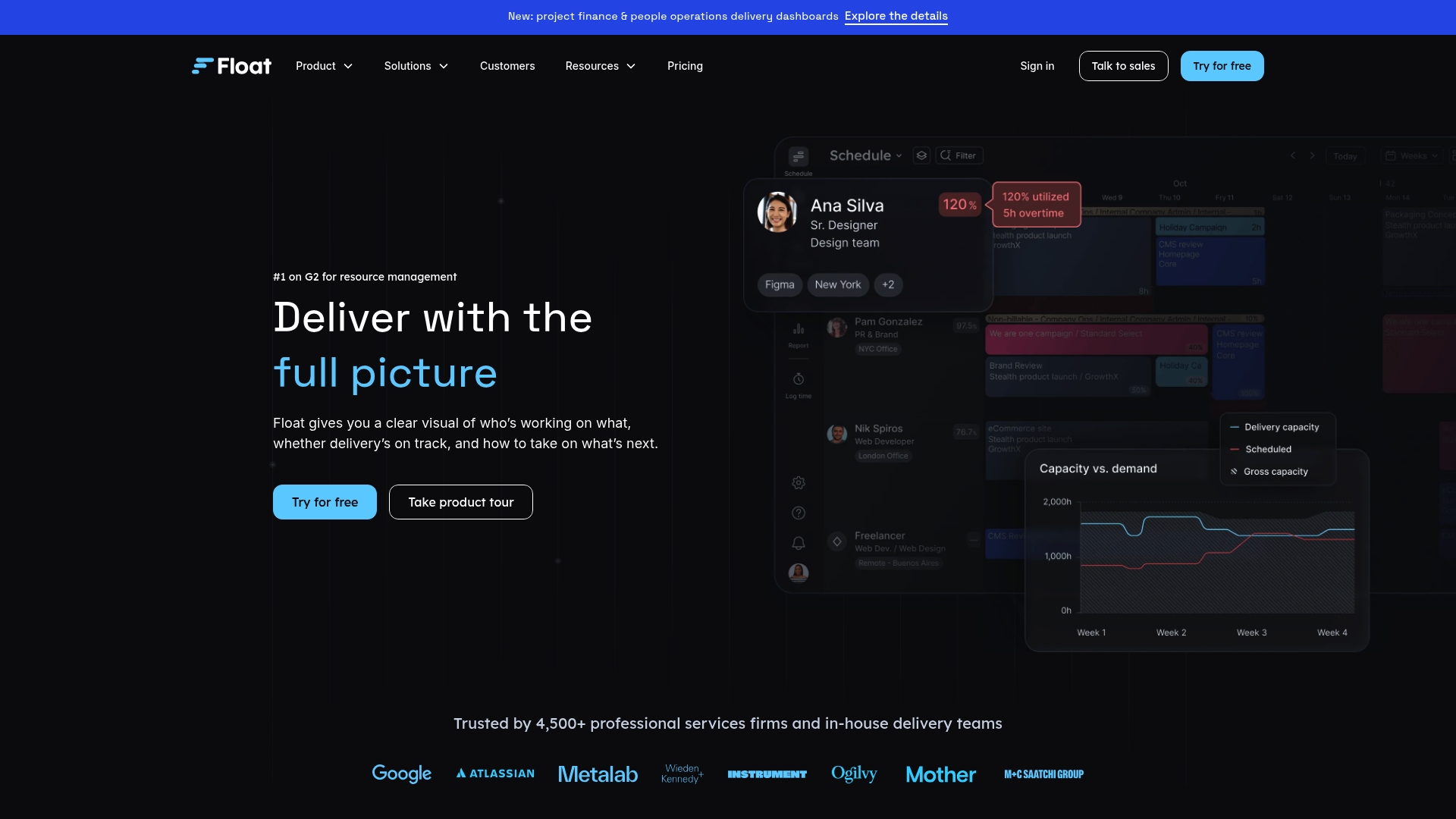
Float reports more than 4,500 teams in professional services use the product. According to the company, Float is B Corp certified and advertises GDPR and SOC2 compliance. The product focuses on visual resource planning that shows who is booked and when. That visibility helps managers spot overloads and move people between projects quickly.
Core features
Float centers on visual scheduling and capacity views paired with basic time reporting. The interface emphasizes calendar style boards and simple adjustments to assignments.
- Resource scheduling for day to day allocation and team calendars
- Capacity planning to compare available hours against planned work
- Project estimates and planning to map effort against timelines
- Time tracking actuals and reporting with delivery dashboards
Key differentiator
Float stands out for a highly visual, drag-and-drop scheduling workspace that makes planning feel like managing a calendar. The layout shows team availability alongside project bookings so you can test reallocations instantly. The platform also connects to project management, finance, and HR tools to bring resource data into a single view.
Pros
-
Highly visual and intuitive interface. Many teams report faster schedule edits once planners adopt the calendar view.
-
Real-time capacity overview. Managers can spot overloads and underutilization without scanning spreadsheets.
-
Easy onboarding and navigation for basic use. Users new to resource tools often learn the main flows in a few sessions.
-
Client portal that improves transparency with external stakeholders. Agencies can share schedules without exporting reports.
-
Strong list of integrations. The product links into project, financial, and HR systems to reduce duplicate data entry.
Cons
-
Some users report occasional performance slowdowns and software glitches. Those reports affect larger accounts more often.
-
Limited customization for very complex workflows. Advanced scheduling rules and deeply nested approvals are not a focus.
-
A portion of users find onboarding challenging if they lack prior resource management experience. That learning curve shows up in the feedback.
-
Integrations can be tricky for complex projects. Connecting multiple systems may require developer effort.
When it may not fit
-
If your delivery model requires deep workflow customization, Float may feel restrictive. The product favors clarity over configurability.
-
Organizations with heavy, enterprise scale integrations will likely need engineering support to align systems. The integration set handles common tools but not every edge case.
-
Teams that require very advanced automation or complex billing rules may find the feature set limited.
Notable integrations
- Jira
- Slack
- Google Calendar
- Outlook
- Asana
- Trello
- Zapier
- Custom API integrations
Who it’s for
Float fits resource managers, project managers, and operations leaders inside professional services firms. The tool matches teams that need visible allocation across multiple projects and want clearer utilization reporting. Finance or HR leaders who need a single source for planned versus actual hours will also find the view helpful.
Real world use case
A creative agency uses Float to visualize team capacity across multiple client projects. Planners move people between assignments in the calendar and cut overtime by reallocating work the week before delivery. The result is tighter delivery timing and steadier profitability for client engagements.
Pricing
The product data provided does not include pricing details. The pricing field in the supplied data reads “Not applicable — informational only.” Contact Float directly for current plans and seat tiers.
Website: https://float.com
Resource guru
At a glance
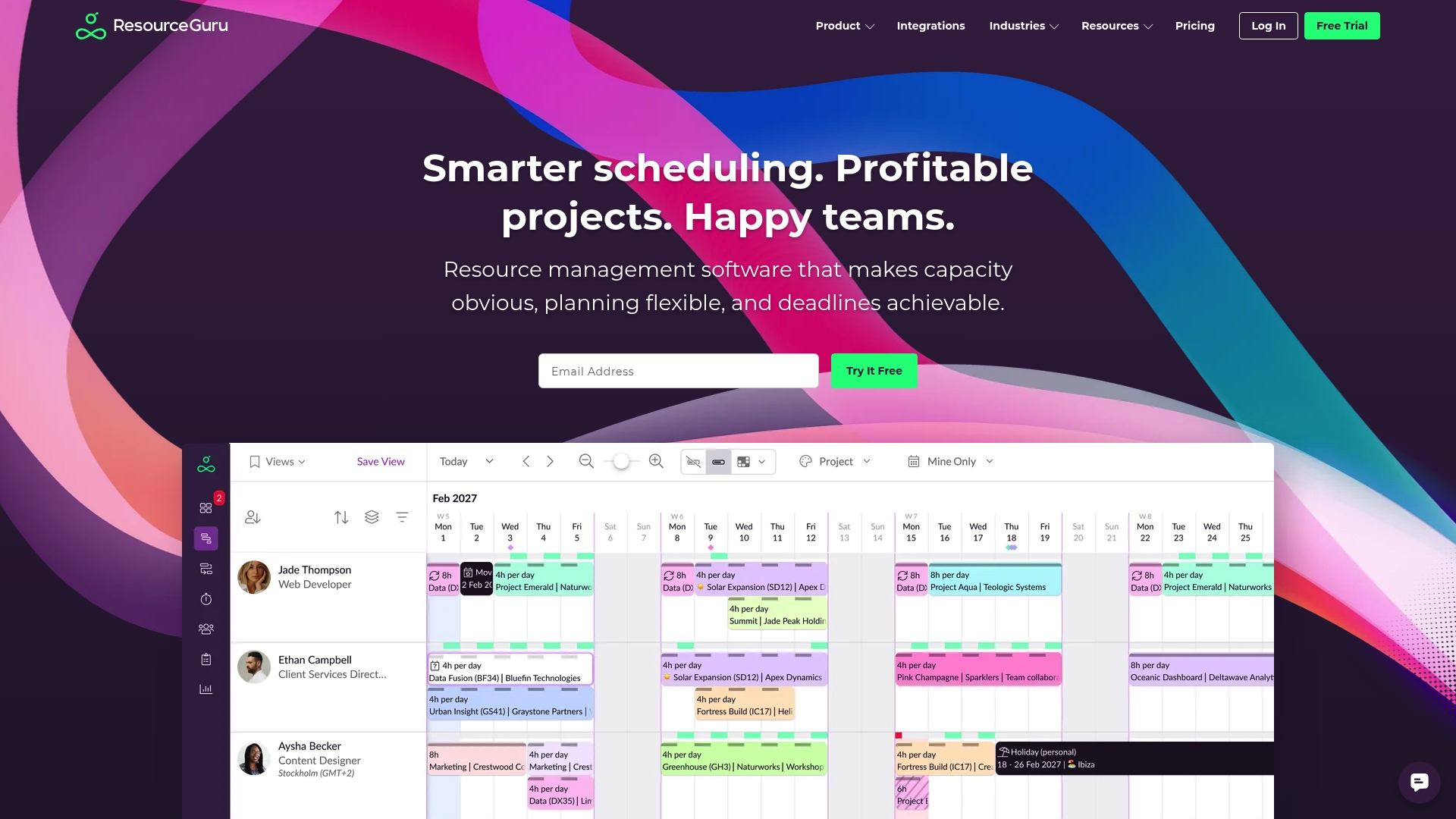
The vendor advertises over 65,000 users across more than 100 countries. That reach shows up in a product that prioritizes quick adoption and a clear, visual schedule view. Setup typically takes a few hours, and teams can start assigning people and equipment without a steep learning curve. The interface favors planners who want visibility over busy calendars and resource conflicts.
Core features
- Resource Scheduling: Drag and drop booking for people and equipment with color coded timelines.
- Capacity Planning: Visual load indicators that show when resources are overallocated or idle.
- Leave Management: Absence handling that blocks availability and updates schedules automatically.
- Equipment management and a meeting room booking system that separate physical assets from people.
- Basic reporting and timesheet options to export workload and utilization data.
Key differentiator
Resource Guru stands out for an intuitive, visual interface that reduces training time. The product trades deep configurability for speed of use. Teams that need a straightforward scheduling canvas will get value quickly without configuring many settings.
Pros
-
Quick to onboard. Teams can create bookings and view conflicts the same day they sign up.
-
Clear workload visibility. The calendar and capacity markers make overbooking obvious at a glance.
-
Good stability and performance for day to day scheduling tasks. The UI stays responsive on typical office networks.
-
Useful equipment and room booking features that keep people and assets separate in planning.
-
Customer support is reported as responsive and helpful when setup questions arise.
Cons
-
Reporting customization could be more advanced. Export options exist but may not meet complex analytics needs.
-
Mobile access has some navigation limits. The app works, but heavy schedule edits feel clumsy on smaller screens.
-
Deep third party integrations sometimes lacking. Connectors cover common tools but power users may need additional syncing work.
When it may not fit
If your team requires highly customizable reports for finance or billing, Resource Guru may feel restrictive. Large enterprises that depend on a broad integration ecosystem could find the connectors insufficient. If most of your scheduling edits happen on mobile devices, the mobile experience may slow your workflow.
Notable integrations
- Outlook Calendar
- Google Calendar
- Jira
- Slack
- Microsoft Teams
- Google Sheets
- Salesforce
- Workday
Who it’s for
Teams that want a visual, easy to use resource planner and need fast time to value. Creative agencies, consultancies, and small engineering groups will appreciate the clarity of schedule views. Operations leads who prefer minimal training and predictable UI behavior will find this product a practical choice.
Real world use case
A creative agency uses Resource Guru to schedule designers and account leads across overlapping projects. Project managers block capacity during campaign sprints and add equipment bookings for studio time. The team avoids double booking and reduces last minute schedule conflicts before launch dates.
Website: https://resourceguruapp.com
Mosaic
At a glance
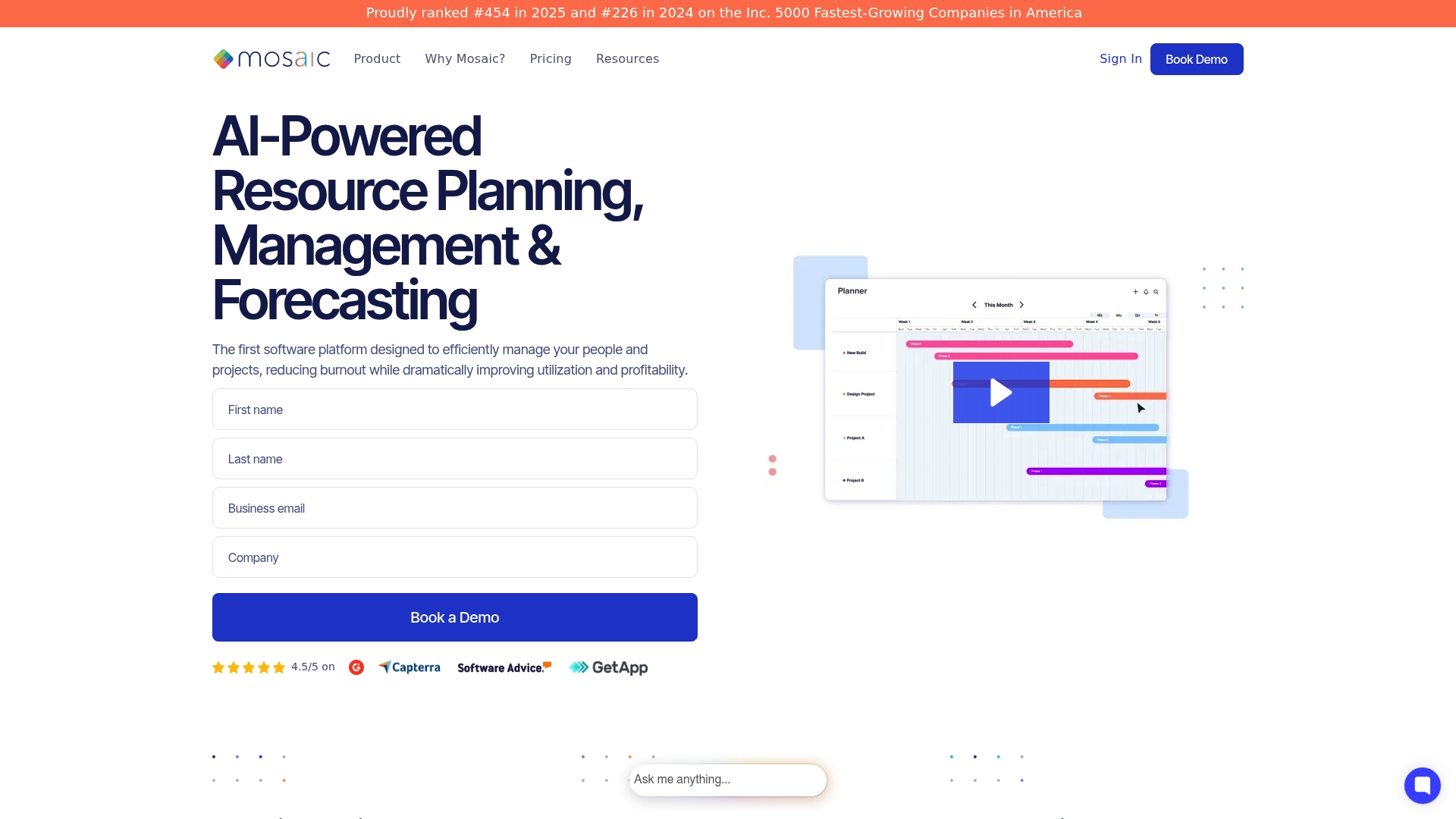
According to the vendor, Mosaic automates team assembly, workload forecasting, and project rescheduling using a combination of advanced AI models. That claim means the tool pushes suggested assignments and forecast adjustments instead of leaving those tasks to manual spreadsheets. The interface targets architecture, engineering, creative agencies, and IT teams with visual dashboards and project budget signals.
Core features
Mosaic includes AI project planning and budget tracking, capacity planning, and forecasting that update as project data changes. The platform offers project scheduling, workload balancing, and scope management tools for multiproject portfolios. It also advertises automated work plans, conflict checking, and rescheduling tools as upcoming features.
Key differentiator
Mosaic centers its approach on predictive automation. Rather than only showing capacity, the product claims to suggest staff assignments and reschedule tasks proactively. That focus on automated team assembly and forecasted rescheduling separates it from simple resource trackers and spreadsheet replacements.
Pros
-
Intuitive interface makes dense project data easier to scan. Visual timelines and boards reduce time spent hunting for status updates.
-
Strong visual tools give clear views of utilization and budget health. Teams can spot overloaded staff and costly schedule slips quickly.
-
Effective at promoting staff utilization and transparency. The platform nudges managers toward balanced assignments.
-
Low learning curve for common tasks such as assigning people, adjusting dates, and reviewing forecasts. Users report faster onboarding for planners.
-
Automated suggestions help assemble project teams and balance workload. That feature reduces manual matching of skills and availability.
Cons
-
Dashboards can feel dense for first time users. The volume of widgets and charts requires configuration to match a team workflow.
-
Native integrations are more limited than some competitors. You may need middleware for deep data syncing.
-
Support chat may operate in specific time zones only. That can slow issue resolution for global teams.
-
Several advertised features remain upcoming. Teams that need those now will face a wait.
When it may not fit
If your organization relies on an extensive set of native connectors out of the box, Mosaic may be restrictive. Small teams that prefer minimal configuration and lightweight tools will find Mosaic too feature heavy. If round the clock support is a must for global operations, the stated support hours may not match your needs.
Notable integrations
- Microsoft 365
- QuickBooks
- Asana
- Jira
- Salesforce
- Slack
- HubSpot
Who it’s for
Mosaic fits mid sized to large organizations in architecture, engineering, and creative services that need forecast driven resource planning. It suits teams that plan multiple concurrent projects and want AI suggested assignments. Organizations focused on reducing overload and improving project financial visibility will get the most value.
Real world use case
An architecture firm uses Mosaic to visualize overlapping project timelines and staff load. Planners assign architects based on live workload and the system suggests swaps to avoid overtime. Forecasting reveals a resource shortfall two months ahead, allowing the firm to hire or shift scope before delivery slips.
Pricing
Pricing is not published on the vendor site. Mosaic offers pricing and demonstrations on request, so expect custom quotes based on team size and required modules.
Website: https://mosaicapp.com
Comparison of alternatives
Selecting the resource planning software significantly impacts an organization’s efficiency. This comparison examines Teambuilt, Float, Resource Guru, and Mosaic, each offering unique features to accommodate different needs in resource management.
Enhanced scheduling and resource visibility
Teambuilt excels in providing a real-time scheduling platform that dynamically adapts to changes, aiding teams in maintaining accurate project deadlines and workload distribution. In contrast, Float focuses on an intuitive drag-and-drop interface for visually managing resources, catering to teams valuing simple navigation and clarity. Resource Guru emphasizes straightforward tools for workload visibility, suitable for planners prioritizing uncomplicated setup and execution.
Advanced customization and integrations
Mosaic utilizes predictive AI to forecast resource requirements and suggest assignments, benefiting organizations managing concurrent projects with complex dependencies. Meanwhile, Teambuilt emphasizes integration capabilities, ensuring live data synchronization with current systems like payroll and HR services. This streamlines operational consistency by linking resource availability to organizational functions.
Best fit
- Real-time planning needs: Teambuilt is ideal for organizations requiring up-to-date team scheduling and accurate resource tracking.
- Visual-oriented workflows: Float suits teams prioritizing simple, straightforward navigation with calendar-style boards.
- Scalable AI-driven resourcing: Mosaic supports larger organizations needing predictive workload management with automated forecasting tools.
- Simplicity for smaller teams: Resource Guru benefits smaller organizations seeking clear visuals without extensive configuration.
- Advanced integration needs: Mosaic is tailored for enterprises requiring advanced predictive analytics and insights into resource management.
Our pick
When dynamic, real-time visibility across multiple team schedules is critical, Teambuilt is an excellent choice for resource planning. However, smaller teams with simpler needs and preference for a drag-and-drop interface may find Float to be a cost-effective alternative. The decision ultimately depends on the specific complexity and scale of resource management required by the organization.
Choosing the right resource planning software depends on factors like real-time data integration, feature diversity, and ease of use. Below is a comparison of leading options:
| Product | Key Feature | Best For | Pricing | Notable Limitation |
|---|---|---|---|---|
| Teambuilt | Real-time scheduling and capacity tracking | Startups coordinating multiple teams | Not disclosed | Requires onboarding for new users |
| Float | Drag-and-drop scheduling with team availability views | Professional service firms needing clarity | Not disclosed | May lack customization for complex projects |
| Resource Guru | Equipment and leave management with visual interface | Small agile teams needing fast adoption | Not disclosed | Reporting customization is limited |
| Mosaic | AI-driven workload forecasting and project rescheduling | Mid-sized firms needing predictive planning | Not disclosed | Some advertised features are upcoming |
Discover a smarter alternative to Productive.io for real-time team planning
If you are exploring productive.io alternatives to improve how your teams manage schedules and resources, Teambuilt offers a powerful solution designed for growing startups and agencies managing multiple teams. Teambuilt eliminates the hassle of scattered spreadsheets by providing live schedule updates, capacity tracking, and forecasting features that adjust delivery dates automatically as team availability changes. This means you can quickly spot workload conflicts and optimize assignments across projects without guesswork.

Experience the benefits of a centralized planning platform tailored for complex workflows. Visit Teambuilt to see how you can balance workload, improve delivery predictability, and empower your project and operations leaders with accurate real-time insights. Act today to reassign resources effortlessly and update project forecasts in under a minute.
FAQ
How does teambuilt’s capacity tracking feature work?
Teambuilt provides capacity and utilization tracking that visualizes who is underloaded or overloaded. This specific feature helps managers balance assignments and prevent burnout, ensuring expectations align with actual workloads. To effectively use this, consider integrating it into your weekly planning processes.
What is the difference between Teambuilt and float’s scheduling capabilities?
Float is known for its highly visual, drag-and-drop scheduling interface, making it easy to reallocate resources at a glance. In contrast, Teambuilt excels in providing real-time team scheduling visualization and dynamic updates across projects for cross-team coordination. If your focus is on straightforward visual adjustments, Float may suit you better; if you need a comprehensive team planning perspective, Teambuilt is the right choice.
Can i use Teambuilt for cross-team projects?
Yes, Teambuilt is designed for cross-team projects with shared plans and dynamic updates. This allows project managers to coordinate dependencies and manage workflows seamlessly without switching tools. Consider it for your next multi-team initiative to enhance collaboration.
Does Teambuilt integrate with other systems?
Teambuilt includes an open API and pre-built connectors, enabling it to integrate into payroll, billing, or HR systems effectively. This integration allows your finance and human resource teams to operate from the same availability picture used for forecasting, streamlining your operational workflows.
How do the forecasting capabilities of Teambuilt compare to those of other tools?
Teambuilt leverages live data in its forecasting, yielding more realistic delivery dates by recalculating timelines based on resource changes. This feature positions Teambuilt as preferable for organizations needing timely adjustments in project timelines when personnel changes occur. As you explore resource planning options, consider how forecasting impacts your operational efficiency.
Recommended