Top 6 stellaforce.com Alternatives 2026


Comparing resource planning tools that fit cross-team needs without adding extra configuration work or unpredictable billing is difficult. Many platforms limit pricing transparency, force teams into per-seat or resource-based billing, or require complex onboarding before planners see value. This list highlights six alternatives to stellaforce.com so operations managers and project managers can match features, team size, and budget before switching.
Table of Contents
Teambuilt
At a Glance
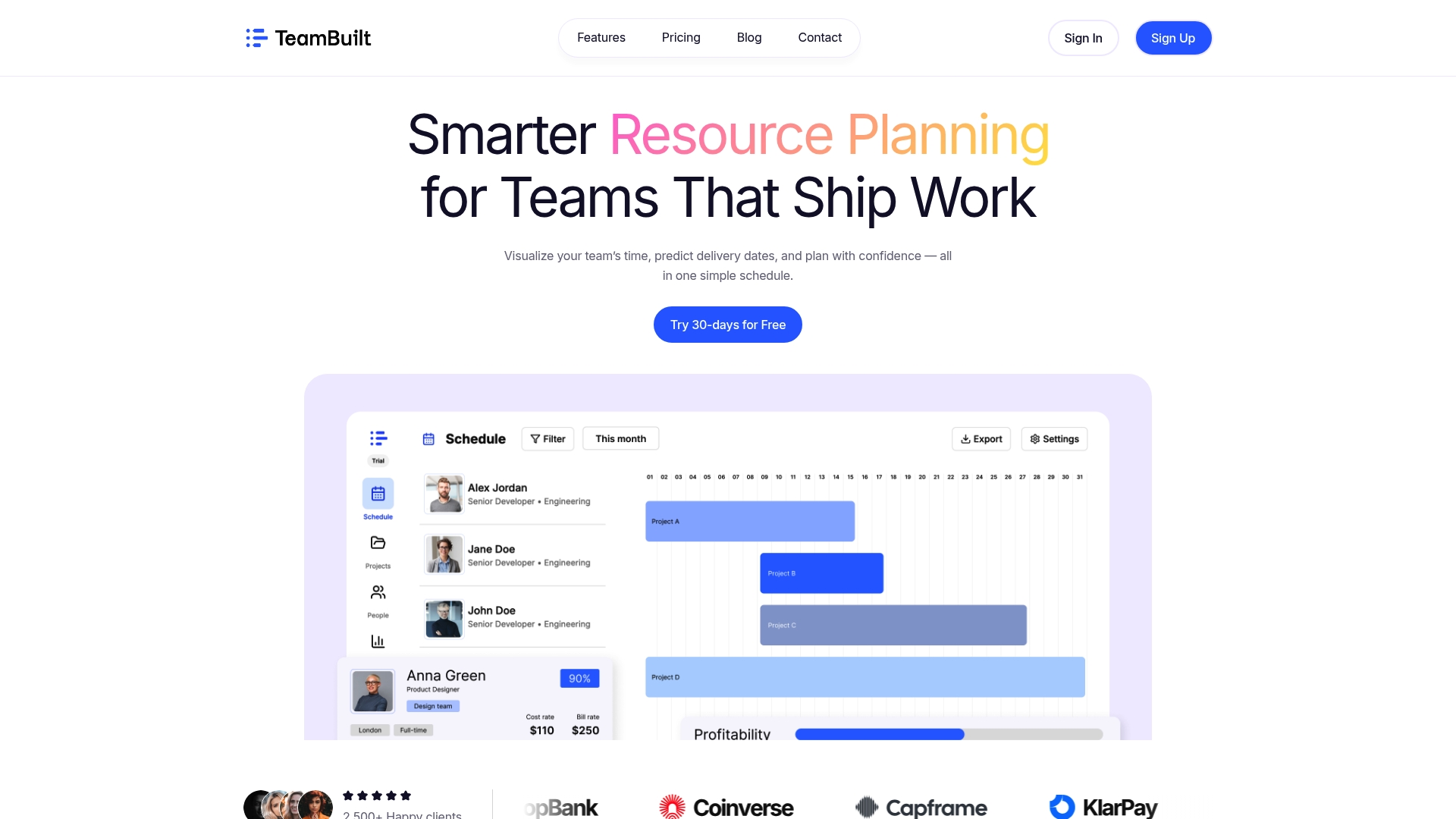
Forecasts project delivery dates from actual resource availability rather than static estimates. The system shows live schedules and workload across teams so planners see where capacity is tight. That visibility reduces last minute reassignments and clarifies which projects will slip when priorities change.
Core Features
Teambuilt combines real time team scheduling visualization with project forecasting that updates delivery timelines when availability changes. It tracks capacity and workload utilization so you can spot overbooking or idle time and adjust plans in one centralized planner. The product also supports cross team coordination, role based access, and integrates via open API and pre built connectors to fit existing workflows.
Key Differentiator
Real time workload and availability data drives every forecast and schedule in Teambuilt. That data focus makes delivery dates depend on current assignments and capacity instead of static task lists. Teams that need predictable handoffs and fewer surprise conflicts will notice the difference in planning clarity.
Pros
Teambuilt gives a clear, live view of who is busy and who can take on work, which helps prevent both overbooking and idle time. Live forecasts use current availability to improve plan accuracy and reduce rework when priorities shift. Centralizing projects and schedules in one place cuts the back and forth across spreadsheets and chat, and role based access means admins control who edits plans while integrations let the tool slot into existing stacks.
Cons
- Potential learning curve for teams moving from spreadsheets or disconnected tools.
Who It’s For
Startups, small to medium sized teams, and agencies that need straightforward resource planning and clearer delivery dates will get the most value. Project managers, operations leads, CTOs, CFOs, and HR professionals who replace manual planning with collaborative schedules will find the visibility useful. Teams that update priorities often will benefit from the live forecasts.
Unique Value Proposition
Tying delivery timelines to live availability reduces guesswork in multi team environments. That connection shortens planning cycles and lowers the number of calendar clashes and late reassignments. For organizations replacing spreadsheets, the shift translates into fewer missed deadlines and clearer capacity decisions during weekly planning.
Real World Use Case
A growing startup uses Teambuilt to surface which engineers are booked and which product tasks must wait. Planners update priorities and immediately see new delivery dates based on who is available. Cross functional teams then coordinate launch tasks without overlapping assignments or unexpected delays.
Pricing
Teambuilt has a Free tier and two paid tiers. Pricing is $4/month per user for Pro and $3.6/month per user for Growth, with 30 day free trials available. The per user model makes it simple to budget as the team scales.
Website: https://teambuilt.app
Ganttic
At a Glance
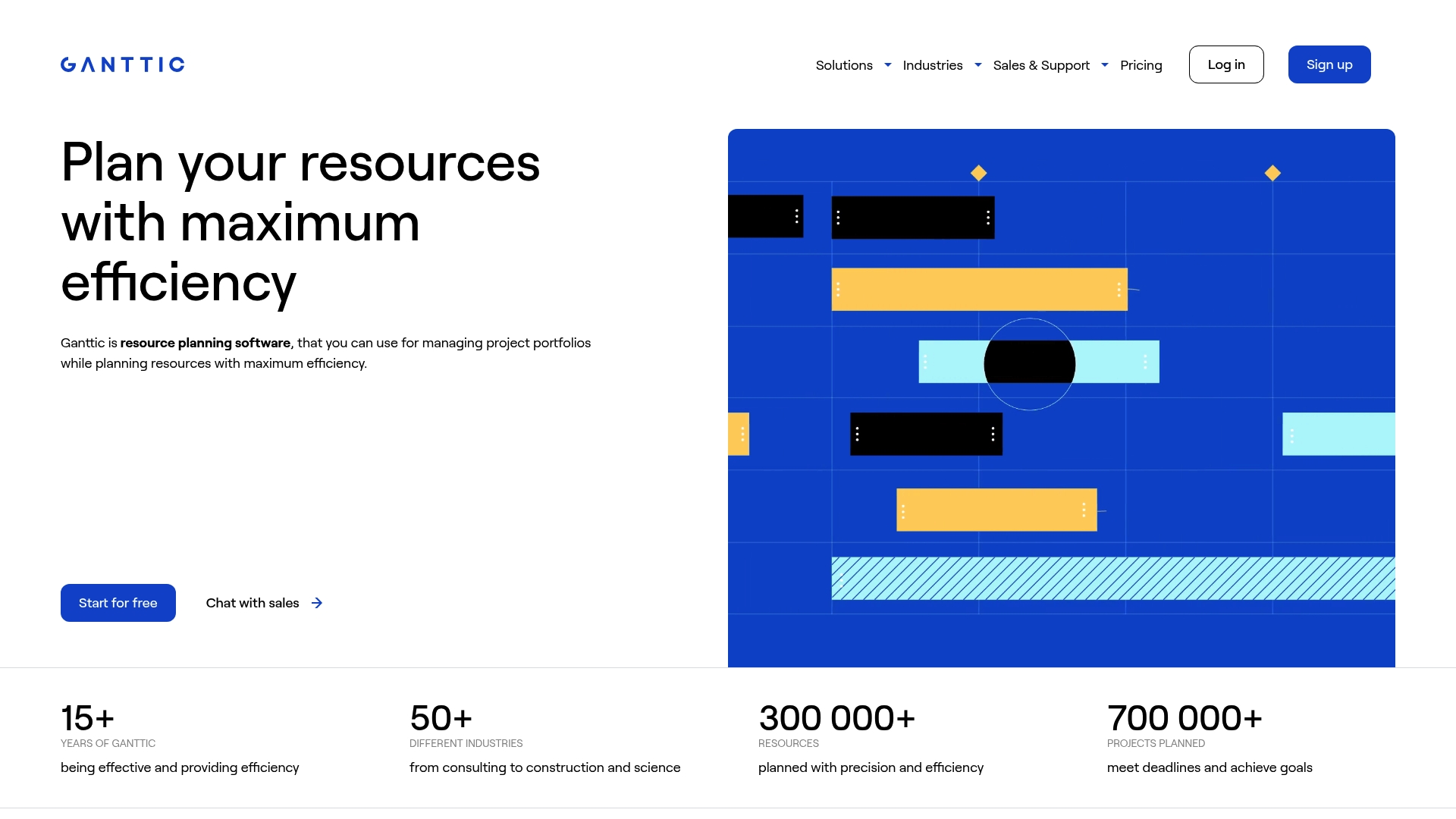
Ganttic reports it has managed more than 300,000 resources and over 700,000 projects during its 15 years in the market. That figure reflects long use across construction, engineering, consultancy, and creative teams. The product focuses on visual resource planning for multi project environments.
Core Features
The planner offers visual workflow creation and drag and drop scheduling alongside multiple perspectives such as Gantt charts, Kanban boards, reports, and lists. It handles concurrent tasks across multiple resources and tracks utilization automatically while supporting custom data fields and recurring tasks. The product includes calendar syncing, API access for automation, and reporting monitoring project portfolios.
Key Differentiator
Ganttic stands out for its flexible visualization and the variety of views that adapt to complex scheduling needs. The interface lets you shift from timeline focused planning to list or board views without losing resource context. That flexibility helps operations teams show the same plan in formats tailored to stakeholders.
Pros
The tool is highly flexible and configurable, which makes it possible to model complex resource scenarios and equipment schedules in one place. All plans support unlimited users and resources, so you avoid per seat limits when expanding teams. Integrations with Google Calendar and Outlook, plus an API, make it practical to connect existing systems while the vendor provides extensive support and learning materials.
Cons
- Steep learning curve for new users. Training is often required to master advanced scheduling capabilities.
- More complex than needed for very small or single project teams. Setup can feel heavy for straightforward work.
- Pricing is based on resources, which may make cost harder to forecast for some buyers.
When It May Not Fit
Ganttic may be overly feature rich for very small teams that only need simple task lists. The platform requires time and training to get full value from advanced features. Organizations that prefer per user billing instead of resource based pricing might find the model inconvenient.
Notable Integrations
Ganttic connects to Google Calendar and Outlook Calendar for schedule syncing and offers an API for custom integrations. These options let you automate exports, push assignments, and maintain a single source of truth between planning tools and personal calendars.
Who It’s For
Medium to large organizations that manage many concurrent projects and resources will benefit most. Project managers, operations leads, and resource planners at engineering firms, consultancies, and creative agencies will find the visualization and multi project features useful.
Real World Use Case
A construction company uses Ganttic to schedule crews, machinery, and materials across overlapping sites. Planners assign multiple resources to the same task, visualize clashes, and export schedules to contractors via calendar syncs. That approach raises utilization and reduces idle equipment downtime.
Pricing
Pricing scales by the number of resources. Plans start at about $0.92 per resource per month for up to 10 resources, and a free plan covers organizations with up to 10 resources. Larger resource pools move to higher tiers.
Website: https://ganttic.com
Teambook
At a Glance
€2 per project/month is the baseline price and that plan includes unlimited users. The vendor advertises GDPR compliance and European hosting for data privacy. As a stellaforce.com alternatives, Teambook targets teams that want project based resource planning with clear operational visibility.
Core Features
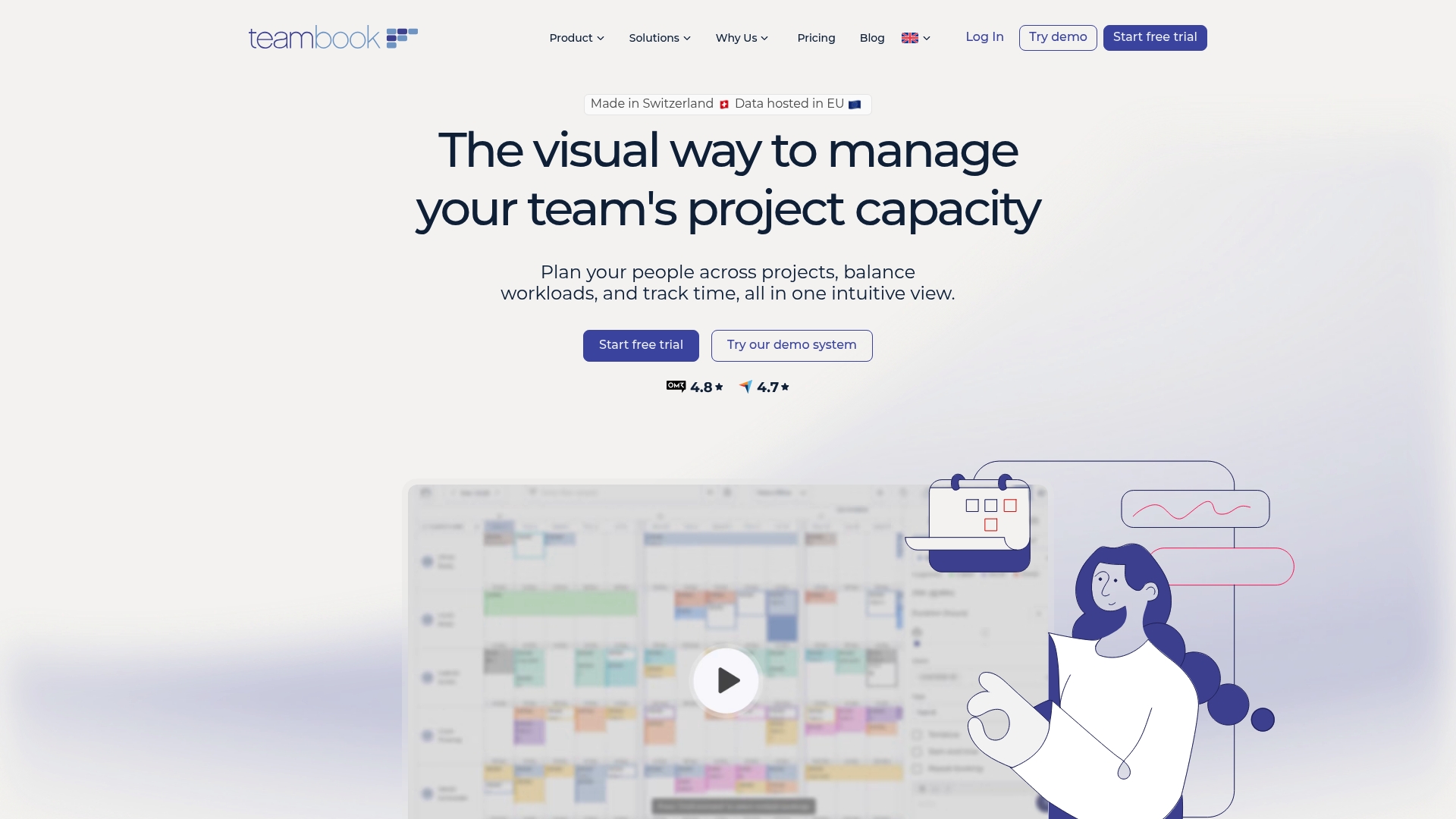
Teambook combines visual project planning with capacity visualization and simple simulation tools for workload balancing. It includes timesheet-based time tracking, overloading alerts, and multilingual support for distributed teams. The interface focuses on day-to-day scheduling, so teams spend less time training and more time planning.
Key Differentiator
The primary distinction is European hosting paired with GDPR focus and project priced billing. That compliance claim was stated earlier by the vendor. Project based billing makes costs predictable for agencies that manage many client engagements rather than paying per seat.
Pros
The interface is user-friendly and reduces the onboarding burden for operations and project leads. Flexible pricing based on projects keeps license costs tied to workload, and the base model supports unlimited users which helps cross functional teams. Multilingual support and a Europe based hosting footprint support international teams that must meet data privacy expectations, and responsive customer support improves rollout pace.
Cons
- Operational planning focus may not satisfy teams needing long term capacity forecasting or detailed scenario modeling.
- Available integrations exist but some users report a need for broader automation and native connectors for complex workflows.
- Core visualization and advanced analytics require paid add ons which raises total cost for heavy usage.
When It May Not Fit
If your organization needs deep strategic capacity forecasting, Teambook may fall short. If your workflows depend on enterprise grade automation across many systems, the integrations and automation may feel limited. Large organizations that require advanced scenario modeling will likely prefer a different tool.
Notable Integrations
- Google Calendar
- Outlook
- Zapier
- HubSpot
- Jira
- Slack
- QuickBooks
- Redmine
Who It’s For
Operations managers, project managers, and team leads who need straightforward, project based resource planning will find this product useful. Teams in agencies, consulting, engineering, and IT services that must meet European data privacy rules will benefit from the hosting and language support. Smaller to mid sized organizations seeking quick operational visibility get the most value.
Real World Use Case
A digital agency schedules designers and developers across several client engagements, balances workloads to prevent overload, and records billable hours in the same tool. Managers run quick simulations to see how shifting staff affects delivery dates. GDPR focused hosting keeps client data under European jurisdiction.
Pricing
Base pricing starts at €2 per project/month and includes unlimited users. Capacity visualization is an optional add on for an extra €1 per project. Timesheet functionality is another paid add on for €1 per project, and custom enterprise plans are available for larger deployments.
Website: https://teambookapp.com
Teamdeck
At a Glance
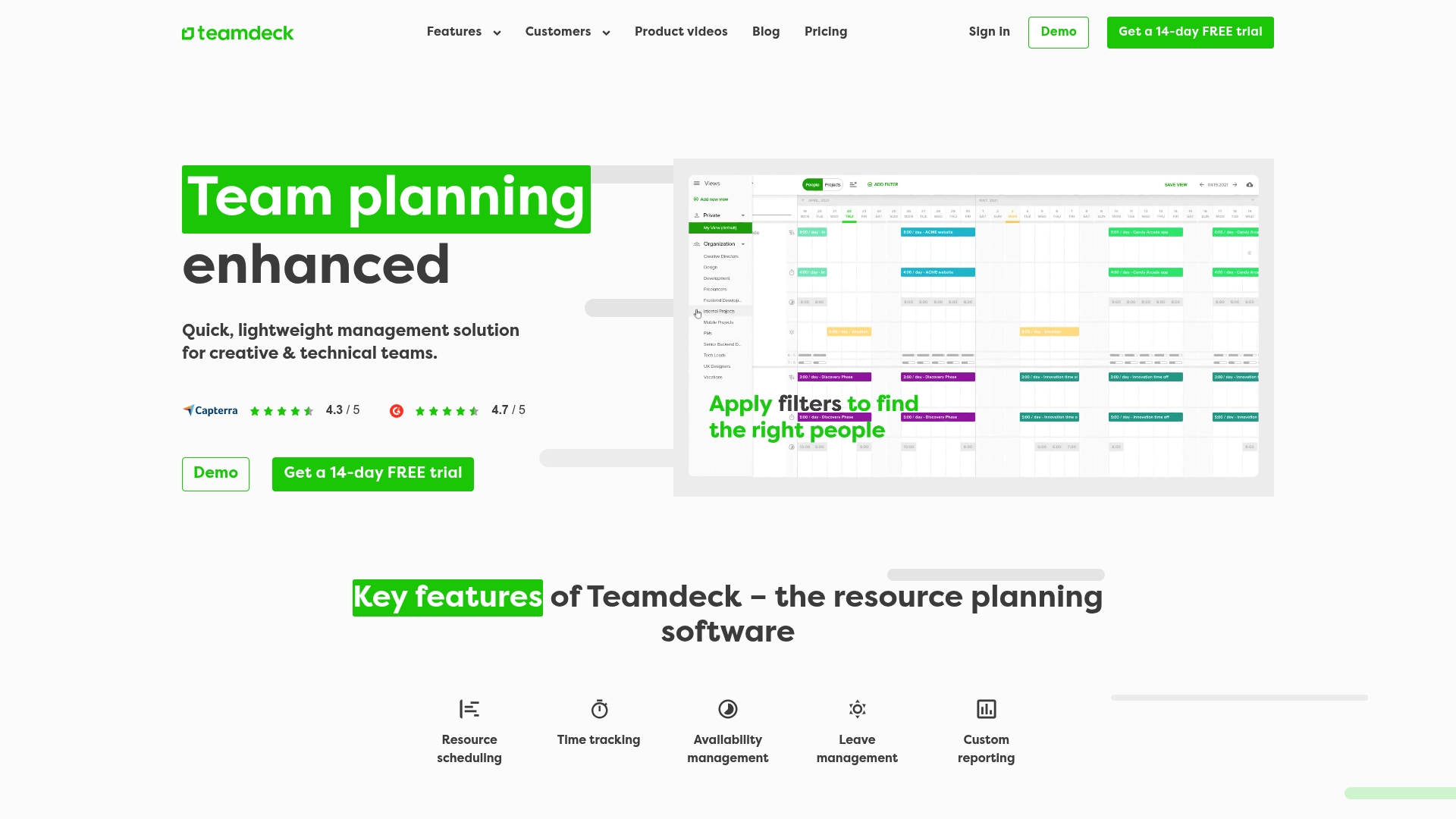
Teamdeck reports teams of up to 1,000 employees worldwide. It pairs visual calendars with drag and drop scheduling for resource planning and time tracking. The product targets creative and technical teams that need fast workload visibility.
Core Features
Resource scheduling, time tracking, availability and leave management form Teamdeck’s core feature set. Custom reporting and visual calendars turn raw entries into capacity views and utilization reports. Open API and prebuilt connectors link to tools such as Slack and Google Calendar to keep schedules and calendars aligned across systems.
Key Differentiator
The clearest difference is the focus on visual scheduling alongside broad connector support. Calendar-based, drag and drop planning makes it quick to reassign people and spot conflicts. That visual approach suits teams that make frequent tactical adjustments to staffing.
Pros
The interface is straightforward, which reduces onboarding time for managers and coordinators. Integrations include API, Slack, Google Calendar, Zapier and Podio, which helps connect billing, HR and calendar workflows. Scheduling and workload views reveal conflicts quickly and make capacity planning more predictable. The product balances simplicity with necessary features, making it useful across agencies, product teams and operations.
Cons
-
Not suited for very large enterprises requiring deep vertical customization.
-
Some advanced functions are missing or less intuitive compared with enterprise grade tools, according to third-party reviews.
-
Pricing tiers and feature scope may need review for very large organizations or highly specialized requirements.
When It May Not Fit
If your organization requires automated resource leveling or advanced project simulation, this may not meet that need. Large enterprises needing heavy customization will find the feature set narrow. Also plan to evaluate licensing details and potential scale related costs before committing.
Notable Integrations
- API
- Slack
- Google Calendar
- Sage HR
- Zapier
- Podio
Who It’s For
Mid-sized teams in creative, technical and operational roles will get the most from Teamdeck. Agencies and software houses that juggle multiple projects will value the visual planning. HR and operations teams can use time tracking and leave management for basic capacity and payroll alignment.
Real World Use Case
An advertising agency uses Teamdeck to allocate staff across multiple campaigns, track billable hours and manage leave. The team uses visual calendars to prevent double booking and to rebalance workloads across designers and copywriters. Generated reports feed into client invoices and monthly profitability reviews.
Pricing
A free trial is available, and the product uses subscription based plans. Specific prices are not publicly listed and require contacting sales for a full quote.
Website: https://teamdeck.io
Planforge
At a Glance
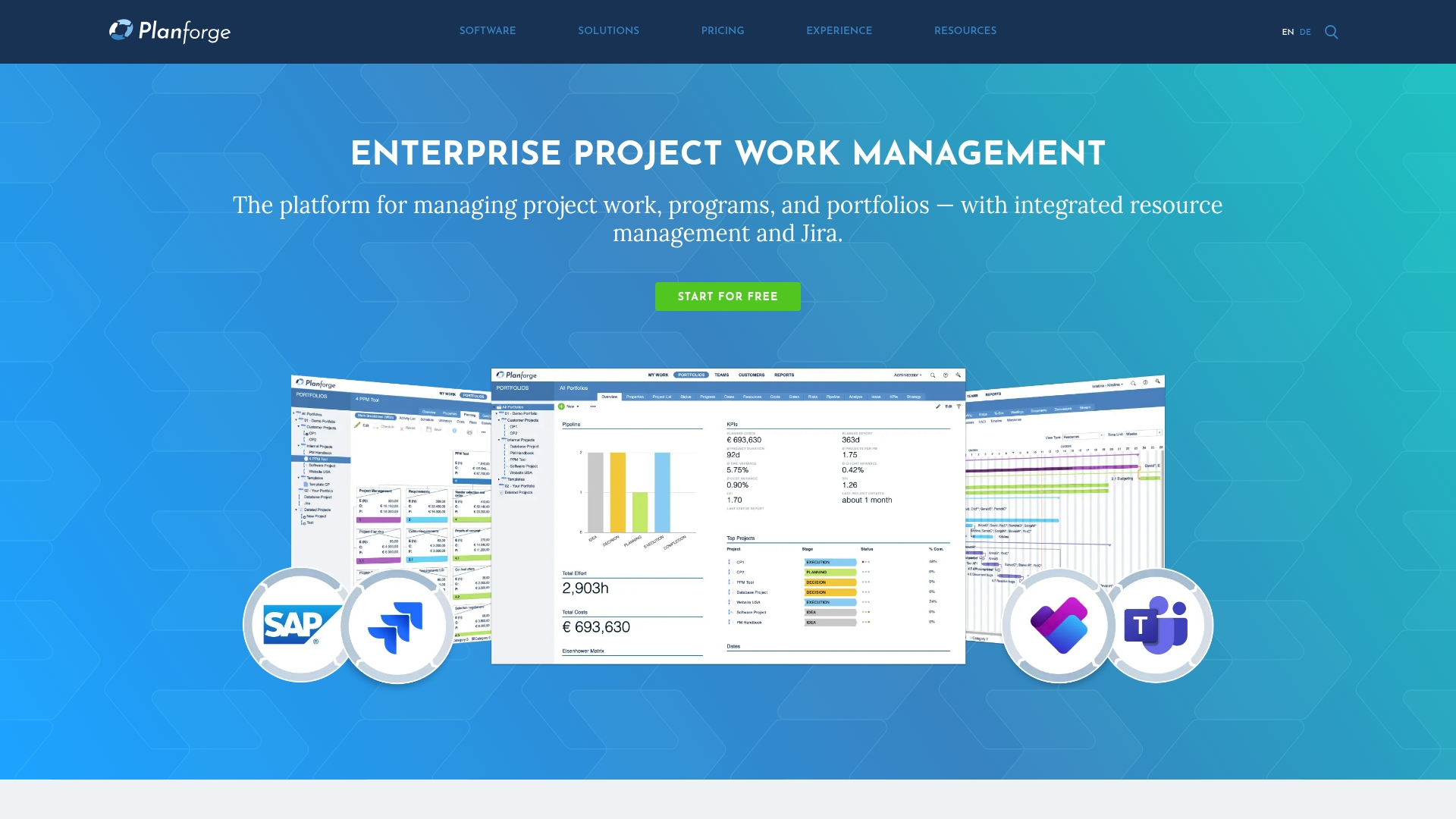
Supports hybrid, agile, and traditional project methods while linking project control to enterprise systems such as Jira and SAP. The vendor states Planforge is GDPR-compliant and hosted on AWS. That mix of methodology support and enterprise integration targets organizations running parallel development and operations workflows.
Core Features
Planforge bundles project, program, and portfolio management with resource planning and allocation so teams can assign people against dates and deliverables. It offers real time tracking of project progress and milestone dates, plus advanced reporting and customizable dashboards for status reporting. The platform also includes workflow automation, gate management, risk and stakeholder analysis, and idea to portfolio management.
Key Differentiator
Planforge’s strongest distinction is its combination of multi-method support and deployment flexibility. It supports hybrid delivery models while offering cloud, private cloud, and on premises deployment options. Those choices let enterprises keep sensitive controls inside their environment while connecting execution tools across the stack.
Pros
Planforge brings broad project and portfolio controls together with resource planning, which reduces the need for separate planning tools. Integrations with Jira, SAP, Confluence, and Teams let teams synchronize tickets, financials, documentation, and communication across workstreams. The interface includes configurable dashboards that let operations and PMOs tailor views for reporting and decision-making. Flexible deployment options help IT align hosting to corporate policy and data governance.
Cons
- Pricing structure is complex and can be hard to parse, which slows procurement for smaller teams.
- Advanced features have a learning curve and require training to use effectively.
- Public detail about what each paid tier includes is limited, which complicates feature comparison before purchase.
When It May Not Fit
If your team is small and you need a lightweight planner, Planforge may feel heavyweight and slow to adopt. If you expect immediate value without training, advanced portfolio features could frustrate people early on. Organizations that need transparent, line item pricing for rapid vendor selection may find the pricing approach a poor match.
Notable Integrations
Planforge connects with major enterprise tools that project and delivery teams already use. Key integrations include:
- Jira
- SAP
- Confluence
- Teams
Who It’s For
Large organizations that require integrated project control across development and business systems will benefit most. It fits PMOs, program managers, and portfolio leads who must report up to executives and sync execution between development tools and enterprise resource systems. IT teams that need deployment choices for compliance and data governance will also find it relevant.
Real World Use Case
A global manufacturing company coordinates multiple programs, synchronizes issue data from Jira with financial records in SAP, and consolidates status into strategic portfolio reports. Planforge helps align delivery dates with resource availability and produces the executive level reporting needed for steering committee decisions. That scenario shows how integration and portfolio views reduce manual reconciliation.
Pricing
Pricing varies by user count and deployment option. Planforge offers a free basic mode and paid plans starting at €45 per user/month, with enterprise licensing available for larger deployments. Final cost depends on chosen hosting model and selected feature tiers.
Website: https://planforge.io
Planifi
At a Glance
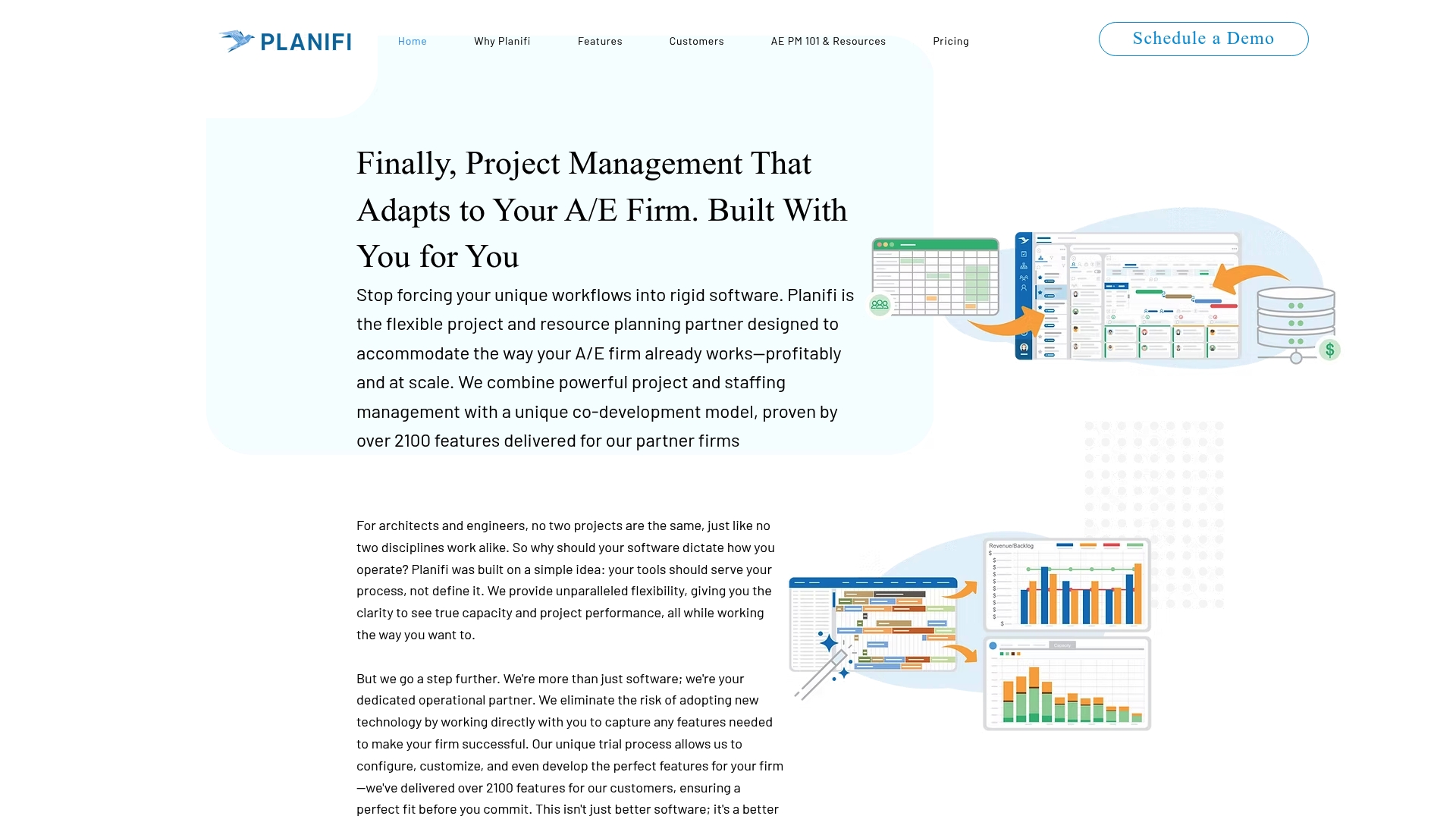
Planifi reports over 2,100 feature deliveries that were added to meet customer requests. That level of iterative development supports tailored workflows for architecture and engineering firms. The product positions itself as a partner for ongoing feature work and operational collaboration.
Core Features
Planifi combines resource planning and scheduling, project and portfolio management, staff capacity and performance tracking, task and deliverable management, and budgeting and financial tracking into a single operational workspace. The interface emphasizes visual planning and collaboration while integrating with finance and ERP systems so teams keep project and financial data aligned.
Key Differentiator
Planifi uses a co development model to build features with each client, which produces firm specific customizations. That approach favors offices that need software adapted to existing processes rather than forcing a strict workflow. The model also includes ongoing feature delivery and partnership on enhancements.
Pros
The product is highly flexible and configurable, which helps firms map Planifi to established project delivery processes. Its visual planning interface makes staffing and timeline adjustments easier to read during planning sessions. Deep financial and ERP connections reduce duplicate data entry and help link project schedules to budgets and billing. That figure on delivered features supports the claim of active, customer led development.
Cons
- Limited public detail on scalability for very large firms or multiple office setups.
- Extensive customization options can overwhelm teams without structured onboarding and training.
- Third party reviews were not available to corroborate vendor reported strengths and limitations.
When It May Not Fit
If your firm needs an off the shelf, low configuration tool right away, Planifi may feel heavy. Large multi office organizations should request evidence of scale before committing. Smaller teams without dedicated implementation resources may struggle with deep customization.
Notable Integrations
Planifi lists integrations with several A E and professional services systems.
- Deltek Vision
- Deltek Vantagepoint
- Deltek Ajera
- Unanet A E
- BST
- Microsoft Dynamics
Who It’s For
Planifi fits architecture and engineering firms that require adaptable project and resource management tied to finance systems. It targets firms that prefer to shape software through collaboration with a vendor. Resource managers, project directors, and finance leads at midsize to large practices will get the most from its custom work.
Real World Use Case
DLR Group improved staffing visibility and project planning efficiency using Planifi visual tools and integrations. Project leads used the scheduling views to rebalance assignments, while finance connected project budgets to resource plans. The engagement illustrates typical gains when the vendor delivers client specific enhancements.
Pricing
Planifi starts at $9 per user per month for the standard plan, with higher tiers that offer additional features and support. Contact the vendor for enterprise quotes and implementation pricing.
Website: https://planifi.net
Comparison of alternatives
Planning tools for resources offer essential capabilities tailored to unique team structures and objectives. Below, we analyze critical aspects to help readers determine their choice from the featured options.
Distinct visualization methods for resource overview
Ganttic excels in its flexible visualization methods, enabling users to adapt resource presentations across Gantt charts, Kanban boards, and list formats. This versatility benefits teams needing diverse perspectives tailored for different stakeholder requirements. Alternatively, while Teambook simplifies project-based billing and clarifies workloads, its focus on operational precision may not meet wider visualization demands.
Integration focus and customizable deployment options
Teams prioritize tools that align with their systems and policies. Planforge offers extensive integration options, connecting to Jira, SAP, and Microsoft Teams, and provides deployment flexibility with on-premise and cloud solutions. This capability supports compliance-heavy enterprises needing interconnectivity. On the other side, Teambuilt specializes in providing real-time data updates, offering unique utility for dynamic scheduling environments.
Best fit
- Teams requiring real-time delivery predictions based on availability will find Teambuilt most advantageous.
- Organizations managing diverse projects that demand multiple visualization modes will benefit from Ganttic’s configurability.
- Agencies adhering to European data protection mandates while managing project-based billing might choose Teambook.
- Customization-seeking firms in architecture and engineering will maximize outcomes with Planifi.
- Enterprises aligning portfolios across ERP systems should favor Planforge.
Our pick
Teambuilt’s live forecasts that adapt to active resource availability distinguish it among the options analyzed. Teams seeking streamlined schedules with fewer task conflicts and enhanced transparency will gain great value. Nevertheless, competitors like Ganttic and Planforge remain stronger for firms with distinctive needs, such as visualization matrices or enterprise-grade integration. Ultimately, each platform’s fit depends on users’ specific operational requirements.
Here is a comparison of resource planning software options to help you identify the one that best enhances team scheduling and delivery forecasting.
| Software | Core Feature | Strength | Best For | Pricing | Limitation |
|---|---|---|---|---|---|
| Teambuilt | Real-time team scheduling and workload tracking | Accurate live availability updates | Small to medium-sized teams | Free, $4/user/month for Pro | Learning curve for spreadsheet users |
| Ganttic | Visual resource planning with multiple workflows | Flexible visualization options | Large or complex resource management | $0.92/resource/month | Complexity can overwhelm small teams |
| Teambook | Project-based resource planning | GDPR compliance and European hosting | Teams needing simple project pricing | €2/project/month; unlimited users | Limited for long-term capacity planning |
| Teamdeck | Visual scheduling with time tracking | Comprehensive calendar integration | Mid-sized creative and technical teams | Price not published | Insufficient for large enterprises needing advanced modeling |
| Planforge | Multi-method project, program, and portfolio management | Extensive enterprise integration options | Large organizations with hybrid workflows | €45/user/month | Advanced features require training to use effectively |
How can teams improve planning accuracy and manage workload conflicts?
Balancing multiple projects across teams creates constant challenges. Teambuilt offers real-time team scheduling that updates project delivery dates based on current resource availability. This approach reduces last minute reassignments and helps teams avoid overbooking or idle time. Project managers, operations leads, CTOs, CFOs, and HR professionals gain a clear view of who is available, making it easier to meet delivery deadlines and coordinate cross-team work.

See how Teambuilt replaces spreadsheets and scattered workflows with a single, centralized planner. Visit Teambuilt to check live workload visualization and capacity tracking. Try forecasting project delivery dates based on real resource availability to prevent surprises and improve project predictability.
FAQ
How does Teambuilt enhance resource planning accuracy?
Teambuilt provides live forecasts that utilize current resource availability to improve delivery estimates. This feature allows planners to make adjustments based on real-time data instead of static task lists, reducing the chances of overbookings and idle time. Users can expect greater precision in their project timelines, leading to more reliable scheduling.
What is the difference between Ganttic and Teambuilt?
Ganttic excels in flexible visualization and adapting views to complex scheduling needs, supporting multiple perspectives like Gantt charts and Kanban boards. Teambuilt shines when teams need to tie delivery timelines directly to live resource availability, reducing misunderstandings related to project deadlines. Each tool suits different project management scenarios, making them valuable depending on specific needs.
Which platform offers better cross-team coordination features?
Teambuilt centralizes scheduling and role-based access, facilitating cross-team collaboration effectively. This capability ensures that all teams have visibility into project status and resource allocation in one place, preventing miscommunications. Organizations looking for coordinated efforts across teams will find this feature particularly beneficial.
Can I use Teambuilt if my team frequently changes priorities?
Yes, Teambuilt is designed to handle shifting priorities effectively by automatically updating delivery timelines based on current resource availability. This adaptability is especially useful for project managers and operational leads who often need to reassign tasks quickly without losing sight of overall progress. Users will appreciate its ability to maintain clarity even in dynamic environments.
How does Teambuilt address the need for visibility in resource availability?
Teambuilt offers real-time workload and availability data that directly impacts scheduling and project delivery. This feature allows planners to visualize who is available and who is busy, improving overall scheduling practices. Teams seeking clearer insights into their resource statuses will benefit from this centralized approach.
Recommended