
Team Communication Improvement Workflow Guide


TL;DR:
- Most teams face a clarity problem rather than a communication problem, requiring written agreements on information flow. Building shared protocols, escalation paths, and tool governance reduces noise, chaos, and repetitive meetings, leading to faster project delivery. Effective communication improves when leadership establishes clear rules, assigns purpose to channels, enforces discipline, and adopts structured async practices.
Most teams don’t have a communication problem. They have a clarity problem. The team communication improvement workflow isn’t about talking more or adding another tool. It’s about agreeing, in writing, on how information moves. Who sends what, where, and how fast someone needs to respond. Without those agreements, communication failures stem from unclear channel choices and missing process rules, not from a lack of effort. This guide breaks down exactly how to build that system: protocols, escalation paths, tool governance, and async habits that actually stick.
Table of Contents
- Key Takeaways
- Building your team communication improvement workflow
- Escalation paths and response expectations
- Tool governance and channel discipline
- Async communication best practices
- My take on communication workflows
- How Teambuilt supports your communication workflow
- FAQ
Key Takeaways
| Point | Details |
|---|---|
| Protocols over tools | Defining shared channel rules reduces noise faster than switching to better software. |
| Escalation by severity | Map escalation tiers with timers so urgent communication is predictable, not chaotic. |
| Tool governance matters | Channel naming, threading rules, and purpose clarity are what make tools work long-term. |
| Async reduces meeting load | 40 to 60 percent of recurring meetings are replaceable by structured async updates. |
| Write self-contained messages | Every async message needs context, a specific ask, options, and a deadline to avoid follow-up loops. |
Building your team communication improvement workflow
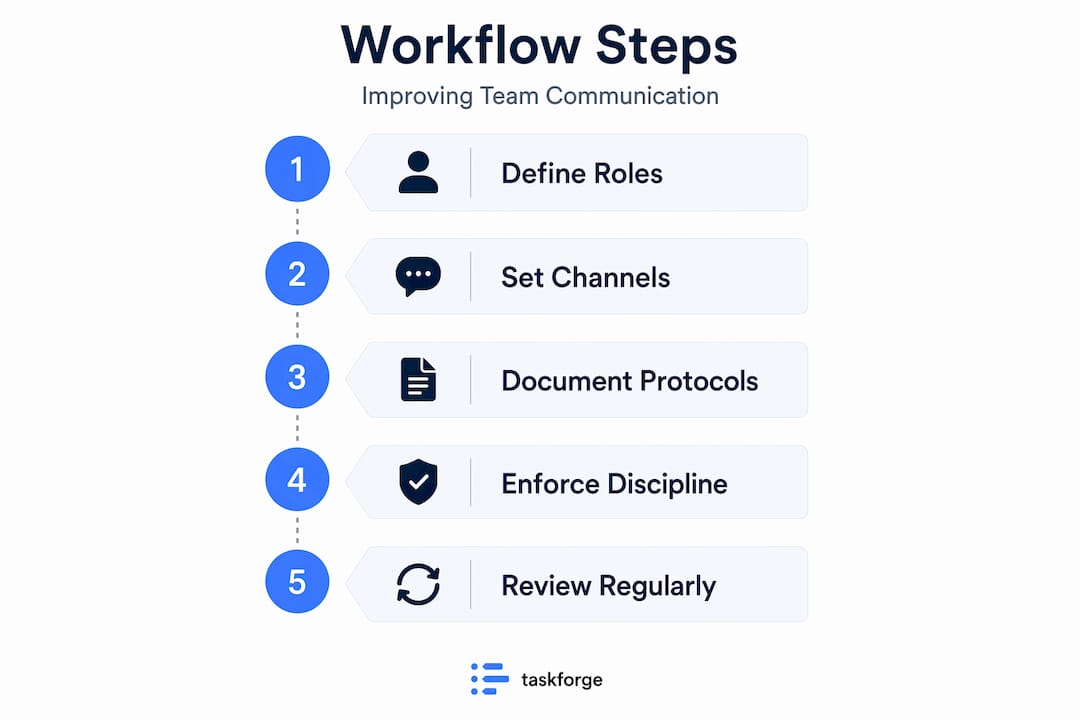
The most common mistake teams make is treating communication as a soft skill problem when it’s actually a design problem. You can train people on empathy and active listening all year and still watch projects collapse because nobody agreed on whether a Slack message or an email requires a same-day response. That distinction matters more than people realize.
Effective team communication starts with a shared operating model: defined ownership of message types, clear documentation locations, and explicit response expectations per channel. Think of it as a contract. When everyone on the team signs the same contract, friction drops immediately.
Assign a purpose to every channel
The first step is mapping your current communication tools to distinct purposes and then publishing those definitions publicly. Here’s what a practical assignment looks like:
- Slack or chat: Quick questions, status nudges, informal coordination. Response window: 4 hours during work hours.
- Email: External communication, formal approvals, and anything that needs a paper trail. Response window: 24 hours.
- Project docs or wikis: Decisions that need a permanent record. Updated within 24 hours of a decision being made.
- Meetings: Reserved for complex discussions that require real-time alignment, not status updates.
Structured channel selection is the highest-leverage behavior a team can adopt, according to Harvard Business Review. Teams that codify clear rules about channel uses reduce communication overhead more than teams with better tools but unclear workflows. That means your job isn’t to find a better tool. Your job is to define the rules for the tools you already have.
Pro Tip: Post your channel purpose guide somewhere visible, like a pinned Slack message or a team wiki page. New hires especially will thank you, and it removes the ambiguity that causes repeated violations.

For a deeper look at how shared protocols connect to delivery speed, the Teambuilt blog covers defining shared protocols and why they directly affect project timelines.
Escalation paths and response expectations
Not all messages are equal. A question about a design preference and a production outage both start as Slack messages, but they need completely different handling. Building escalation tiers into your communication workflow is what separates teams that stay calm under pressure from teams that spiral.
Start by defining three or four severity levels and assigning specific behaviors to each one. Here’s a practical framework:
- SEV3 (Low urgency): Handled through normal channels. No special escalation. Response within 24 hours.
- SEV2 (Medium urgency): Flagged with a specific emoji or prefix. Team lead notified within 2 hours.
- SEV1 (High urgency): A dedicated incident channel is opened. Incident lead assigned. Status update every 30 minutes.
- SEV0 (Critical): Backup coverage in 5 minutes, executive escalation within 10 minutes. All hands on deck.
The key to making escalation work is assigning roles before an incident happens. You need an incident lead who owns communication, an engineer who owns the technical response, and a manager who owns stakeholder updates. When those roles are pre-assigned, nobody wastes time figuring out who’s in charge while something is on fire.
“Incident communication protocols must specify escalation cadence and responsible roles by severity for predictable, coordinated responses under pressure.” — Incident Response Playbook
The governance piece matters too. Urgent markers like @channel or @here should be reserved for SEV1 and above. When everyone uses them freely, they lose meaning. Build a policy that restricts those tags and enforces it through training or automated reminders.
Tool governance and channel discipline
Having the right tools means nothing without governance. Most teams end up with too many channels, inconsistent naming, and no threading discipline. The result is a communication environment where the search function is the only way to find anything and even that doesn’t work reliably.
Here’s a practical governance framework you can implement in a week:
| Governance area | Rule | Enforcement method |
|---|---|---|
| Channel naming | Use format: "[team]-[purpose](e.g.,eng-incidents`) |
Channel creation checklist |
| Channel purpose | Every channel must have a written description | Admin review at creation |
| Threading | All replies go in threads, not the main channel | Automated bot reminders |
| Urgent markers | @channel reserved for SEV1+ only |
Governance policy doc |
| Channel archiving | Inactive channels archived after 60 days | Monthly admin audit |
Threading discipline is one of the most underrated improvements you can make. Automated threading enforcement prevents chat contamination and keeps conversations scannable. When every reply lives in a thread, you can read a channel’s main feed in 30 seconds and know exactly what happened that day.
Pro Tip: When creating a new channel, require a one-line purpose statement and tag the team it serves. Three months from now, you’ll know exactly what every channel is for and whether it’s still needed.
Tool sprawl is the other enemy. Every new platform your team adds splits attention and context. Before onboarding a new communication tool, ask whether it solves something your current stack genuinely can’t. The Teambuilt blog on workflow automation examples shows how connecting your existing tools through integrations is usually more effective than replacing them.
Async communication best practices
Teams spend 57% of their time in meetings, chats, and email, leaving only 43% for focused work. Async communication is how you reclaim that time. But async only works when messages are built to stand alone.
A poorly written async message creates a follow-up loop. Someone reads it, has three questions, and now you’ve created a synchronous bottleneck inside an asynchronous channel. Poor async messages that trigger clarifications can burn 36 hours of elapsed time before a decision gets made.
The fix is a message structure your whole team uses:
- Context: Why are you sending this? What’s the background?
- Current state: What do you know right now?
- Specific ask: What exactly do you need from the reader?
- Options: If a decision is required, lay out the choices.
- Deadline: When do you need a response?
That structure takes about 90 extra seconds to write and saves hours of back-and-forth. Apply it to project update messages, design review requests, approval requests, and cross-team questions.
Common async pitfalls to avoid:
- Sending a message that says “Can we jump on a call?” without explaining why. That phrase immediately pulls someone into synchronous mode.
- Using chat channels for decisions that need documentation. Chat is ephemeral. Decisions need a permanent home.
- Assuming no response means agreement. Always include an explicit deadline and a default action if nobody responds.
Measuring your async health is worth doing quarterly. Track meeting count per team, average response time per channel, and documentation coverage for major decisions. Cutting 40 to 60 percent of recurring meetings is realistic when you replace them with structured async updates. Teams that have done this consistently report more focused work time and faster actual decision-making, not slower.
For organizations coordinating across departments, the cross-team coordination guide on the Teambuilt blog covers how async practices connect to reducing cross-team silos.
My take on communication workflows
I’ve worked with a lot of teams that were genuinely trying hard to communicate well and still failing. What I’ve found, almost universally, is that the effort is there but the structure isn’t. People are communicating constantly. They’re just doing it in different places, with different assumptions about who should respond and when.
The hardest part about fixing this isn’t the protocol design. It’s getting leaders to treat it as a systems problem rather than a people problem. I’ve seen managers send their teams to communication workshops while the Slack workspace has 200 channels with no descriptions and everyone uses @channel for minor announcements. The workshops don’t stick because the environment contradicts the training.
What actually changes team dynamics is when a leader says: “Here are the rules for how we communicate. This is what each channel is for. This is what urgent means. This is where decisions live.” That clarity alone resolves about 70% of the frustration I’ve seen in growing teams.
Async culture is the other lever people underuse. When I’ve seen teams genuinely commit to structured async communication, the meeting load drops, the documentation improves almost automatically, and people feel less reactive. The key is the message structure. Without it, async just becomes slow email.
My suggestion: start with one team, one channel map, and one escalation policy. Don’t try to roll it out org-wide on day one. Prove it works in one team, document what changed, and expand from there.
— Dima
How Teambuilt supports your communication workflow
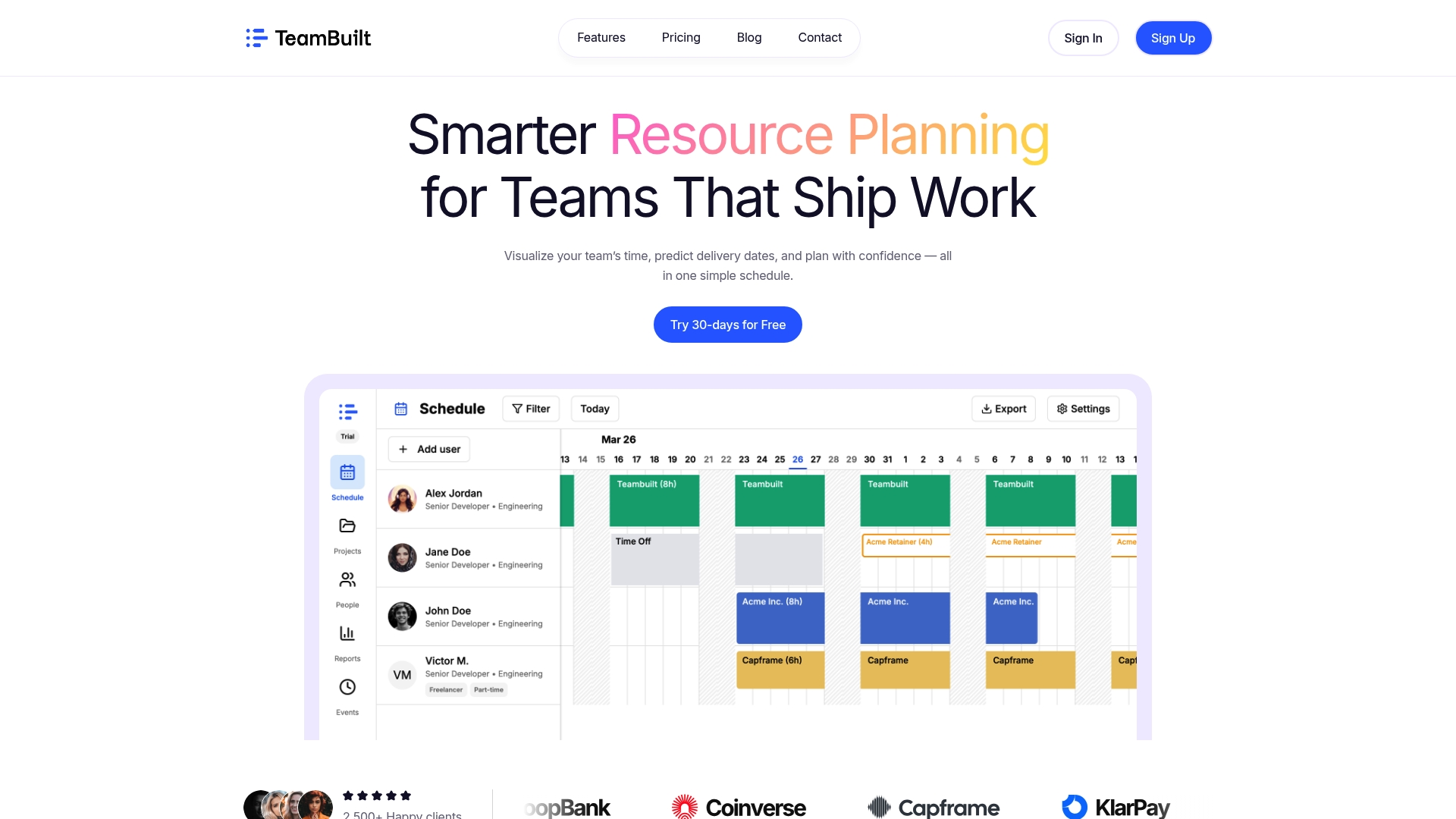
Building a communication workflow takes the right structure and visibility. Teambuilt gives teams and leaders a centralized place to coordinate work, track capacity, and see exactly where communication gaps are creating delivery delays. When your resource planning and team scheduling live in the same platform as your project timelines, it’s much easier to spot where miscommunication is slowing things down.
With features like real-time workload visualization, cross-team coordination tools, and delivery forecasting, Teambuilt’s planning platform connects the work you’re doing to the people doing it. You stop asking “who’s handling this?” in Slack and start seeing the answer at a glance.
If you’re ready to move beyond scattered workflows and build the kind of team coordination system this guide describes, Teambuilt is built for exactly that. Start a free trial and see how much clarity your team gains in the first week.
FAQ
What is a team communication improvement workflow?
A team communication improvement workflow is a structured set of agreements defining which channels to use, how to categorize messages, and how quickly people are expected to respond. It replaces informal, inconsistent communication habits with a shared operating model.
How do you establish communication protocols for a team?
Start by listing your current channels, assigning a specific purpose and response time to each, and publishing those definitions somewhere visible. Shared protocol clarity reduces noise faster than switching tools.
What are async communication best practices for teams?
Structure every async message with context, a current state summary, a specific ask, options if a decision is needed, and a clear deadline. This prevents the follow-up loops that waste hours of elapsed time.
How do escalation paths improve team communication?
Escalation paths assign specific behaviors, roles, and response timers to each severity level, so urgent communication follows a predictable route instead of creating chaos. Pre-assigned roles like incident lead and stakeholder communicator remove confusion during high-pressure moments.
How do you measure whether team communication has improved?
Track meeting count per team, average response time by channel, and documentation coverage for decisions. Meeting audits often reveal that 40 to 60 percent of recurring meetings can be replaced by structured async updates.
Recommended




