
The project manager's guide to API integrations



TL;DR:
- API integrations are crucial for scaling teams, reducing manual errors, and enhancing operational efficiency as they enable real-time data sharing across tools. Treating integrations as strategic products with proper design, ownership, and observability prevents failures, saving time and costs in development and management. Using the right platform—whether direct APIs, iPaaS, or low-code—depends on complexity, team skills, and security, influencing business growth and revenue potential.
Most project managers understand API integrations exist. Far fewer treat them as a core operational asset. The role of API integrations in scaling teams, reducing manual errors, and accelerating delivery is routinely underestimated, especially at startups and agencies where speed matters most. When your tools don’t talk to each other, your team pays the price in duplicated data entry, missed updates, and decisions made on stale information. This guide cuts past the technical jargon to show you exactly how API integrations work, what they unlock, and how to manage them so they actually hold up when your team grows.
Table of Contents
- What API integrations are and why they matter for growing teams
- How API integrations speed up development and streamline workflows
- Best practices for designing and managing robust API integrations
- Choosing integration platforms and tools: direct APIs, iPaaS, and low-code options
- Measuring impact: how API integrations improve resource management and business outcomes
- Why treating API integrations as strategic products changes the game
- Streamline your resource management with TeamBuilt’s API integrations
- Frequently asked questions
Key Takeaways
| Point | Details |
|---|---|
| API integrations automate workflows | They eliminate manual data entry and syncing, saving time and reducing errors across teams. |
| APIs speed development | Using ready-made API components reduces development cycles from months to days, accelerating product launches. |
| Design integrations as products | Applying product-grade practices like idempotency and observability makes integrations robust and scalable. |
| Choose integration tools wisely | Low-code platforms suit startups, while direct APIs offer more control for complex systems. |
| APIs drive revenue growth | Many companies generate substantial income directly from API-powered products and services. |
What API integrations are and why they matter for growing teams
An API, or Application Programming Interface, is a set of rules that lets two software systems communicate. An API integration goes one step further: it connects those systems so they share data automatically and continuously, without anyone needing to copy-paste between tools. Think of it as a live pipeline between your project management platform, your billing software, your calendar, and your time tracker. Data flows in one direction or both, in real time, without human intervention.
The importance of API integrations becomes obvious once you map out how many tools a growing team actually uses. The average enterprise uses nearly 1,200 cloud applications, and without integrations connecting them, each one becomes an island. Data silos form. Teams end up maintaining duplicate records. Decisions get made on outdated numbers.
Here’s what that friction looks like in practice:
- A sales rep closes a deal in your CRM, but the project team doesn’t get notified for two days
- Resource allocations get updated in a spreadsheet, but your scheduling tool never reflects the change
- Invoices are manually re-entered from your project tool into your accounting system every week
- Status updates live in three different apps, so no one has a single source of truth
Context switching alone makes this expensive. Manual task interruptions waste over 23 minutes per recovery, per person. Multiply that across a team of 15 and you’re losing hours every single day to coordination friction that API integrations can eliminate.
The real value is scalability. Manual processes break when your team doubles in size. API integrations don’t. They grow with you.
How API integrations speed up development and streamline workflows
Once you understand what API integrations are, the next question is: what do they actually save? The answer, in concrete terms, is time and engineering cost, often measured in weeks.

API integrations reduce development cycles by providing ready-made components for features like payments and authentication that would otherwise take weeks or months to build from scratch. No competent team rebuilds Stripe’s payment logic or Okta’s authentication layer. They call the API and ship faster.
Low-code API platforms reduce integration timelines from 8 weeks to under 2 weeks for typical MVP integrations, saving thousands in engineering costs. That’s not a marginal improvement. It’s the difference between launching before a competitor does and watching them take your market.
Workflow automation is where the day-to-day operational wins pile up. Examples that directly affect resource management:
- Automatically sync project status from your planning tool into your reporting dashboard
- Trigger resource reallocation alerts when a project moves into a new phase
- Push timesheet data directly into payroll without manual review or re-entry
- Update capacity forecasts in real time when a team member marks a task complete
“The teams that automate the handoffs between systems don’t just save time. They eliminate an entire category of human error that slows delivery and erodes trust.”
Pro Tip: Before you build any custom integration, audit your workflow automation examples to see if a pre-built connector already exists. Most platforms offer native integrations that take hours to configure, not days to build.
Reliable, standardized APIs also lower operational costs over time. When the integration is well-documented and follows consistent patterns, any engineer on the team can maintain it. That reduces your dependency on the one person who “knows how it works.”
Best practices for designing and managing robust API integrations
Knowing the benefits of API integrations is one thing. Building them so they don’t fall apart under production load is another. Most integration failures aren’t caused by bad ideas. They’re caused by skipping the engineering details that make integrations safe and predictable.
Here are five practices that separate integrations that hold up from ones that cause incidents:
- Implement idempotency keys. Idempotency keys scoped by tenant and operation with expiry let you safely retry failed requests without creating duplicate records. If your payment integration fires twice due to a network hiccup, idempotency ensures the charge happens once.
- Build retry logic with exponential backoff. External APIs go down. Your integration should handle transient failures gracefully by retrying after increasing wait intervals, not hammering the endpoint until it returns an error.
- Map fields manually before deployment. Silent failures are the worst kind. A field labeled “project_id” in one system might represent something entirely different in another. Manual mapping review before go-live catches these mismatches early.
- Set up observability and alerting. You need to know when an integration breaks before your users do. Log every request and response, track error rates, and configure alerts for anomalies.
- Use hub-and-spoke architecture. Connecting every tool directly to every other tool creates exponential complexity. A central integration layer with canonical data models means you change one mapping, not twelve.
Treating API integrations as product-grade business logic with idempotency and observability prevents brittle flows and late-night incidents in high-stakes workflows.
| Practice | What it prevents | Effort level |
|---|---|---|
| Idempotency keys | Duplicate transactions | Medium |
| Retry with backoff | Cascading failures | Low |
| Field mapping review | Silent data corruption | Low |
| Observability and alerts | Undetected downtime | Medium |
| Hub-and-spoke architecture | Exponential complexity | High |
Pro Tip: Review your secure team planning workflow when setting up integrations that touch sensitive employee or client data. Security considerations belong in the architecture phase, not as an afterthought post-launch.
Choosing integration platforms and tools: direct APIs, iPaaS, and low-code options
The right integration approach depends on three factors: how complex your workflow is, what your team can realistically maintain, and how quickly you need it running. There is no universal answer, but there is a clear decision framework.
Direct API integrations give you maximum control. You write the code, you own the logic, you can handle edge cases specific to your business. The cost is engineering time and ongoing maintenance. This approach makes sense for core systems where the integration is mission-critical and highly customized.
iPaaS platforms (Integration Platform as a Service) offer drag-and-drop workflow builders that connect popular apps in hours. They’re fast to set up and require minimal engineering. The tradeoff is that they can struggle under heavy production loads and often lack the error handling depth that custom integrations provide.
Low-code platforms sit in the middle. Low-code API platforms reduce integration timelines from 8 weeks to under 2 weeks while including modern security features and monitoring. For agencies and SMBs, this is often the right starting point.
Modern API integration platforms embed OAuth 2.0, zero-trust, and OpenTelemetry tracing to reduce risks from misconfigurations. Security is not optional, particularly when your integrations touch client billing, employee data, or project financials.
| Approach | Setup speed | Engineering required | Best for |
|---|---|---|---|
| Direct API | Slow | High | Complex, custom core systems |
| iPaaS | Fast | Low | Simple workflow automation |
| Low-code platform | Moderate | Low to Medium | SMBs, agencies, fast-moving teams |
Key factors to weigh before choosing:
- Time to market: How fast do you need this live?
- Team skills: Do you have engineers who can own custom integrations?
- Maintenance burden: Who monitors this six months from now?
- Security requirements: Does the platform support your compliance needs?
Pro Tip: If you’re running an agency project workflow, low-code platforms often deliver 80% of the value at 20% of the engineering cost. Start there and only move to custom integrations when you hit genuine limitations.
Measuring impact: how API integrations improve resource management and business outcomes
Understanding the API integration use cases is useful. Seeing the numbers that justify the investment is what gets buy-in from leadership.
65% of organizations generate direct revenue from APIs, with 1 in 4 earning more than half their total revenue through APIs. This isn’t just about reducing admin overhead. For many companies, the role of APIs in software is now a direct revenue driver.
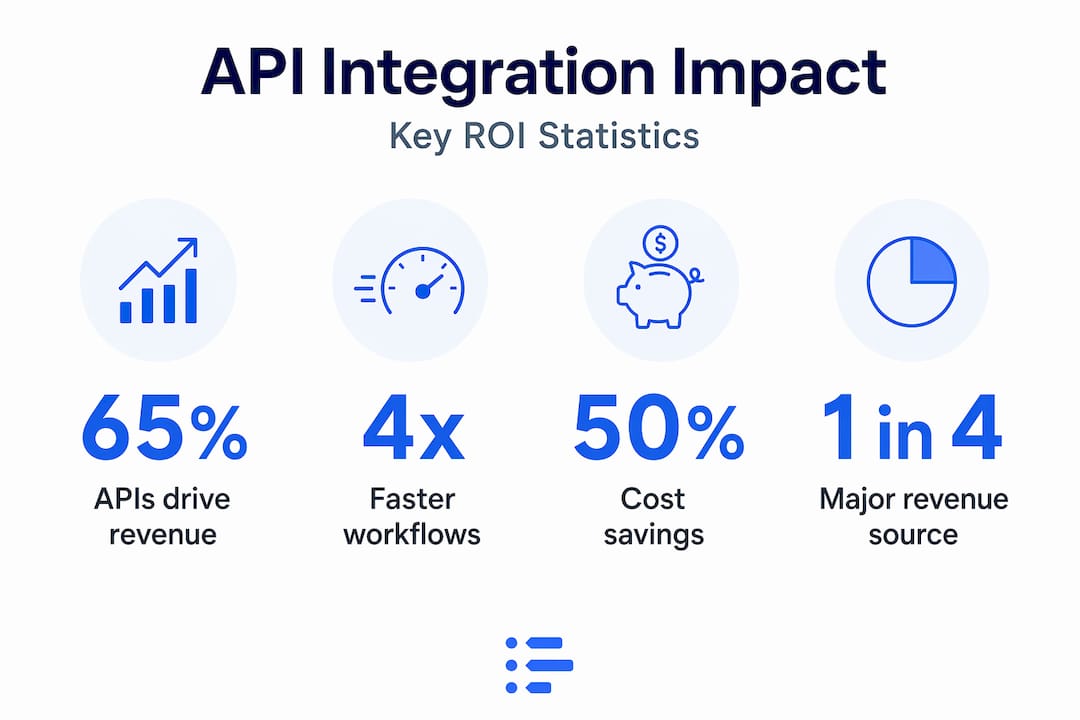
43% of fully API-first organizations generate over 25% of total revenue through APIs. That’s a structural shift in how modern businesses generate value.
For project managers and operations leads, the metrics that matter most are operational:
- Reduction in manual data entry hours per week
- Decrease in error rates on invoices, timesheets, and status reports
- Faster project kickoff time when onboarding new clients
- Improved forecast accuracy due to real-time data across systems
“When your resource data is always current because integrations keep it that way, your capacity forecasts stop being guesses and start being reliable planning inputs.”
The benefits of API integrations compound over time. Engineering teams redirected from manual data reconciliation toward product development. Operations leads spending time on strategy instead of chasing down status updates. Client-facing teams with accurate data they can actually trust.
| Metric | Before API integration | After API integration |
|---|---|---|
| Manual data entry hours per week | 8 to 12 hours | Under 1 hour |
| Average report generation time | 2 to 3 days | Real-time or same day |
| Data error rate | 5 to 15% | Under 1% |
| Resource reallocation speed | 24 to 48 hours | Minutes |
Why treating API integrations as strategic products changes the game
Most teams treat integrations as one-time IT tasks. Build it, ship it, forget it. That mindset is where operational debt quietly accumulates until something breaks at the worst possible moment.
The teams we see operating at the highest level treat their integrations the same way they treat their core product. They assign clear ownership. They build observability from day one. They review integration health in their sprint cycles. They document the logic so any engineer can step in. Treating API integrations as product-grade business logic prevents brittle flows and the kind of late-night incidents that erode team trust and client confidence.
The architecture choice matters just as much. Starting with hub-and-spoke integration layers and canonical models prevents the connection complexity that breaks systems the moment a single field name changes upstream. This is advice most articles skip because it sounds like an engineering problem. It isn’t. It’s a planning problem, and project managers are the ones who should be pushing for it.
Here’s what often goes unacknowledged: project managers are the right people to own integration strategy. Not because they write the code, but because they sit at the intersection of business requirements and technical execution. They know which data needs to flow where, they understand the cost of delays, and they can translate operational needs into clear integration requirements. The PM who can walk into a sprint planning session with a clear integration spec, error handling requirements, and monitoring expectations will ship more reliable workflows than the one who hands off a vague request and hopes for the best.
The project delivery best practices that separate high-performing teams from struggling ones almost always include structured API integration management. Not as a footnote, but as a first-class concern.
Streamline your resource management with TeamBuilt’s API integrations
Managing multiple cloud tools across a growing team is hard enough without worrying about whether your data is accurate or current. TeamBuilt is built specifically for project managers and operations leads who need real-time visibility into team capacity, workload, and project timelines across every tool their team uses.
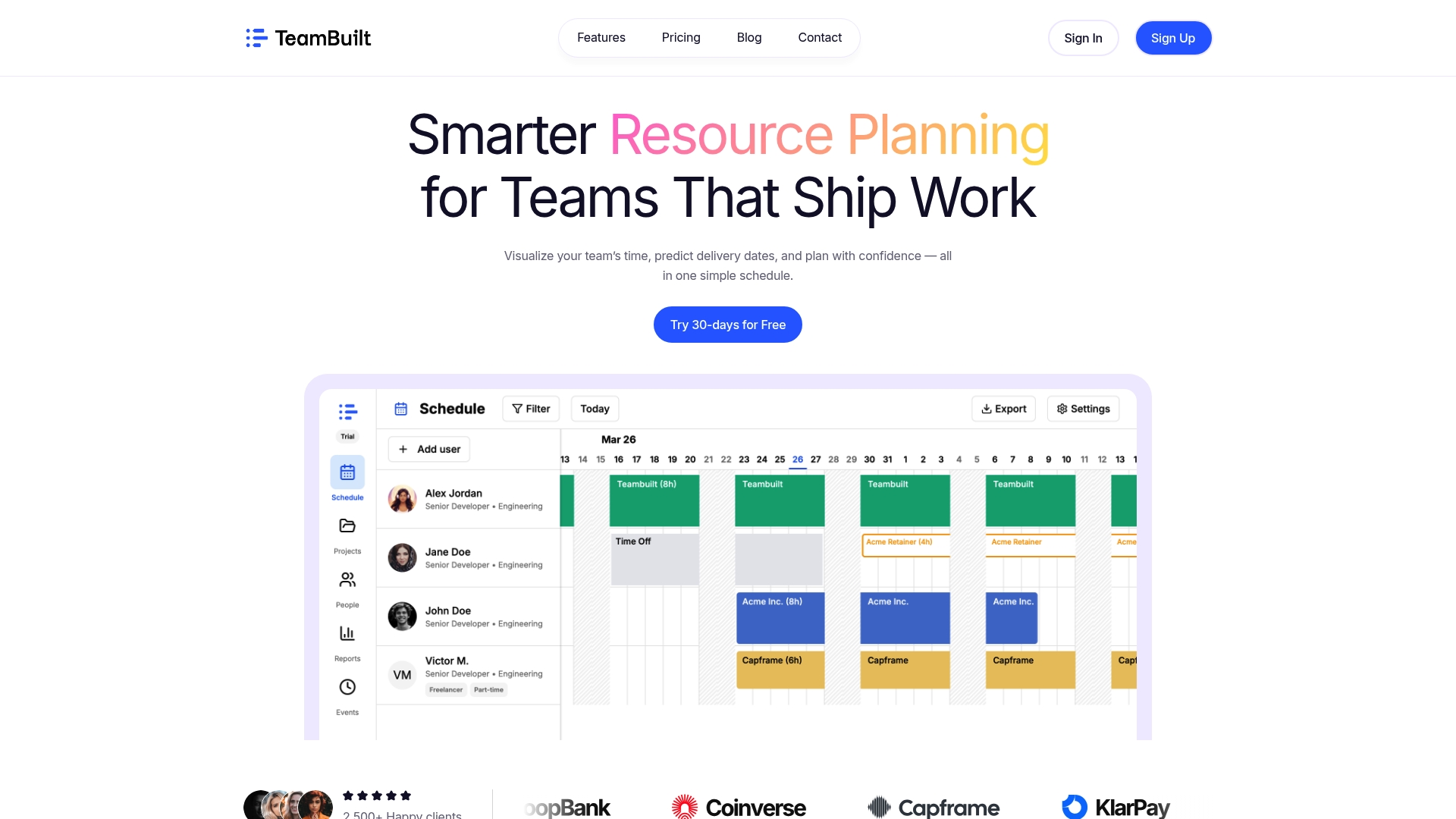
With TeamBuilt’s open API and pre-built integrations, your resource plans, scheduling data, and project forecasts stay in sync automatically. No manual reconciliation. No stale spreadsheets. No guessing whether your capacity data reflects reality. The platform flags conflicts before they become delivery problems and gives you the kind of cross-team visibility that actually supports smarter decisions. If you’re ready to replace scattered workflows with a connected, accurate planning system, explore what TeamBuilt’s features can do for your team today.
Frequently asked questions
What exactly is the difference between an API and an API integration?
An API is a set of rules that allows software to communicate, while an API integration connects two or more systems using those APIs to enable automatic data sharing and coordinated workflows without manual input.
How much time can API integrations save in product development?
API integrations reduce development cycles by providing ready-made components that save weeks or months of work, cutting common features like payments and authentication from months of custom work to days of configuration.
What are common pitfalls to avoid in API integration projects?
The most expensive pitfalls are insufficient error handling, missing idempotency, and no monitoring. 95% of API incidents come from misconfigurations, so built-in observability and idempotency are non-negotiable for production integrations.
Which integration approach is best for startups with limited engineering resources?
Low-code platforms and iPaaS tools are the best starting point because they reduce integration timelines from 8 weeks to under 2 weeks while requiring minimal engineering overhead to maintain.
How do API integrations impact revenue generation?
65% of organizations generate direct revenue from APIs, and 1 in 4 earn more than half their total revenue through API-driven products, making integrations a growth driver, not just an efficiency tool.
Recommended




