
What is project scheduling? Essentials for teams and startups



TL;DR:
- Effective project scheduling transforms task lists into structured plans that enhance delivery predictability and manage complexity. It involves understanding core elements like activity sequencing, dependencies, milestones, resource assignments, and dynamic updates, which are vital for synchronized team efforts. Consistent discipline, lightweight review cycles, and suitable tools ensure teams keep schedules honest, adaptable, and aligned with real progress.
Ambitious teams miss deadlines every day, not because they lack talent or motivation, but because their scheduling approach falls apart the moment complexity kicks in. Projects stall, people burn out waiting on blocked tasks, and leadership loses visibility into what’s actually happening. Project scheduling is the discipline that prevents all of this by turning intentions into a structured, trackable plan. This article breaks down what project scheduling really is, what makes a schedule effective, and how growing teams can apply these principles without drowning in complexity.
Table of Contents
- Understanding project scheduling: What it is and why it matters
- Core components of an effective project schedule
- Resource constraints, preemption, and advanced scheduling tactics
- The ongoing reality: Managing, updating, and controlling your schedule
- Why most teams struggle—and what actually works in practice
- Simplify scheduling for your team with TeamBuilt
- Frequently asked questions
Key Takeaways
| Point | Details |
|---|---|
| Project scheduling explained | Project scheduling organizes activities, resources, and timelines to ensure efficient and predictable project delivery. |
| Key schedule components | Critical path, float/slack, and a solid schedule baseline are essential for professional project management. |
| Resource constraints matter | Tactics like limited preemption can boost efficiency for resource-strapped teams without causing confusion. |
| Ongoing management needed | Consistently updating and controlling your schedule separates successful teams from struggling ones. |
| Simple strategies work best | Frequent mini-reviews and practical tools often outperform complicated scheduling systems for SMBs and startups. |
Understanding project scheduling: What it is and why it matters
Most teams think they have a project schedule when they actually have a task list. The difference matters enormously. A task list tells you what needs to happen. A project schedule tells you when, who, in what order, and given what constraints each piece of work happens. That shift from “here’s the work” to “here’s how the work flows through time” is where real delivery predictability begins.
According to project schedule fundamentals (PMBOK), a project schedule is a model that represents planned execution over time. It’s built from an activity list, activity sequencing, resource assignments, and calendars. It communicates the critical path, which is the longest chain of dependent tasks, and float, which is the amount of time a task can slip without delaying the project end date.
A project schedule is not a document you create once and file away. It is a living model of how your project intends to move through time, and it must reflect reality to be useful.
Common myths hold teams back here. Many project managers equate a schedule with a spreadsheet or a static Gantt chart. But a spreadsheet is just a display format. A Gantt chart is a visualization. Neither is a schedule on its own. The schedule is the underlying logic: the dependencies between tasks, the resources assigned, the calendars driving availability, and the milestones marking meaningful progress.
Key elements every project schedule must include:
- Activity list: All the work broken down into discrete, manageable tasks
- Dependencies: Which tasks must finish before others can start
- Milestones: Checkpoint events that mark major deliverables or stage completions
- Resource assignments: Who or what is responsible for each task
- Calendars: Working days, availability windows, and time-off periods that shape actual capacity
Why does this matter for startups and SMBs? Because project timeline management becomes nearly impossible when teams conflate a rough plan with an actual schedule. Transparency suffers because nobody can see how one delay affects downstream work. Accountability weakens because tasks lack owners and deadlines tied to logic. Predictability disappears because the “plan” can’t respond to change.
Core components of an effective project schedule
Understanding the high-level definition, let’s break down what truly makes up an effective project schedule.
Every robust schedule is built on the same structural foundation, regardless of whether you’re managing a two-person product sprint or a cross-departmental rollout. Here’s what you need:
- Activities: Specific, scoped units of work that someone can actually own and complete
- Sequencing: The logical order in which activities must occur
- Durations: Realistic time estimates for completing each activity
- Dependencies: Finish-to-start, start-to-start, and other relationship types that link activities
- Milestones: Zero-duration events that mark significant achievements
- Resource assignments: People, equipment, or materials needed per activity
- Calendars: Reflecting actual working time, not idealized 8-hour days
Two terms trip up a lot of teams: critical path and float. The critical path is the sequence of tasks where any delay directly delays the project end date. Float (also called slack) is the buffer time available on non-critical tasks. Understanding which tasks have zero float tells you exactly where to focus your attention when things get tight.

The critical path and float distinctions between schedule elements are well established in PMBOK guidance, and getting them right is the difference between reactive firefighting and proactive management.
One concept that confuses growing teams is the distinction between the schedule and the schedule baseline:
| Attribute | Project schedule | Schedule baseline |
|---|---|---|
| Definition | Current planned timeline | Approved snapshot for comparison |
| Changes over time | Yes, updated regularly | No, fixed unless formally revised |
| Purpose | Guide day-to-day work | Measure variance and changes |
| Who updates it | Project manager as needed | Requires formal change control |
| Used for | Active planning and tracking | Performance reporting |
Pro Tip: Don’t treat your baseline as untouchable. For growing teams, life changes fast. Review your baseline every major phase and formally update it when scope or resource reality shifts significantly. Clinging to an outdated baseline just hides problems instead of solving them.
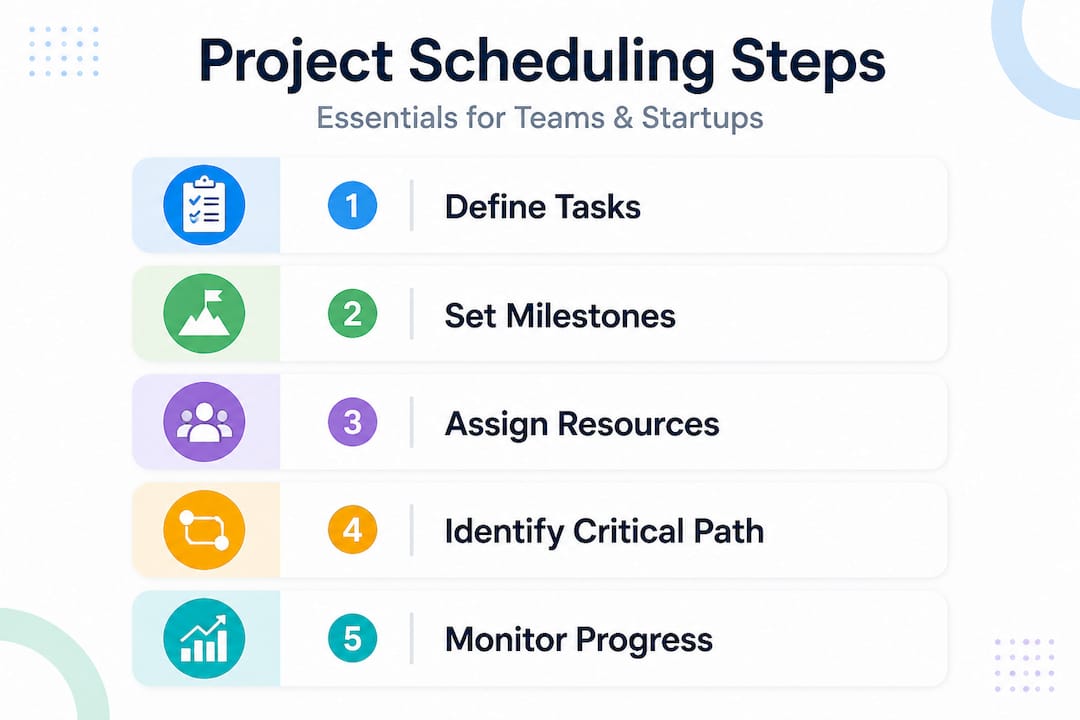
For teams newer to structured step-by-step scheduling, starting with just critical path identification and weekly milestone reviews can deliver outsized improvements without requiring a full PMO-level setup.
Resource constraints, preemption, and advanced scheduling tactics
Beyond the basics, scheduling gets trickier when resources are limited. Let’s see how advanced tactics like preemption can help without overcomplicating things.
Resource-constrained project scheduling (RCPSP) is a formal way of describing what most startup and SMB project managers deal with every day: you have limited people with limited time, and you need to sequence work so that nothing gets blocked waiting for an unavailable resource. The goal is to minimize makespan, which means the total time from project start to finish.
One mechanism that helps significantly is preemption. Preemption means you pause a task midway, reassign the resource to something more urgent, and come back to the original task later. It sounds disruptive, but used carefully it keeps high-priority work moving without creating a bottleneck.
Research on preemptive RCPSP shows that adding preemption can reduce makespan meaningfully, though it does introduce coordination overhead. The key insight from that research is striking: the first preemption captured 62% of the total gains possible from the entire preemption mechanism. That means you don’t need to turn every task into an interruptible unit. Strategic, limited preemption gets most of the benefit.
Here’s how to apply this for resource allocation strategies without overcomplicating your workflow:
| Number of preemptions allowed | Makespan reduction (approximate) | Coordination complexity |
|---|---|---|
| 0 (no preemption) | Baseline | Low |
| 1 preemption | ~62% of max gain | Moderate |
| 2 preemptions | ~80% of max gain | Moderate to high |
| 3+ preemptions | Diminishing returns | High |
Steps to test limited preemption in your team:
- Identify your resource bottleneck. Which person or team role consistently blocks progress? Start there.
- Audit active tasks for that resource. List what they’re currently working on and what’s queued.
- Pick one task to pause. Choose a task with some float available, so pausing it doesn’t immediately cascade into a delay.
- Assign the resource to the urgent blocker. Set a clear return date for the paused task.
- Track the outcome. Did the preemption unblock downstream work? Measure the effect before expanding the approach.
- Limit preemptions to one or two per resource per sprint or phase. You’re after the 62% gain, not maximum theoretical optimization.
This approach keeps things practical. You’re not running a scheduling algorithm. You’re making deliberate, data-informed decisions about how to interrupt and resume work so that your highest-priority deliverables keep moving.
The ongoing reality: Managing, updating, and controlling your schedule
Once you’ve built a schedule, what sets high-performing teams apart is how they manage it as reality changes.
Here is an uncomfortable truth many project managers learn the hard way: a brilliant initial schedule that nobody updates is worse than a rough schedule that gets reviewed weekly. The first gives teams false confidence. The second gives teams a working tool.
Schedule management is an ongoing process, not a one-time build. Updates, controls, and course-corrections are what separate teams that consistently deliver from teams that constantly scramble.
The schedule you built on day one will never survive contact with reality unchanged. Your job isn’t to protect it. Your job is to keep it honest.
Here’s a lightweight review and control cycle that works for busy teams without requiring hours of weekly overhead:
- Weekly status check. Spend 20 to 30 minutes verifying task completion against the schedule. Mark completed items and flag anything running late.
- Identify impacted downstream tasks. When a task slips, trace the dependency chain forward. Which tasks are now at risk?
- Update durations and dates. Revise the schedule to reflect current reality, not wishful thinking.
- Reassess resource availability. Has anything changed in team capacity this week? Vacations, unplanned work, or shifting priorities all affect your schedule.
- Communicate changes. Anyone affected by a date or task shift should hear about it proactively, not discover it themselves.
- Decide if a baseline revision is needed. If scope or resource reality has changed significantly, formally update the baseline and document why.
Pro Tip: Assign one person as the schedule owner. Not the entire team, not “everyone.” One named person is responsible for keeping the schedule current. Without ownership, the schedule slowly drifts from reality until it’s useless.
Best practices for project delivery consistently point to schedule discipline as the single biggest differentiator between teams that hit their dates and teams that don’t. Pairing that discipline with good effective time management habits at the individual level multiplies the effect.
Why most teams struggle—and what actually works in practice
Even with all the essentials covered, many teams still get stuck or overwhelmed. Here’s what they’re actually missing.
The root cause of scheduling failure at startups and SMBs is almost never a lack of tools or knowledge. It’s three specific habits: wishful thinking in estimates, no muscle for updating, and overcomplicated tools that teams abandon after week two.
Wishful thinking looks like this: a developer says a feature will take three days because that’s what the stakeholder wants to hear, not because the work actually fits in three days. The schedule looks clean at kickoff and collapses by week three. The fix is not more detailed planning. It’s creating a culture where honest estimates are safer than optimistic ones.
The “no update muscle” problem is equally common. Teams build a solid schedule at the project start, then get busy actually doing the work. Two weeks later, the schedule is frozen in time while the project has moved on. Nobody trusts it anymore, so nobody updates it, and it becomes completely irrelevant. One team we’ve seen break this cycle started doing five-minute “schedule pulse” check-ins every Monday morning. Not full retrospectives. Just a quick pass: what moved, what changed, what needs updating. Within a month, their schedule accuracy improved dramatically and they stopped being surprised by deadline risks.
The tools problem is subtler. Teams reach for feature-rich project management software, spend two weeks configuring it, then revert to a shared spreadsheet because the tool feels heavier than the project itself. The best scheduling tool is the one your team will actually use consistently.
Here are the practices that consistently work for resource-constrained teams:
- Timeboxed planning: Limit schedule-building sessions to a fixed window. Good enough and used beats perfect and abandoned.
- Dependency-first thinking: Before adding a task, ask what it depends on. This builds schedule logic from the start.
- Visible milestones: Keep 3 to 5 key milestones front and center. They give the whole team a shared sense of direction.
- Named owners per task: Ambiguous ownership is where schedules go to die. Every task needs exactly one person responsible.
- Regular mini-reviews over massive replanning: Weekly 20-minute check-ins beat monthly three-hour sessions every time.
The conventional wisdom says you need elaborate Gantt charts with resource histograms and earned value metrics. For a 50-person enterprise, maybe. For a 12-person startup managing three simultaneous projects, the overhead of that approach will kill the practice before it delivers results.
What actually works is a lightweight, focused rhythm. Less detail, more frequency. Less perfection, more honesty. Streamlining project workflows is about removing friction from the scheduling process, not adding layers to it.
For teams managing work across multiple partners or vendors, the complexity compounds. Multi-partner project scheduling requires even more disciplined communication of schedule changes, since a missed update on your end can stall an entire partner organization.
The teams that consistently outperform on delivery aren’t the ones with the most sophisticated schedules. They’re the ones who treat scheduling as a habit, not a project artifact.
Simplify scheduling for your team with TeamBuilt
Ready to put these principles into practice? The right tools can make all the difference for busy teams.
Understanding project scheduling at a conceptual level is step one. Applying it consistently across multiple projects and team members is where execution gets hard without the right infrastructure.
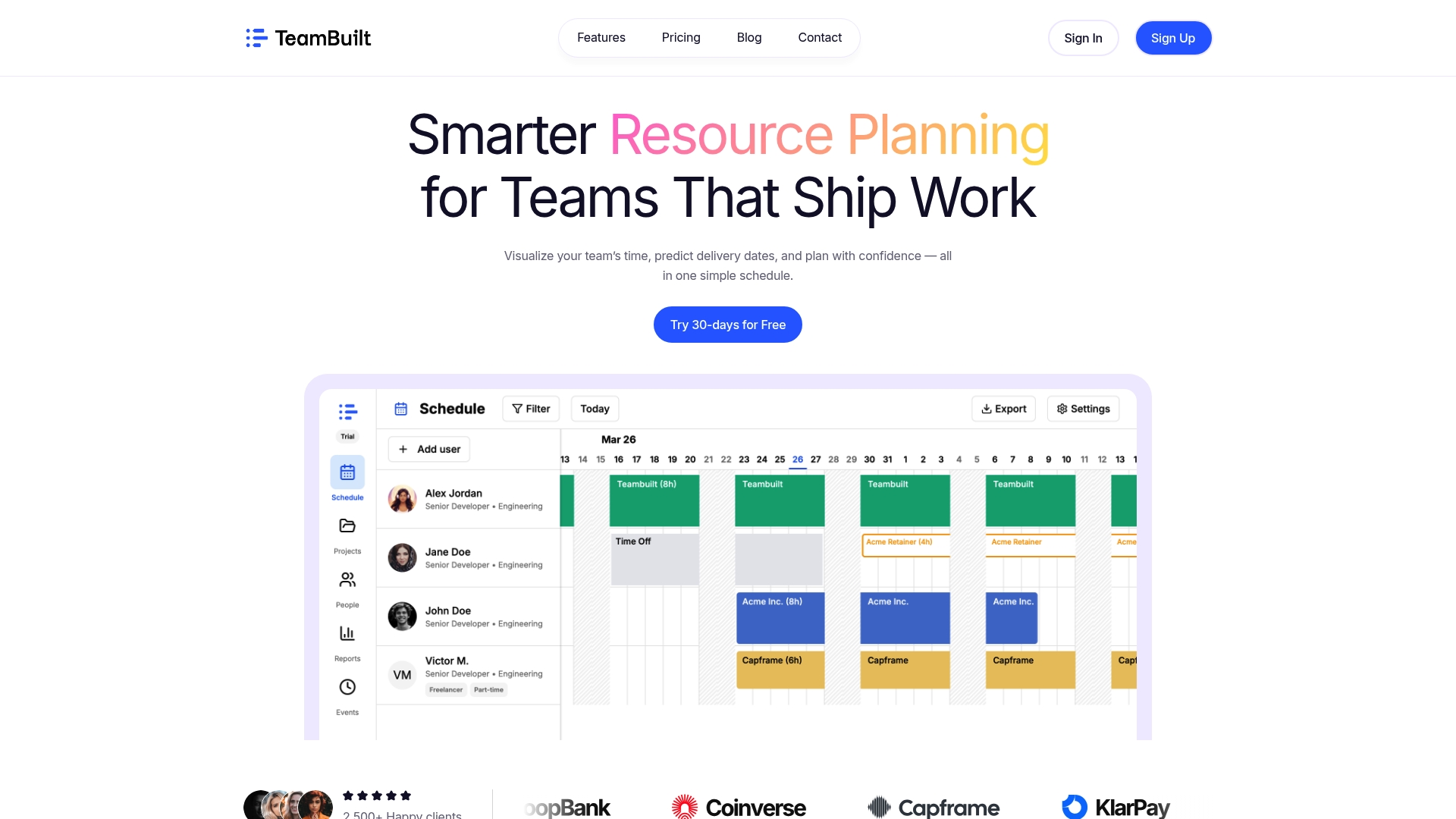
TeamBuilt’s scheduling features are built specifically for the reality growing teams face: shifting resources, competing priorities, and the need for real-time visibility without hours of manual updates. The TeamBuilt platform gives project managers and team leads a centralized view of capacity, dependencies, and delivery forecasts, so you can run the lightweight, high-frequency review cycles this article describes without relying on a patchwork of spreadsheets and status emails. If your team is ready to move from reactive scheduling to predictable delivery, TeamBuilt is built for exactly that transition.
Frequently asked questions
What is the difference between a project schedule and a schedule baseline?
A project schedule is your current planned timeline, updated as the project progresses, while the schedule baseline is a fixed, formally approved version used to measure variance and track changes against the original plan.
Can you adjust a project schedule once the project is underway?
Yes, and you should. Ongoing schedule updates are essential for reflecting actual progress, incorporating new information, and keeping the plan connected to reality rather than frozen at kickoff.
What does “preemption” mean in project scheduling?
Preemption allows you to temporarily pause a task, redirect the resource to higher-priority work, and resume the original task later. Research confirms preemption reduces makespan but adds coordination overhead, so using it selectively captures most of the benefit.
Which elements are always included in a professional project schedule?
Every professional project schedule includes an activity list, sequencing, resource assignments, and calendars, along with dependencies and milestones to track meaningful progress points.
Recommended
- Step-by-step team scheduling: optimize projects fast | Teambuilt Blog
- Team scheduling: optimize resource allocation and workflow | Teambuilt Blog
- Build a project management checklist for startup wins | Teambuilt Blog
- Streamline your team scheduling workflow: max efficiency | Teambuilt Blog
- How to manage multi-partner IT projects for success




