What Is Workforce Management: A 2026 Guide for Leaders



TL;DR:
- Workforce management is a strategic, integrated system that optimizes scheduling, tracking, compliance, and payroll to improve productivity and reduce costs. It encompasses both long-term workforce planning and daily operational management through interconnected components like scheduling, time tracking, and analytics. Implementing effective WFM delivers measurable savings, enhances employee satisfaction, and relies increasingly on AI automation to support strategic decisions and adapt to hybrid workforces.
Workforce management is defined as the strategic process of planning, scheduling, tracking, and optimizing your workforce to maximize productivity while controlling labor costs. It covers everything from shift scheduling and time tracking to compliance monitoring and payroll accuracy. 72% of HR leaders planning new technology investments in 2026 are prioritizing workforce management solutions, which signals a clear shift in how organizations view people operations. Platforms like Teambuilt, SAP SuccessFactors, and UKG Pro have moved this discipline from back-office administration into a core driver of operational performance.
What is workforce management and what does it actually cover?
Workforce management integrates scheduling, payroll, compliance, and productivity tracking into one strategic framework that supports organizational stability and growth. The workforce management definition most leaders work from is narrower than the reality. It is not just about filling shifts or running payroll. It is about creating a governed system where workforce decisions are based on accurate, real-time data rather than guesswork.

The distinction between workforce planning and day-to-day management matters here. Workforce planning is the longer-horizon work: forecasting headcount needs, mapping skills gaps, and aligning talent supply with business demand over months or quarters. Day-to-day management is the execution layer: who works when, how hours are tracked, and whether labor costs stay within budget. Both layers depend on each other. A plan without execution infrastructure fails. Execution without a plan produces reactive, expensive decisions.
Core WFM components include the following functions:
- Scheduling and shift planning: Matching available staff to demand forecasts, accounting for skills, certifications, and labor rules
- Time and attendance tracking: Capturing actual hours worked through biometric verification, GPS geofencing, or mobile clock-in tools
- Payroll accuracy: Translating time data directly into pay calculations to eliminate manual errors and reduce disputes
- Compliance monitoring: Tracking adherence to labor laws, overtime regulations, and industry-specific requirements in real time
- Workforce analytics: Surfacing productivity trends, utilization rates, and scheduling gaps through dashboards and reports
- Workflow automation: Triggering schedule adjustments, alerts, and approvals automatically based on predefined rules
Each component reinforces the others. Accurate time tracking feeds payroll accuracy. Payroll accuracy supports compliance. Compliance data informs scheduling rules. The system only works when all six functions operate from a single source of truth.
How does workforce management deliver measurable business value?
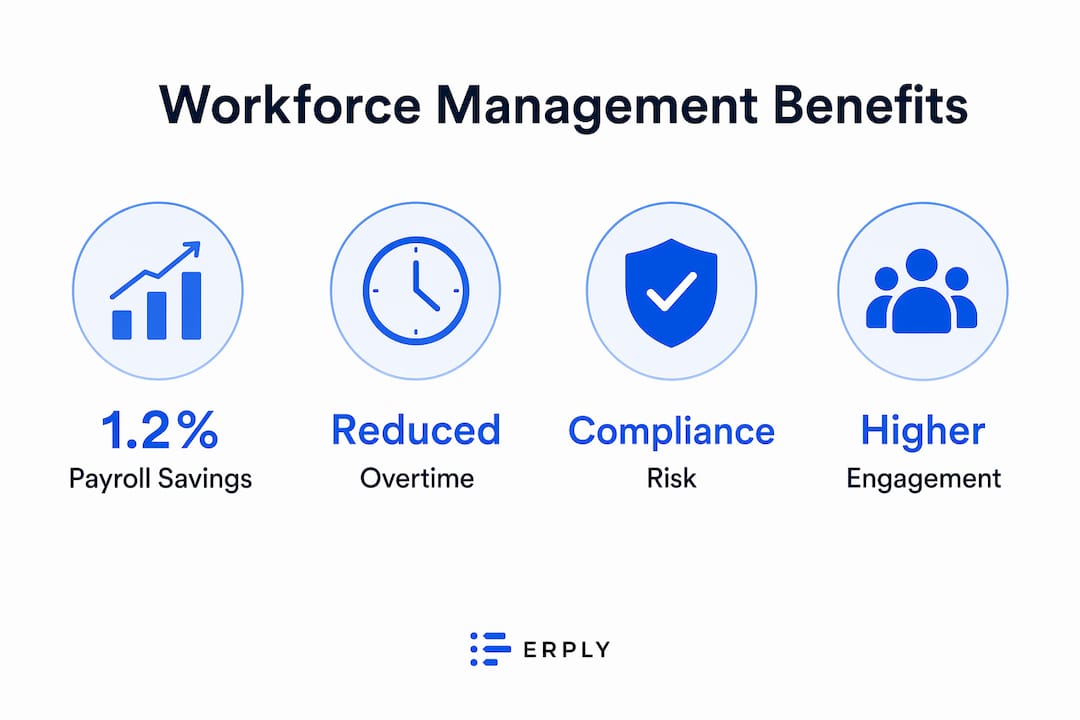
The financial case for workforce management is specific and well-documented. Automated timekeeping reduces payroll costs by approximately 1.2%, which translates to $300,000 in annual savings for a 500-person company with a $25M payroll. That figure comes entirely from eliminating time theft and manual entry errors, before any scheduling or compliance gains are counted.
The table below shows where workforce management typically generates the most measurable impact:
| Cost area | Typical impact |
|---|---|
| Payroll error reduction | 1.2% reduction in total payroll costs |
| Time theft prevention | 75-90% reduction via biometric and GPS tools |
| Unplanned overtime | 15-25% reduction through demand-aligned scheduling |
| Compliance penalties | Near-elimination with automated rule enforcement |
| HR administrative time | 30-40% reduction through self-service and automation |
Beyond cost savings, workforce management improves employee engagement in a way that most leaders underestimate. When schedules are predictable, pay is accurate, and shift-swap requests are handled through a self-service portal rather than a chain of text messages, employees report higher satisfaction. Lower turnover directly reduces recruiting and onboarding costs, which compounds the ROI over time.
Pro Tip: Before selecting a workforce management platform, calculate your current payroll error rate and unplanned overtime spend. These two numbers give you a concrete baseline to measure ROI against after implementation, rather than relying on vendor projections alone.
Compliance risk reduction is the benefit that gets the least attention in ROI conversations but carries the highest downside risk. A single wage-and-hour violation can cost more than an entire year of WFM software fees. Automated compliance monitoring removes the human judgment calls that create exposure.
What role does AI play in modern workforce management?
AI transforms workforce management by automating repetitive tasks, enabling predictive labor analytics, and allowing HR teams to focus on strategic priorities rather than administrative processing. This is not a future capability. It is already embedded in leading platforms and producing measurable results for organizations that have adopted it.
The practical AI features that matter most to operations leaders include:
- Predictive scheduling: AI analyzes historical demand, seasonal patterns, and real-time signals to generate schedules that match labor supply to actual need
- Intelligent leave management: Automated approval workflows that check coverage thresholds before approving requests, eliminating the manual back-and-forth
- Talent acquisition support: AI-assisted screening and skills matching that reduces time-to-hire for frontline and project-based roles
- Employee self-service chatbots: Answering common HR questions about schedules, pay, and policies without requiring HR staff involvement
- Anomaly detection: Flagging unusual time entries, attendance patterns, or overtime spikes before they become payroll or compliance problems
“AI-powered WFM systems do not replace HR. They automate low-value tasks, enabling HR staff to focus on strategic development and employee experience.” — Why Tech Leaders Are Turning to AI in HR
The usability gap between legacy systems and modern AI-powered platforms is significant. Legacy tools often require manual data exports, separate analytics software, and IT support for basic configuration changes. Modern platforms like Teambuilt deliver real-time capacity visibility and workload forecasting directly in the interface, without requiring a data team to interpret the output. Usability and adoption are the factors that determine whether AI features actually deliver ROI or sit unused after implementation.
How to implement workforce management best practices
Effective implementation follows a specific sequence. Starting with technology selection before defining workforce decision outcomes is the most common mistake organizations make. Many organizations buy WFM software based on features rather than outcomes, and measuring decision impact after deployment is what separates successful implementations from expensive shelfware.
Follow this sequence for a workforce management workflow that actually sticks:
- Define your decision outcomes first. Identify the three to five workforce decisions that currently cost the most time, money, or compliance risk. Build your requirements around those decisions, not around a feature checklist.
- Establish data governance before go-live. Trusted workforce data requires clear ownership, input standards, and audit processes. A platform is only as reliable as the data it runs on.
- Prioritize user-friendly tools. Both managers and employees need to find the system intuitive. Ignoring usability is the biggest risk in WFM adoption. If managers work around the system, the data degrades immediately.
- Enable employee self-service from day one. Self-service for schedule viewing, shift swaps, and time-off requests reduces manager workload and increases employee satisfaction simultaneously.
- Balance automation with human oversight. Automate rule-based decisions like overtime alerts and compliance checks. Keep human judgment in the loop for exceptions, performance conversations, and workforce planning decisions.
- Measure continuously, not just at launch. Track payroll error rates, overtime spend, schedule adherence, and compliance incidents monthly. Use those numbers to refine configuration and justify further investment.
For a detailed walkthrough of the scheduling execution layer, the step-by-step team scheduling guide on the Teambuilt blog covers project-level optimization in practical depth.
Pro Tip: Run a workforce management checklist audit before implementation: catalog every manual process your team currently uses for scheduling, time tracking, and payroll. Each manual step is a candidate for automation and a potential source of error you can eliminate.
What trends are shaping workforce management in 2026 and beyond?
The market context makes the urgency clear. The global WFM platform market is valued at $11.8 billion in 2026 and projected to reach $29.6 billion by 2033 at a 10.8% compound annual growth rate. That growth is driven by AI adoption, cloud-native deployment, and the increasing complexity of managing hybrid and remote workforces across multiple time zones and regulatory environments.
The trends that will most directly affect how you manage your workforce over the next three years include:
- Cloud-native deployment: Organizations are moving away from on-premise WFM systems toward cloud platforms that update automatically, scale without IT projects, and integrate with HR and ERP ecosystems through open APIs
- Hybrid workforce complexity: Managing employees across office, remote, and field locations requires scheduling and tracking tools that work across all three contexts without creating separate data silos
- Employee experience as a WFM metric: Leading organizations now track schedule satisfaction, pay accuracy, and self-service adoption as workforce management KPIs alongside cost and compliance metrics
- Multilingual and global support: As workforces become more geographically distributed, WFM platforms are adding multilingual interfaces and country-specific compliance modules
- Skills-based workforce planning: Advanced analytics are enabling organizations to map skills inventories against project demand, reducing reliance on headcount-only planning models
For growing startups and SMBs specifically, the HR planning strategies guide on the Teambuilt blog addresses how these trends apply at smaller organizational scales where resources are tighter and the cost of planning errors is proportionally higher.
Key takeaways
Workforce management is a strategic system, not an administrative function. Organizations that treat it as one gain measurable cost control, compliance protection, and operational agility that compounds over time.
| Point | Details |
|---|---|
| WFM definition | Workforce management is the integrated process of scheduling, tracking, compliance, and payroll optimization. |
| Financial ROI | Automated timekeeping alone reduces payroll costs by 1.2%, yielding $300K annually for a 500-person company. |
| AI integration | AI automates low-value tasks and enables predictive scheduling, freeing HR for strategic work. |
| Implementation priority | Define workforce decision outcomes before selecting technology to avoid feature-driven, low-adoption deployments. |
| Market trajectory | The WFM market grows at 10.8% CAGR to $29.6B by 2033, driven by AI and hybrid workforce complexity. |
Why most organizations are still underusing workforce management
I have worked with enough operations teams to know that the gap between understanding workforce management and actually using it well is wider than most leaders admit. The organizations that get the most out of it are not the ones with the most sophisticated platforms. They are the ones that started with a clear answer to one question: what workforce decision are we making badly right now?
Most implementations fail not because the software is wrong but because the organization never defined what “better” looked like before they bought it. They chase features like AI scheduling or predictive analytics without first fixing the data quality problems that make those features unreliable. A predictive model built on inaccurate time entries produces confident-looking wrong answers.
The other pattern I see consistently is treating workforce management as an HR project rather than an operations project. When the CFO and COO are not involved in the selection and governance process, the system ends up optimized for HR reporting rather than for the decisions that actually affect cost and delivery. The importance of workforce management becomes obvious the moment a missed compliance rule triggers a penalty or an overstaffed quarter erodes margin. The goal is to make that obvious before it is expensive.
The best workforce optimization strategies I have seen share one characteristic: they measure outcomes monthly and adjust configuration based on what the data shows. Not annually during a review cycle. Monthly. That cadence is what separates organizations that realize ROI from those that renew their software contract and wonder why nothing changed.
— Dima
See how Teambuilt handles workforce management for growing teams

Teambuilt is built for organizations that need real-time visibility into team capacity, project timelines, and resource allocation without the complexity of enterprise HR systems. The platform combines scheduling, workload visualization, and delivery forecasting in one place, replacing the spreadsheets and disconnected tools that create the planning gaps this article describes. If your team is managing multiple projects across multiple teams and still relying on manual processes to track who is available and when, the Teambuilt features page shows exactly how the platform addresses scheduling accuracy, utilization tracking, and cross-team coordination. For SMBs and agencies specifically, the SaaS workforce management guide explains how to evaluate and adopt a platform that fits your scale and workflow.
FAQ
What is the workforce management definition used in HR?
Workforce management is the integrated practice of scheduling, time tracking, payroll accuracy, compliance monitoring, and workforce planning that ensures the right people are in the right roles at the right time. It functions as both a strategic planning discipline and an operational execution system.
Why use workforce management software instead of spreadsheets?
Spreadsheets cannot enforce compliance rules, trigger automated alerts, or provide real-time visibility into labor costs across multiple teams. Workforce management software eliminates manual errors, reduces time theft by up to 90% through tools like biometric verification, and gives managers decision-ready data rather than static snapshots.
What does a workforce management checklist include?
A workforce management checklist covers scheduling accuracy, time and attendance tracking, payroll error rates, compliance rule configuration, self-service adoption rates, and overtime spend. Reviewing these metrics monthly is what separates organizations that improve continuously from those that treat WFM as a one-time setup.
How does AI improve workforce management outcomes?
AI enables predictive scheduling, intelligent leave management, anomaly detection in time entries, and employee self-service chatbots. These capabilities automate low-value administrative tasks and allow HR and operations teams to focus on strategic workforce decisions rather than manual processing.
What is the difference between workforce management and workforce planning?
Workforce planning is the long-horizon process of forecasting headcount needs and skills gaps over months or quarters. Workforce management is the day-to-day execution layer covering scheduling, time tracking, and compliance. Both are necessary. Planning without execution infrastructure produces unrealized strategies, and execution without planning produces reactive, costly decisions.
Recommended
- Why adopt SaaS for workforce management: a guide for startups and SMBs | Teambuilt Blog
- Complex Workflow Management Guide for Professionals | Teambuilt Blog
- What Is Workload Tracking? A Guide for Project Managers | Teambuilt Blog
- Master team workload visualization for better planning | Teambuilt Blog