Why Dev Teams Use Collaborative Scheduling



TL;DR:
- Collaborative scheduling reduces coordination costs and recovers up to 50% of dev team productivity.
- It centralizes visibility, automates meeting planning, and enforces focus blocks to optimize work flow.
Collaborative scheduling is defined as a shared, real-time approach to coordinating team availability, meetings, and work blocks across an entire development organization. Dev teams use collaborative scheduling because fragmented coordination costs them 30–50% of their productive output, with each interruption consuming 23 minutes of recovered focus time. The industry term for this practice is resource-aware scheduling, and it sits at the intersection of project management, calendar tooling, and engineering workflow design. When dev teams get it right, they spend less time chasing availability and more time shipping code.
Why dev teams use collaborative scheduling: the core case
Collaborative scheduling solves a problem that spreadsheets and individual calendars cannot. When engineers manage their own availability in isolation, the team loses visibility into who is blocked, who is available, and when critical work windows actually exist. The result is a cascade of ad hoc messages, last-minute meeting requests, and missed deadlines.

The productivity math is stark. Engineering teams lose 30–50% of their output to fragmented coordination. That is not a minor inefficiency. It means a 10-person team is effectively operating as a 5- to 7-person team at any given time.
Collaborative scheduling addresses this by centralizing availability data, automating meeting triage, and enforcing focus blocks that protect deep work. The importance of teamwork in scheduling becomes clear the moment you see how one engineer’s blocked calendar ripples into sprint planning, code review cycles, and deployment windows for the entire team.
Frameworks like Agile and Scrum already assume shared visibility into team capacity. Collaborative scheduling is the infrastructure that makes that visibility real rather than theoretical.
What are the primary benefits of collaborative scheduling for dev teams?
The most direct benefit is the recovery of lost focus time. AI-driven scheduling replaces 8–12 manual coordination messages per meeting with a single automated booking action. That reduction compounds fast across a team of 15 or 20 engineers scheduling multiple meetings per week.
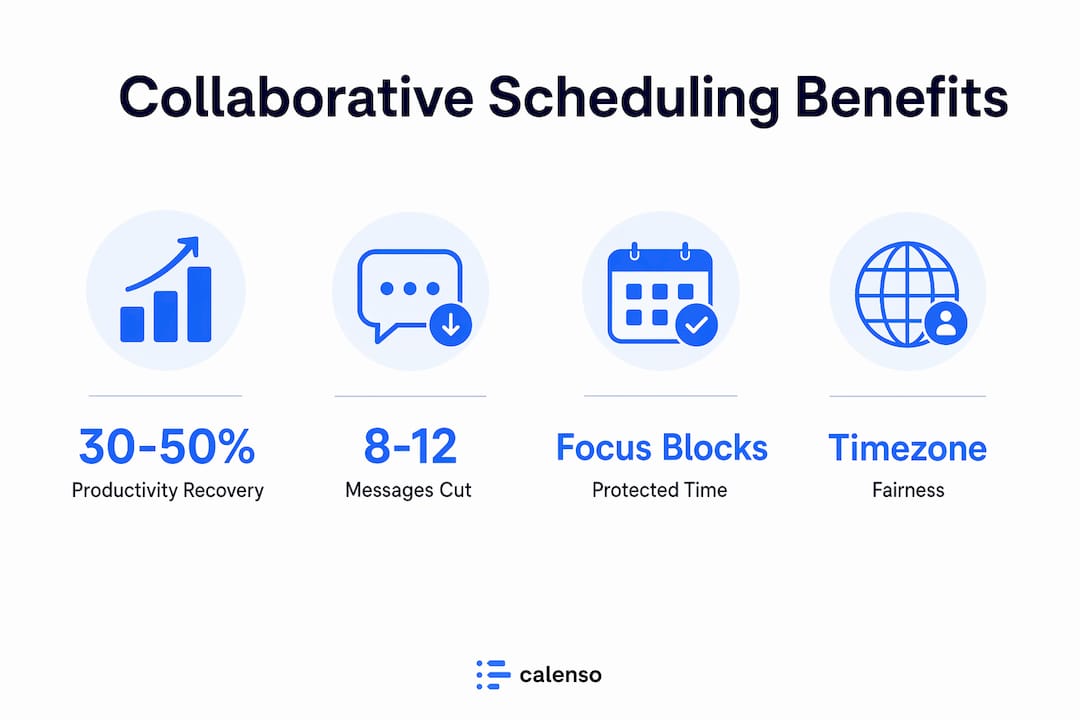
Communication overhead drops because the system handles the back-and-forth. Engineers stop playing calendar tag and start receiving confirmed meeting slots that already account for their focus blocks, time zones, and sprint commitments. The cognitive load of coordination shifts from the individual to the tool.
Focus block protection is the second major benefit. Collaborative scheduling lets teams define “no meeting” windows at the team level, not just the individual level. A senior engineer’s deep work block becomes visible to the entire team, which means no one schedules a sync that pulls them out of a critical coding session.
| Metric | Traditional scheduling | Collaborative scheduling |
|---|---|---|
| Coordination messages per meeting | 8–12 messages | 1 automated action |
| Focus time lost per interruption | 23 minutes | Minimized through enforced blocks |
| Scheduling visibility | Individual calendars only | Team-wide, real-time |
| Sprint planning accuracy | Low, based on estimates | Higher, based on actual availability |
Pro Tip: Set focus blocks at the team level inside your shared calendar before the sprint starts. Individual blocks get overridden; team-level blocks get respected.
The benefits of collaborative scheduling extend beyond time savings. Teams that coordinate schedules centrally report better sprint predictability because capacity data feeds directly into planning sessions rather than being estimated from memory.
How does collaborative scheduling help distributed and async-first teams?
Async-first teams face a counterintuitive problem. Fewer meetings should mean simpler scheduling. In practice, async-first teams face harder scheduling challenges because every synchronous meeting carries higher stakes. When you only meet twice a week, getting the timing wrong costs far more than it would in a meeting-heavy culture.
The async-first paradox is this: the less you meet, the more carefully you must schedule. Scheduling quality, meaning aligning high-stakes meetings for maximum participation, becomes the primary coordination variable.
Distributed teams compound this with timezone disparity. A team spread across San Francisco, London, and Singapore has roughly a two-hour overlap window on a good day. Wasting that window on a poorly timed standup is not just inconvenient. It is a coordination failure with real delivery consequences.
Three practices address these challenges directly:
- Rotating meeting schedules: Monthly rotation of sprint planning times distributes the burden of inconvenient hours fairly across regions. No single timezone absorbs all the early mornings or late nights.
- Response-time grids: Publishing clear expectations for communication turnarounds eliminates the anxiety of waiting for replies across time zones. Response-time grids integrated with shared calendar availability remove the “always-on” pressure that drives burnout.
- Shift-boundary state updates: Structured handoff notes at the end of each work shift maintain decision persistence without requiring synchronous overlap. Engineers in the next timezone pick up context immediately rather than spending the first hour reconstructing it.
Pro Tip: Publish your team’s response-time grid inside the same tool where you manage shared calendars. Availability and expected reply times belong in the same place.
The sprint planning checklist for distributed teams from Teambuilt covers rotation scheduling and async handoff practices in detail, and it is worth reviewing before your next planning cycle.
What integrations make collaborative scheduling more effective?
Collaborative scheduling reaches its full potential when it connects to the rest of the engineering ecosystem. A calendar tool that operates in isolation still requires manual updates every time a deployment shifts or a ticket gets reprioritized. Integration removes that manual layer.
The most valuable connections are with CI/CD pipelines, issue trackers like Jira or Linear, and communication platforms like Slack. Proactive scheduling prevents collisions between deployments and critical syncs by reading pipeline state and blocking calendar time accordingly. A team that deploys on Friday afternoons should not be scheduling sprint retrospectives at the same time.
Distributed dev teams lack state awareness infrastructure by default. A governance layer that connects communication tools, task management, and scheduling data solves this. It gives every team member a single source of truth for who owns what decision, when the next sync happens, and what the current sprint status is.
| Approach | Traditional scheduling | Integrated collaborative scheduling |
|---|---|---|
| Deployment conflict prevention | Manual checks, often missed | Automated pipeline-calendar integration |
| Sprint capacity visibility | Estimated at planning time | Real-time, pulled from task tracker |
| Decision ownership tracking | Informal, often lost | Structured shift-boundary updates |
| Cross-team coordination | Email threads and ad hoc messages | Centralized, shared scheduling layer |
Publishing structured state updates at shift boundaries improves decision persistence and ownership visibility. Teams that do this consistently report fewer duplicated efforts and faster onboarding for engineers joining mid-sprint.
What practical steps can dev teams take to start?
Effective scheduling for development teams does not require a full platform overhaul on day one. The most successful adoptions start with a few structural changes and build from there.
- Establish a shared calendar policy. Define which meeting types require shared calendar entries, which are optional, and which are blocked focus time. Write this down and share it with the whole team.
- Create team-level focus blocks. Reserve at least two uninterrupted work windows per day at the team level. Individual blocks get overridden; team-level blocks carry social weight.
- Publish a response-time grid. List each team member’s working hours and expected reply times by channel. Post it where everyone can find it without asking.
- Rotate high-stakes meetings monthly. Sprint planning, retrospectives, and architecture reviews should rotate across time slots so no region always bears the inconvenient hour.
- Connect your scheduling tool to your issue tracker. Even a basic integration that shows sprint load next to calendar availability cuts planning errors significantly.
- Audit your meeting-to-output ratio quarterly. Count the hours spent in synchronous meetings and compare them to sprint velocity. If meeting time rises while velocity drops, your scheduling policy needs adjustment.
The step-by-step team scheduling guide from Teambuilt walks through each of these steps with templates you can adapt immediately.
Key Takeaways
Collaborative scheduling is the single most direct way dev teams recover lost productive time, protect focus work, and coordinate across time zones without burning out.
| Point | Details |
|---|---|
| Productivity recovery | Fragmented coordination costs dev teams 30–50% of output; shared scheduling reclaims it. |
| Communication reduction | Automated booking cuts 8–12 coordination messages per meeting down to one action. |
| Async-first quality | Fewer meetings raise the stakes of each sync; scheduling quality determines participation and outcomes. |
| Timezone fairness | Monthly rotation of sprint planning times prevents burnout in any single region. |
| Integration value | Connecting scheduling to CI/CD and issue trackers prevents deployment conflicts and improves delivery predictability. |
Scheduling as coordination infrastructure, not calendar hygiene
I have watched engineering teams treat scheduling as an afterthought for years, and the pattern is always the same. The team is talented, the backlog is well-groomed, and the sprint goals are clear. Then a wave of poorly timed syncs hits, two engineers get pulled into the same conflict, and the sprint ends with half the planned work incomplete.
The mistake is treating scheduling as a calendar task rather than a coordination system. A calendar tells you when things happen. A coordination system tells you whether the right people are available, whether the deployment window is clear, and whether the engineer in Singapore will be awake for the architecture review. Those are fundamentally different problems.
What I find most underappreciated is the cost of synchronous time in async-first teams. When your team only meets a handful of times per week, every one of those meetings is a scarce resource. Scheduling it poorly is the equivalent of booking a conference room for a meeting that could have been a Slack message, except the stakes are inverted. You are wasting the one moment where real-time alignment was actually possible.
The teams that get this right treat their shared calendar the same way they treat their codebase: with ownership, governance, and a clear policy for changes. They rotate meeting times, publish response grids, and connect their scheduling tools to their engineering pipelines. The result is not just fewer conflicts. It is a team that can actually predict when it will ship.
— Dima
How Teambuilt supports collaborative scheduling for dev teams
Dev teams that want to move beyond scattered calendars and manual coordination have a direct path forward with Teambuilt.
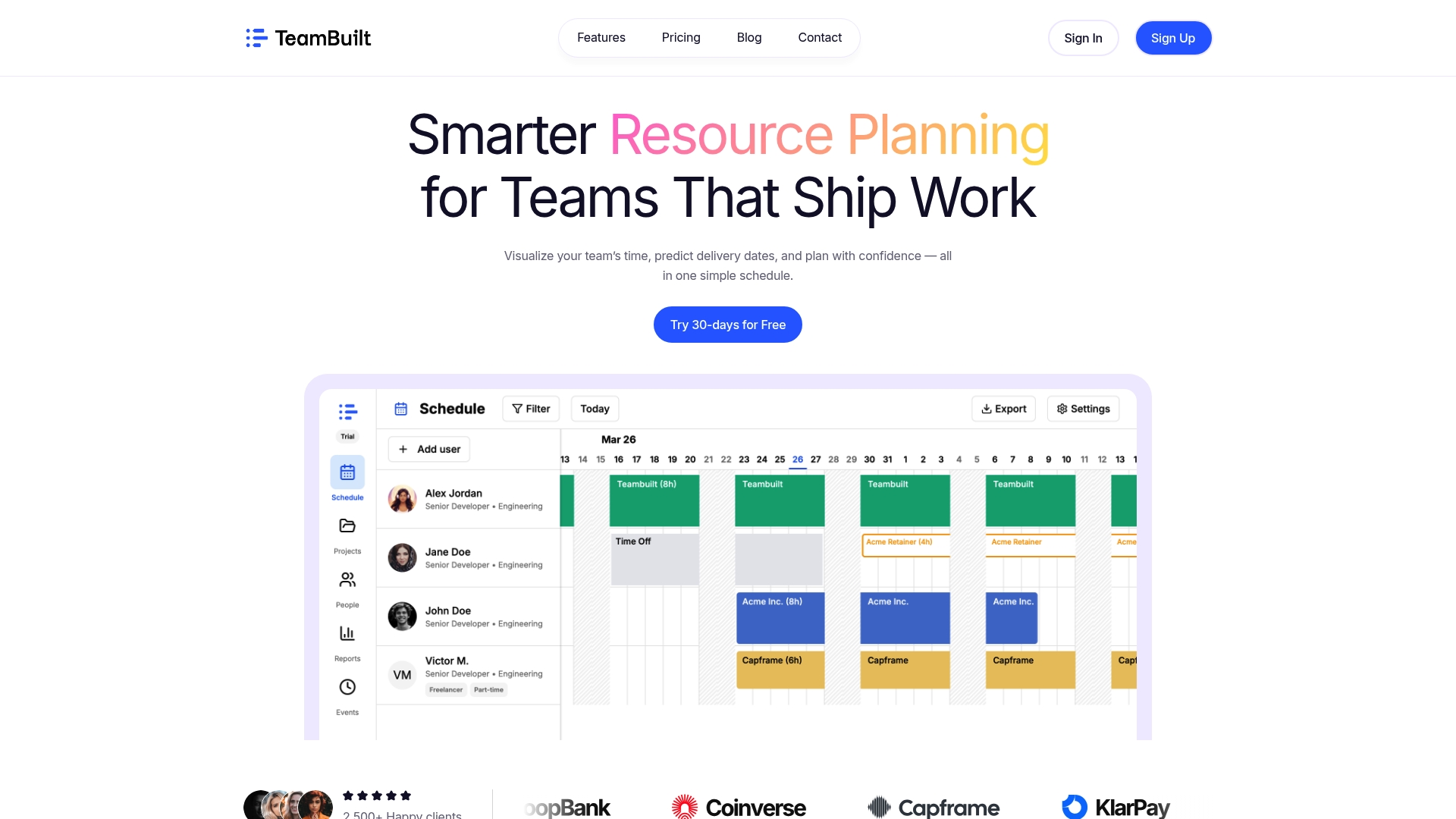
Teambuilt is a resource planning and team coordination platform built for organizations managing multiple teams and complex workflows. Its real-time scheduling views show team capacity alongside project timelines, so sprint planning decisions are based on actual availability rather than guesswork. The platform connects with existing tools through an open API and pre-built integrations, which means your engineering pipeline, issue tracker, and calendar data can all feed into one shared view. Teams that adopt Teambuilt report faster planning cycles and fewer delivery surprises. Explore Teambuilt to see how it fits your team’s workflow.
FAQ
Why do dev teams use collaborative scheduling instead of individual calendars?
Individual calendars hide team-level capacity from sprint planners and project leads. Collaborative scheduling gives the whole team shared visibility into availability, focus blocks, and meeting load, which makes planning decisions more accurate.
What is the biggest benefit of collaborative scheduling for distributed teams?
The biggest benefit is timezone fairness through rotating meeting schedules. Monthly rotation of sprint planning and retrospective times prevents any single region from absorbing all the inconvenient hours.
How does collaborative scheduling reduce communication overhead?
Automated booking replaces the 8–12 messages typically needed to schedule a single meeting with one action. That reduction compounds significantly across a team scheduling multiple meetings per week.
What integrations matter most for effective scheduling in dev workflows?
Connections to CI/CD pipelines and issue trackers matter most. Integrating calendar tools with pipeline state prevents deployment-meeting collisions and keeps capacity data current without manual updates.
How do async-first teams benefit from shared scheduling tools?
Async-first teams benefit most from scheduling quality, not quantity. Shared tools help align the few synchronous meetings these teams hold for maximum participation, which directly improves outcomes when synchronous time is scarce.
Recommended