How to Track Team Capacity: A Guide for Project Managers



TL;DR:
- Team capacity tracking measures available productive hours for a project in a specific period to prevent overcommitment. It involves monitoring capacity, velocity, and utilization rate separately, with tools like Jira and Teambuilt helping visualize workload. Accurate capacity planning includes accounting for absences, overhead, and unplanned work to improve delivery predictability and workload sustainability.
Team capacity tracking is the process of measuring how many productive hours your team has available for project work in a given period. Without this baseline, project managers commit to deadlines based on gut feel rather than real data, and delivery dates slip. Tools like Jira, Clockify, and Teambuilt give you the visibility to plan against actual availability. The key metrics you need are capacity, velocity, and utilization rate. Each one tells a different story, and confusing them is the fastest path to overcommitment.
How to track team capacity: the metrics that actually matter
Capacity is the absolute volume of productive hours available to your team. Velocity is the historical rate at which your team completes work. Utilization rate is the percentage of time spent on billable or project-related tasks. These three numbers are related but not interchangeable.

Most project managers track utilization and stop there. That is a mistake. High utilization with low project capacity signals overhead inflation. Your team looks busy because they are, but the output is meetings, coordination, and admin, not shipped features or delivered work.
The metrics worth tracking consistently are:
- Capacity: Total available productive hours per person, per sprint or month
- Utilization rate: Percentage of hours spent on project work versus overhead
- Project capacity: The volume of work your team can realistically complete in a period
- Velocity: Historical throughput, used as a sanity check against planned capacity
- Overhead ratio: Hours consumed by meetings, support tickets, and admin tasks
Monitoring utilization rate and project capacity together reveals whether a delivery problem comes from headcount shortage or overhead inflation. That distinction changes the solution entirely.
Pro Tip: Track time in intervals no smaller than 30 minutes. Finer granularity has diminishing returns and increases the burden on your team, which kills compliance.
What tools can project managers use to monitor team workload?
The right tool depends on how your team already works. The table below compares the most widely used options across key dimensions.
| Tool | Best for | Capacity visibility | Integration depth |
|---|---|---|---|
| Jira | Agile software teams | Board views, sprint reports | Atlassian suite, API |
| Clockify | Time tracking across roles | Detailed hour logs, reports | 50+ integrations |
| Teambuilt | Multi-team resource planning | Real-time workload visualization | Open API, pre-built integrations |
| Spreadsheets | Small teams, simple workflows | Manual, formula-based | None natively |
Jira’s board views and reporting features provide visual insight into allocation across projects. For teams already in the Atlassian ecosystem, this is the lowest-friction starting point. Clockify adds granular time logs that Jira alone does not capture.
Capacity planning templates help visualize team bandwidth and workload distribution. Atlassian publishes several free templates that map availability against sprint commitments. These work well as a starting point before you move to a dedicated platform.
For teams managing multiple projects across multiple squads, spreadsheets break down fast. The manual update cycle creates stale data, and stale data leads to bad decisions. Platforms like Teambuilt replace the spreadsheet with a live view of who has capacity, who is at risk of overload, and where delivery dates are in jeopardy.
The practical methods that complement any tool are:
- Kanban boards for visualizing work in progress and spotting bottlenecks
- Capacity heatmaps for identifying overloaded individuals across a time horizon
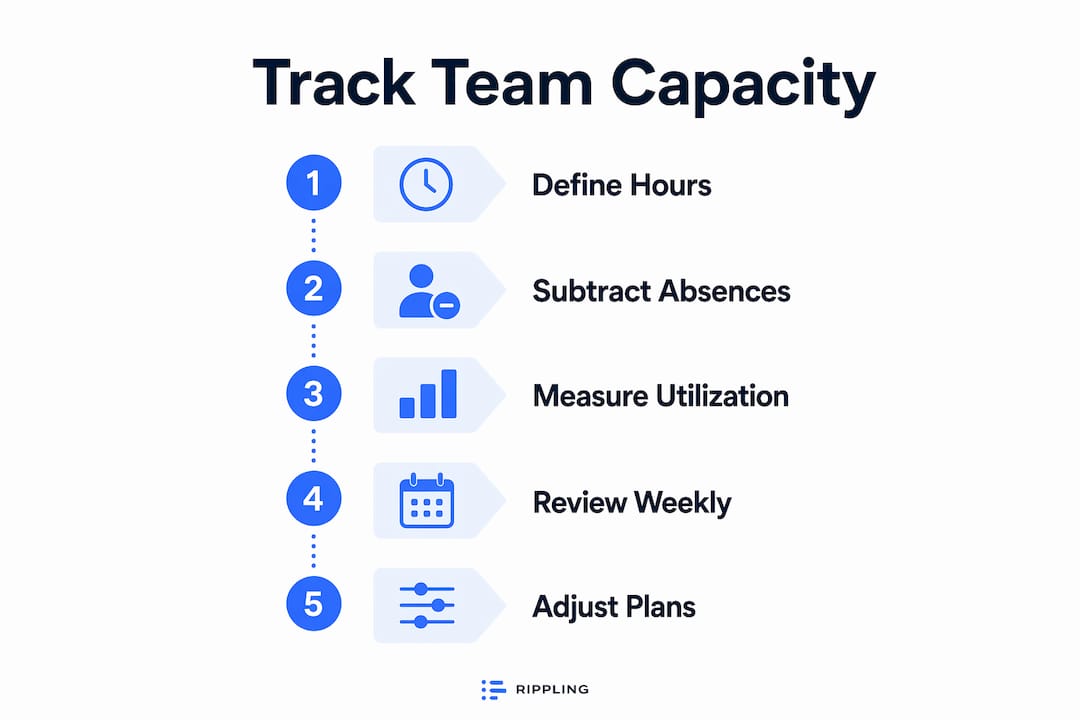
- Weekly capacity reviews to compare planned versus actual hours before the week closes
- Workload visualization dashboards for cross-team coordination at the program level
Pro Tip: Limit your activity categories to 4 to 6 types such as project work, meetings, admin, and reactive support. More categories than that reduces compliance and makes the data harder to act on.
How to calculate realistic capacity for project planning
Calculating team capacity starts with raw hours and works down to what is actually available for project delivery. Follow these steps to get a number you can plan against.
-
Start with working days. Count the working days in your planning period. Multiply by the standard hours per day (typically 8). This gives you gross capacity per person.
-
Subtract planned absences. Remove vacation days, public holidays, and any approved leave. A team member with 20 working days in a month and 3 days of vacation has 17 available days.
-
Subtract standing overhead. Developers typically have only about 40–50% of their time available for feature development after meetings, support, and admin are accounted for. Apply this ratio to your calculation. A person with 136 available hours realistically delivers 55–70 hours of project work.
-
Account for unplanned work. Hold a buffer of 10–15% for reactive work: production incidents, urgent requests, and scope changes. This is not slack. It is a planning reality.
-
Map against roadmap commitments. Compare your net capacity figure against the story points or task hours committed in your roadmap. If the numbers do not align, you have a conversation to have before the sprint starts, not after it ends.
-
Use velocity as a check. Your team’s historical velocity tells you what they actually complete, not what they plan to complete. If your capacity calculation says 80 story points but your average velocity is 55, trust the velocity.
Pro Tip: Plan team capacity based on net productive hours after subtracting unavoidable overhead and planned absences. Planning against gross hours is the single most common cause of missed deadlines.
You can go deeper on the calculation side with a practical capacity planning guide that walks through sprint-level and monthly planning scenarios for project managers.
What mistakes undermine capacity tracking accuracy?
Most capacity tracking failures are not tool problems. They are process and assumption problems. These are the patterns that consistently cause trouble.
Planning for 100% utilization. A team running at full capacity has no room for anything unexpected. The first production incident or urgent stakeholder request blows the sprint. Real-time data on availability and constraints supports fair workload distribution, but only if you build in breathing room from the start.
Confusing capacity with velocity. Confusing capacity and velocity is the most common cause of project overcommitment. Capacity tells you what is available. Velocity tells you what your team historically delivers. Using capacity as a delivery promise without checking it against velocity sets up every sprint for failure.
Tracking time at too fine a granularity. Asking team members to log every 15-minute task creates resentment and inaccurate data. People batch-enter time at the end of the day or week, which defeats the purpose. Thirty-minute intervals are the practical floor for accuracy.
Ignoring overhead and reactive work. A team that spends 40% of its time in meetings and handling support tickets has 60% left for project work, not 100%. Failing to subtract this overhead from your capacity number guarantees overcommitment.
Failing to act on the data. Tracking capacity and then not adjusting plans when the numbers show a problem is the most expensive mistake of all. Capacity data has one job: to inform decisions before deadlines are missed, not to document why they were.
“The goal of capacity tracking is not to fill every hour. It is to know which hours are genuinely available and plan only against those.”
Managing workload sustainably requires more than tracking. The Teambuilt blog covers workload management without burnout in detail, including how to set realistic expectations with stakeholders when capacity is constrained.
Key Takeaways
Tracking team capacity accurately requires measuring net productive hours, not gross working hours, and keeping capacity, velocity, and utilization rate as separate, distinct metrics.
| Point | Details |
|---|---|
| Separate capacity from velocity | Capacity is available hours; velocity is historical output. Never use one as a proxy for the other. |
| Plan for 40–50% project time | After overhead, most team members have roughly half their hours available for actual project work. |
| Use 30-minute tracking intervals | Finer granularity reduces compliance without improving data quality. |
| Limit activity categories to 4–6 | More categories create tracking fatigue and undermine the accuracy of your data. |
| Act on capacity data before deadlines | Capacity tracking only delivers value when it changes plans proactively, not retrospectively. |
Where most capacity guides get it wrong
The advice to “track your team’s capacity” is everywhere. What is missing from most guides is the honest conversation about what the numbers will reveal. When you run the math correctly, you will almost always find that your team has less available time than your roadmap assumes. That is not a failure of the process. It is the point.
The teams I have seen get the most value from capacity tracking are not the ones with the most sophisticated tools. They are the ones that use the data to have direct conversations with stakeholders about what is and is not possible in a given period. The tool is secondary. The willingness to act on the data is everything.
One thing I have learned from working with teams across different planning maturity levels: the biggest compliance problem with time tracking is not laziness. It is that team members do not see the data used. When people log their hours and nothing changes, they stop logging accurately. Close the loop. Show your team how their capacity data shaped the sprint plan. That one habit improves data quality more than any tool change.
The other thing worth saying plainly: capacity tracking is not surveillance. It is planning infrastructure. Frame it that way with your team from the start, and you will get far better buy-in than if it feels like a monitoring exercise.
— Dima
Teambuilt gives you real-time capacity visibility
Project managers who move from spreadsheets to a dedicated platform consistently report the same thing: the data was always there, but it was never current enough to act on.

Teambuilt centralizes capacity tracking, workload visualization, and resource planning in one place. You get a live view of who has bandwidth, which projects are at risk, and where delivery dates need to shift before they become a problem. The platform integrates with your existing tools via open API and pre-built connectors, so your data stays accurate without manual updates. If you are ready to replace scattered workflows with a single source of truth, explore Teambuilt’s resource planning features and see how teams use it to improve delivery predictability.
FAQ
What is team capacity in project management?
Team capacity is the total number of productive hours your team has available for project work in a given period, after subtracting overhead, absences, and unplanned work.
How do I measure team capacity accurately?
Start with gross working hours, subtract planned absences and standing overhead such as meetings and admin, then apply a 40–50% buffer to account for reactive work and unplanned tasks.
What is the difference between capacity and velocity?
Capacity is the volume of hours available; velocity is the historical rate at which your team completes work. Use velocity to validate whether your capacity plan is realistic.
How often should I review team capacity?
Review capacity at the start of each sprint or planning period, and check actual versus planned hours weekly to catch overload before it affects delivery.
What is a good utilization rate for a development team?
A utilization rate of 70–80% is generally sustainable. Rates above 90% leave no room for unplanned work and increase the risk of burnout and missed deadlines.
Recommended
- Explaining Team Capacity Planning for Project Managers | Teambuilt Blog
- Optimize Team Capacity: A Practical Guide for Growing Teams | Teambuilt Blog
- Optimize Team Capacity: A Practical Guide for Growing Teams | Teambuilt Blog
- 6 major benefits of capacity tracking for team efficiency | Teambuilt Blog