Why coordinated workflows boost productivity and predictability



TL;DR:
- Most teams confuse workload with coordination issues, which can consume up to 40% of employee time.
- Implementing coordinated workflows with clear handoffs and visibility significantly improves productivity and delivery predictability.
- Effective process redesign and human oversight are essential before automation to reduce delays, rework, and scale efficiently.
Most teams believe they have a workload problem. What they actually have is a coordination problem. The coordination tax, the hidden overhead of aligning people, tasks, and systems, consumes between 20% and 40% of employee time in growing organizations. That means nearly half your team’s day can disappear into status checks, unclear handoffs, and duplicated effort before a single deliverable ships. For project managers and operations leads in startups and SMBs, fixing this is not a luxury. It is the difference between a team that scales and one that stalls.
Table of Contents
- The true cost of poor coordination
- What coordinated workflows actually look like
- How coordinated workflows deliver real results
- Getting started: Designing and refining your workflow coordination
- Why most teams get workflow coordination wrong
- Transform your team’s coordination with Teambuilt
- Frequently asked questions
Key Takeaways
| Point | Details |
|---|---|
| Coordination tax is costly | Disorganized processes can secretly drain 20-40 percent of your team’s productive hours. |
| Workflow automation pays off | SMBs can see up to 50 percent productivity gains by optimizing and automating workflows. |
| Process design beats raw automation | Redesigning workflow steps first delivers better results than simply plugging in new tools. |
| AI aids, but can’t replace insight | Even the best automation still depends on human decision-making for complex cases. |
The true cost of poor coordination
Let’s put a real number on the problem. The average knowledge worker loses up to 1.8 hours every day to coordination overhead: redundant meetings, waiting for approvals, chasing status updates, and searching for context buried in chat threads or email. For a team of ten people, that adds up to roughly $259,000 in lost productive capacity annually, and that estimate is conservative.
What makes this especially costly is that the coordination tax is invisible. Unlike a delayed project or a missed deadline, wasted coordination time rarely shows up in any dashboard. People look busy. Calendars fill up. But output does not match effort. This is the gap most operations leads misdiagnose, pouring resources into hiring or tooling when the real problem is process fragmentation.
“The coordination tax is not a people problem. It is a systems problem. When teams lack shared visibility into who is doing what and when, every handoff becomes a negotiation.”
The risk intensifies as organizations grow. A five-person startup can coordinate informally because everyone shares context. Add two more teams, a remote workforce, or a hybrid model, and the informal system collapses. Suddenly you have three people working on overlapping tasks, a developer waiting on a design asset that was finished two days ago, and a project manager spending half their week in sync calls just to keep everyone aligned.
Here is how the coordination tax breaks down across a typical SMB:
| Coordination activity | Time lost per week (per person) | Estimated annual cost (10-person team) |
|---|---|---|
| Status update meetings | 3.5 hours | $45,000 |
| Searching for information | 2.5 hours | $32,500 |
| Duplicate or rework tasks | 2.0 hours | $26,000 |
| Waiting for approvals | 1.5 hours | $19,500 |
| Manual handoff management | 1.0 hours | $13,000 |
| Total | 10.5 hours | ~$136,000 |
Strong real-time team coordination is the structural fix most growing teams skip. Instead, they add more project management tools without rethinking how work actually flows between people. The result is more dashboards, not more delivery. Improving scheduling workflow efficiency closes this gap by making resource availability and task dependencies visible before delays happen, not after.
The bottom line is straightforward. The coordination tax is not just a productivity metric. For SMBs competing on speed and reliability, it is a direct threat to growth.
What coordinated workflows actually look like
Understanding the cost is one thing; knowing what a coordinated workflow really is unlocks practical change.
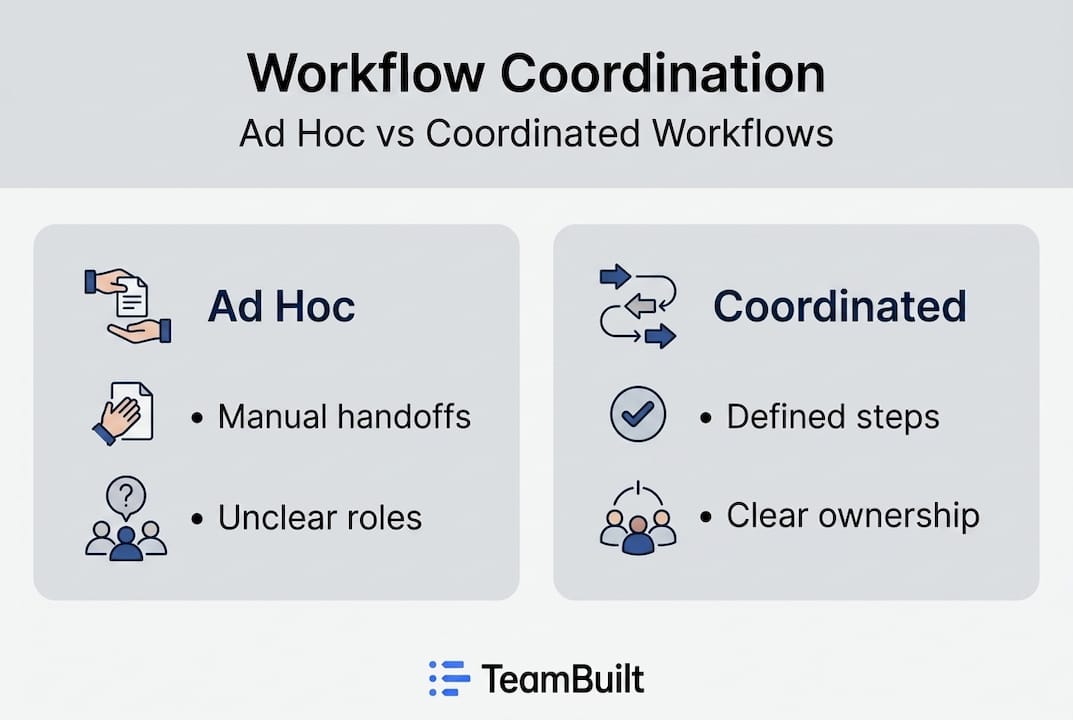
Most teams operate on ad hoc coordination. Someone finishes a task, sends a message, and hopes the next person picks it up in time. This works fine on small, stable teams. It falls apart the moment you add complexity: multiple projects running in parallel, cross-functional dependencies, or team members spread across time zones.
A coordinated workflow is different in three fundamental ways. First, handoffs are defined, not assumed. Every task has a clear next step and a designated owner. Second, dependencies are visible before they block. You can see that a developer is waiting on a design sign-off two days before it becomes a bottleneck. Third, status is shared by default, not chased through manual updates.

Here is a direct comparison between ad hoc and coordinated approaches:
| Dimension | Ad hoc workflow | Coordinated workflow |
|---|---|---|
| Handoffs | Informal, manual | Structured, automated |
| Status visibility | Reactive (you ask) | Proactive (system updates) |
| Dependency management | Discovered at deadline | Mapped in advance |
| Bottleneck identification | After the delay | Before the delay |
| Scalability | Breaks with growth | Designed to scale |
Modern coordination tools have added a powerful layer to this picture. AI orchestration and multi-agent systems now enable autonomous coordination, eliminating manual handoffs entirely for routine tasks and scaling beyond what any human-managed process can achieve. Rather than a project manager manually routing a completed design to the development queue, an orchestrated system detects completion and triggers the next step automatically.
The practical benefits of coordinated workflows include:
- Fewer delays because dependencies are surfaced before they block progress
- Less duplication because task ownership is explicit and shared
- More predictable delivery because capacity and workload are balanced in advance
- Faster onboarding because new team members inherit a documented process rather than tribal knowledge
Pro Tip: Before adding any new tool to your stack, document your current workflow on paper first. Identify every manual handoff, every approval step, and every point where work typically stalls. That map becomes your redesign blueprint, and it often reveals three or four quick wins you can fix without any new software at all.
Building scalable agency workflows follows the same logic. Structure your coordination so that adding a new client or a new team member does not require rebuilding how work flows from one stage to the next.
How coordinated workflows deliver real results
Once you see what coordinated workflows can be, it is natural to ask how much difference they make in practice.
The benchmark data is compelling. SMB automation of coordinated processes yields productivity gains of 40% to 50%, with business process management (BPM) tools increasing administrative efficiency by up to 50%. These are not marginal improvements. They represent hours returned to every employee every week, hours that can go directly into delivery.
At the individual level, the savings translate to roughly 15 to 25 hours recovered per person per month. For a team of eight, that is between 120 and 200 additional productive hours monthly. For a startup racing to hit a product milestone, that is a meaningful competitive edge.
The specific improvements teams report most often include:
- Faster client onboarding: Coordinated intake workflows reduce setup time from days to hours by automating documentation collection, kickoff scheduling, and tool access provisioning
- Reduced rework: When task ownership and approval steps are explicit, people stop building on outdated assumptions
- Shorter review cycles: Automated routing sends deliverables to the right reviewer at the right time, eliminating the “who reviews this?” confusion that pads every timeline
- Better capacity planning: When workflow data is centralized, operations leads can see utilization patterns and reallocate resources before burnout or bottlenecks appear
- More accurate delivery forecasting: When you know your team’s actual throughput and current workload, you can commit to deadlines with real confidence rather than optimistic guessing
Consider a realistic scenario: a 12-person product team at a Series A startup. Before coordinating workflows, they ran three parallel feature sprints with no shared visibility into who was blocked or where design assets were in review. Sprint planning took four hours. Retrospectives surfaced the same issues every time. After mapping their workflows, automating handoffs between design and development, and centralizing task status in one system, their sprint planning time dropped to 90 minutes and their on-time delivery rate improved from 62% to 84% over three months.
That kind of improvement is achievable without a massive tooling overhaul. The leverage is in the workflow design, not the software budget.
Reviewing proven workflow examples from teams at similar growth stages accelerates this process significantly. And aligning your coordination strategy with solid project delivery best practices ensures the gains compound over time rather than degrading when team composition changes.
Getting started: Designing and refining your workflow coordination
Now that you know how much is at stake, here is how your team can put coordinated workflows into action without losing momentum on current projects.
The most common mistake is jumping straight to automation. Teams buy a tool, configure a few triggers, and expect the results to follow. They rarely do, because the underlying process is still broken. Automation of a broken process just delivers broken results faster.
The right sequence is:
- Map your current workflow end to end, from the moment a request arrives to the moment it ships. Include every human touchpoint, every approval, and every waiting period.
- Identify your highest-cost handoffs. Look for steps where work regularly stalls, where context is lost between teams, or where the next owner is unclear.
- Redesign before automating. Simplify the process first. Remove redundant approvals, clarify ownership, and define what “done” means at each stage.
- Set flow metrics. Cycle time (how long it takes to complete a task end to end) and work in progress, or WIP (how many tasks are active simultaneously), are your most useful signals. Tracking these reveals bottlenecks that gut feeling misses.
- Introduce automation in targeted layers. Start with the highest-volume, lowest-variance handoffs: notifications, status updates, file routing. Expand from there as confidence grows.
- Review and refine regularly. Coordinated workflows are not set-and-forget. Monthly retrospectives on your flow metrics catch drift before it becomes dysfunction.
Expert guidance consistently emphasizes task-level orchestration over query-level coordination. Query-level means you ask the system for a status update. Task-level means the system proactively routes work and surfaces blockers without anyone needing to ask. This distinction matters enormously at scale.
Pro Tip: Limit your team’s WIP deliberately. Most high-coordination teams take on too many parallel tasks, which multiplies the number of handoffs in play at any time. Capping WIP at two to three tasks per person per sprint often delivers better throughput than adding more capacity.
Common pitfalls to avoid during implementation:
- Skipping the map: You cannot improve what you cannot see
- Over-automating too early: Automate stable processes, not ones still being refined
- Ignoring adoption: Even perfect workflows fail if team members revert to old habits
- Measuring outputs only: Delivery counts matter less than flow efficiency if you want sustainable predictability
Exploring workflow automation examples built for project managers gives you a practical starting point without reinventing the wheel.
Why most teams get workflow coordination wrong
Here is the uncomfortable truth: most teams treat coordination as a tool problem. They add a new project management platform, configure some automations, and expect the results to follow. When they do not, they blame the tool and switch to another one. The cycle repeats.
The real issue is a process mindset gap. Tools reflect your processes. If your process is fragmented, your tool will expose that fragmentation, not fix it. Teams that genuinely improve coordination invest first in cross-team visibility and process clarity, and then layer tools on top.
There is also a significant overconfidence in AI automation right now. Yes, AI augments workflow coordination in powerful ways, but it does not eliminate the need for human judgment in novel or ambiguous situations. When a new client has an unusual request, when a team member is unexpectedly out, or when business priorities shift mid-sprint, an automated system will follow its rules while a thoughtful operations lead adapts. The best coordination strategies build in human checkpoints precisely where variability is highest.
A nuance worth understanding: Scrum is best suited for work with high uncertainty and evolving requirements. Kanban fits better when the priority is managing flow and minimizing variability in recurring tasks. Many SMBs apply one framework to everything and wonder why it partially works. Matching methodology to work type is a form of coordination intelligence that no tool can substitute.
The teams that get this right share one trait. They hire for adaptability and invest in continuous process improvement rather than rigid playbooks. They treat their agency workflow best practices as living documents, not policies carved in stone. That orientation is what separates teams that scale cleanly from those that grow into chaos.
Transform your team’s coordination with Teambuilt
If this guide has surfaced real gaps in how your team currently plans and executes, you are not alone. Most growing teams carry more coordination overhead than they realize, and the fix starts with visibility.

TeamBuilt is built specifically for this challenge. The platform gives project managers and operations leads real-time workload visualization, automated scheduling, and cross-team capacity tracking, all in one place. Whether you are trying to reduce the time spent on status updates, forecast delivery dates with confidence, or finally replace the spreadsheets holding your planning together, the Teambuilt resource planning features connect directly to the workflows discussed in this guide. See how it works for your team and start with Teambuilt today.
Frequently asked questions
What does a coordinated workflow mean in practice?
A coordinated workflow connects people, tasks, and tools so that work flows automatically between stages, minimizing manual handoffs and making delivery timelines more reliable. Unlike ad hoc processes, it defines ownership and dependencies in advance so nothing falls through the cracks.
How much time can coordinated workflows really save?
SMBs typically recover 15 to 25 hours per employee per month after coordinating their workflows, with productivity gains of 40% to 50% reported after process automation. The coordination tax alone accounts for 20% to 40% of employee time in many growing organizations.
Is workflow coordination only about automation?
No. Automation is most effective after you have redesigned your process; layering automation on a broken workflow just accelerates the problems. Prioritizing process redesign and measuring flow metrics like cycle time and WIP should come first.
Do AI-powered workflows eliminate the need for human oversight?
No. AI augments coordination by handling routine, repeatable handoffs at scale, but human judgment remains essential when workflows encounter novel situations, shifting priorities, or ambiguous requirements that rules-based systems cannot anticipate.
Recommended
- Boost Team Productivity: 5 Proven Workflow Examples for SMBs | Teambuilt Blog
- Boost Team Productivity: 5 Proven Workflow Examples for SMBs | Teambuilt Blog
- Streamline your team scheduling workflow: max efficiency | Teambuilt Blog
- Workflow Automation Examples for Project Managers 2026 | Teambuilt Blog