Real-time team coordination drives 50%+ SMB growth

TL;DR:
- Real-time team coordination involves instant syncing of task status and decisions to improve project flow.
- It significantly boosts revenue, output, and delivery predictability by enabling proactive management.
- Balancing real-time, async, and batch methods with clear norms optimizes team efficiency and reduces overload.
Most project managers assume that moving faster automatically means coordinating better. It doesn’t. Real-time decision-making yields over 50% higher revenue growth and margins for top performers, yet many SMBs still rely on weekly status emails and scattered spreadsheets. If you manage projects across multiple teams, you already know the cost: missed handoffs, duplicated work, and delivery dates that slip without warning. This guide breaks down what real-time team coordination actually means, when it delivers the most value, and how to implement it without burning your team out.
Table of Contents
- What is real-time team coordination?
- Business impact: Revenue, output, and growth acceleration
- Balancing real-time, asynchronous, and batch: When is each best?
- How to implement and scale real-time coordination in your team
- A smarter path: It’s not always about being fastest
- Take your team’s coordination to the next level
- Frequently asked questions
Key Takeaways
| Point | Details |
|---|---|
| Real-time coordination boosts results | Teams using real-time methods see faster project delivery and higher business impact. |
| Hybrid is optimal | Blending real-time sync with async updates creates flexibility while avoiding unnecessary overhead. |
| Complexity matters | Too much real-time can create confusion; use it strategically for key moments. |
| Implementation needs focus | Success depends on careful tool selection, clear processes, and strong resource management. |
What is real-time team coordination?
Real-time team coordination is the practice of syncing task status, resource availability, and project decisions as they happen, rather than waiting for scheduled updates or end-of-day reports. It’s not the same as being constantly online or responding to every message within minutes. The distinction matters.
Traditional coordination methods rely on batch updates: weekly standups, Monday morning reports, or email threads that consolidate progress. Asynchronous (async) coordination lets team members respond on their own schedule, which works well across time zones. Real-time sits at a different point on the spectrum. It activates when decisions need to happen now, when a blocker threatens a deadline, or when a resource conflict needs immediate resolution.
Modern platforms give teams real-time visibility into task status, resource availability, and project progress. That visibility changes how project managers operate. Instead of chasing updates, you see the current state of work at a glance. Instead of discovering a conflict in a Friday meeting, you catch it Tuesday morning when there’s still time to act.
Here’s where real-time coordination adds the most value:
- Kickoff moments: When a new sprint or project phase begins and ownership needs to be clear immediately
- Blockers: When one team’s delay threatens another team’s ability to start
- Resource conflicts: When two projects compete for the same person or capacity
- Scope changes: When a client request shifts priorities and the whole team needs to realign fast
- Handoffs: When work moves between teams and timing is critical
“Real-time coordination isn’t about urgency for its own sake. It’s about reducing the lag between a problem appearing and the right person knowing about it.”
One common misconception is that real-time means everything is urgent. It doesn’t. The SaaS tool advantages of modern platforms come precisely from letting you configure what triggers a real-time alert versus what gets batched into a daily digest. Used well, real-time coordination reduces noise rather than adding to it.
Business impact: Revenue, output, and growth acceleration
Real-time coordination isn’t just an operational preference. It’s a measurable business lever. The market for real-time project management software is expanding rapidly, driven by SMBs and startups that need delivery predictability without enterprise-level overhead.
The output numbers are striking. AI-assisted startups using real-time coordination elements achieve 1.8x faster shipping and 25% higher output per developer. That’s not a marginal improvement. For a five-person engineering team, 25% more output is the equivalent of adding another full-time contributor without the hiring cost.

| Metric | Without real-time coordination | With real-time coordination |
|---|---|---|
| Delivery predictability | Low (reactive) | High (proactive) |
| Resource conflict resolution | Days | Hours or minutes |
| Cross-team handoff delays | Frequent | Reduced significantly |
| Project manager time on status updates | 30-40% of week | Under 15% of week |
| Output per developer (startups) | Baseline | Up to 25% higher |
Beyond raw output, real-time coordination improves project timeline management by making capacity visible before commitments are made. When you can see that your lead developer is already at 90% utilization next sprint, you stop overpromising to clients. That alone prevents the kind of delivery failures that damage long-term relationships.
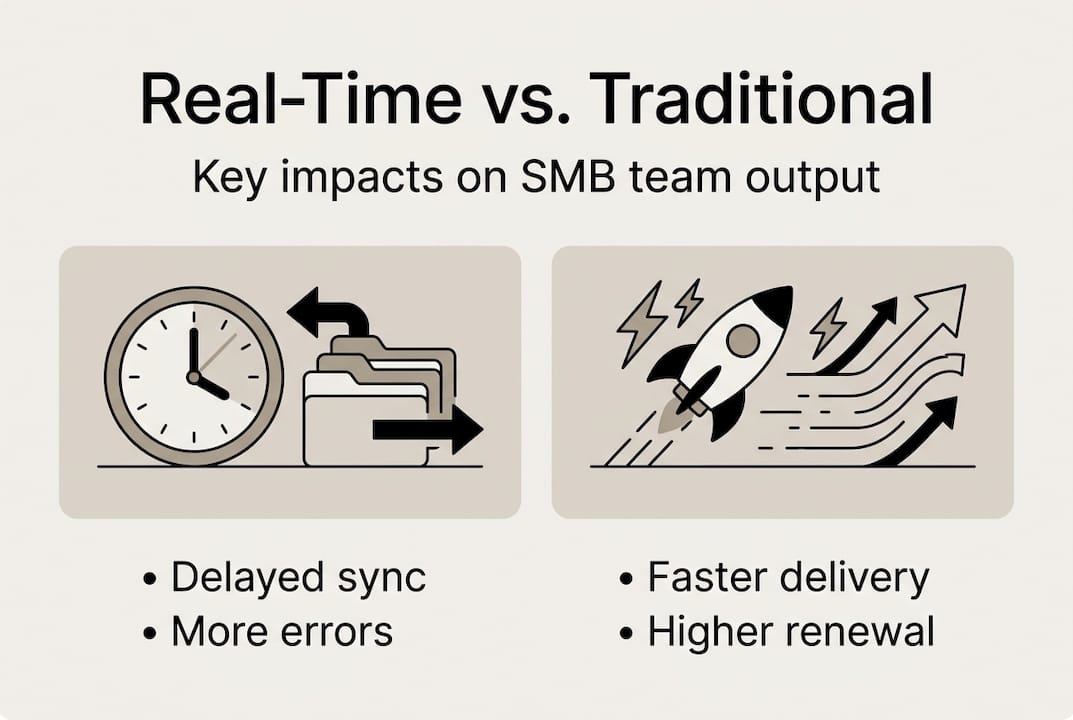
Revenue impact follows from delivery reliability. Clients who receive consistent, on-time delivery renew contracts and refer others. The compounding effect of fewer missed deadlines and fewer emergency escalations is significant over a 12-month period.
Pro Tip: Don’t apply real-time coordination to every communication. Reserve it for high-impact milestones, blockers, and resource decisions. Routine progress updates belong in async channels where they don’t interrupt deep work.
Balancing real-time, asynchronous, and batch: When is each best?
Real-time coordination has a cost. It requires infrastructure, attention, and clear norms. As one analysis of real-time versus batch processing notes, real-time imposes a complexity tax and isn’t always needed for non-urgent tasks. Choosing the wrong mode for the wrong situation wastes both time and focus.
Here’s a practical comparison to help you decide:
| Mode | Best for | Avoid when |
|---|---|---|
| Real-time | Blockers, kickoffs, scope changes, resource conflicts | Routine updates, documentation, low-stakes decisions |
| Async | Progress updates, feedback, cross-timezone work, execution | Urgent decisions, complex problem-solving requiring back-and-forth |
| Batch | Weekly reporting, retrospectives, aggregate metrics | Fast-moving projects where lag creates risk |
For growing SMBs managing hybrid team workflows, the practical answer is almost always a mix. A useful framework:
- Map your decision types. List the decisions your team makes weekly. Categorize each as time-sensitive (real-time), moderate (async), or low-urgency (batch).
- Set explicit norms. Document which channels handle which decision types. Ambiguity is where coordination breaks down.
- Review the mix monthly. As projects scale, the ratio shifts. What worked for a 10-person team may not work at 30.
- Protect deep work. Real-time coordination should never interrupt focused execution blocks. Use scheduled sync windows instead.
A common mistake is letting real-time bleed into everything. When every update becomes a Slack ping, your team stops distinguishing between urgent and routine. The hybrid work methodology that works best for remote and distributed teams treats real-time as a premium resource, used deliberately and sparingly.
Pro Tip: Default to async for execution and updates. Switch to real-time only for kickoffs, active blockers, and decisions that will stall progress if delayed more than an hour.
How to implement and scale real-time coordination in your team
Rolling out real-time coordination doesn’t require a full platform overhaul on day one. The teams that do it well start narrow and expand deliberately.
Step-by-step rollout:
- Identify your highest-friction moments. Where do delays most often occur? Handoffs between teams, resource conflicts, and scope changes are the usual culprits.
- Choose one tool to anchor real-time visibility. A centralized resource calendar or project board gives everyone a shared source of truth. Avoid layering multiple tools before norms are established.
- Set coordination norms in writing. What triggers a real-time alert? Who owns each type of decision? Publish this and revisit it after the first month.
- Run a two-week pilot on one project. Measure time-to-resolution for blockers before and after. Use the data to make the case for broader rollout.
- Scale gradually. Add teams and projects incrementally. Each addition is a chance to refine norms before the next.
Good centralized planning tools prevent the most common scaling failure: overlapping work. When resource calendars are shared and live, managers stop accidentally double-booking people. As one analysis confirms, real-time visibility into resource availability directly prevents overlapping work and the rework it creates.
Watch for these pitfalls as you scale:
- Notification overload: Too many alerts train people to ignore all of them. Audit your notification settings monthly.
- Unclear ownership: Real-time visibility without clear accountability creates confusion. Every visible task needs an owner.
- Coordination fatigue: Daily real-time syncs for non-urgent work exhaust teams. Protect async time aggressively.
Workflow automation tips can reduce manual coordination overhead significantly. Automating status updates, deadline reminders, and handoff triggers frees your team to focus on actual work rather than managing the coordination process itself. Pair automation with solid team capacity planning and you create a system that scales without adding headcount to manage it.
A smarter path: It’s not always about being fastest
Here’s a perspective most coordination guides skip: the teams that benefit most from real-time tools are often the ones that use them least. That sounds contradictory, but it reflects a real pattern.
When every update is real-time, nothing feels urgent. Teams develop alert fatigue. Managers spend more time managing the coordination system than the actual work. We’ve seen this play out repeatedly in fast-growing startups that adopted real-time platforms enthusiastically, then quietly reverted to async for most of their communication within three months.
The complexity tax of real-time coordination is real. It demands attention, infrastructure, and cultural discipline. When applied indiscriminately, it creates stress without creating clarity.
The smarter approach is to start with the problem, not the tool’s speed. Ask: what’s the actual lag that’s hurting us? Is it that we don’t know about blockers fast enough? Is it that resource conflicts surface too late? Is it that handoffs fail because timing is unclear? Each of those has a targeted fix. Not all of them require real-time.
Some of the most effective coordination improvements we’ve seen came from better async documentation, not faster pings. A well-structured scalable workflow strategy often does more for delivery predictability than adding another real-time channel. Use real-time as a lever you pull deliberately, not a default you leave switched on.
Take your team’s coordination to the next level
Understanding the right mix of real-time, async, and batch coordination is one thing. Having a platform that makes it practical is another.

TeamBuilt is built for exactly this challenge. The TeamBuilt platform gives project managers and operations leads a centralized view of team capacity, resource availability, and project timelines in real time, without the notification overload that kills focus. You can see who’s available, where conflicts are forming, and when delivery dates are at risk, all from one place. Explore the full set of TeamBuilt features to see how growing SMBs are replacing scattered spreadsheets with a coordination system that actually scales.
Frequently asked questions
What is real-time team coordination?
It’s a way for teams to sync instantly on tasks, resources, and updates, reducing miscommunications and speeding up project delivery. Modern platforms provide real-time visibility into task status and resource availability so managers can act before problems escalate.
Does real-time coordination always improve performance?
Not always. While it accelerates critical decision-making, real-time complexity can add unnecessary overhead for routine or non-urgent work, making async or batch methods a better fit in those cases.
Which types of teams benefit most from real-time coordination?
Fast-growing teams handling tight deadlines, cross-functional roles, and resource allocation challenges gain the most. Startups using real-time coordination elements ship 1.8x faster and see 25% higher output per developer.
What are common pitfalls when shifting to real-time workflows?
The most frequent issues are notification overload, unclear task ownership, and scheduling unnecessary real-time meetings for minor updates that could be handled asynchronously with far less disruption.
How can SMBs balance real-time and async work?
Use real-time for urgent problem-solving, kickoffs, and active blockers, but default to async for routine progress and documentation. A hybrid methodology treats real-time as a deliberate choice, not a constant default.
Recommended
- Trackio - Webflow HTML Website Template
- Why SaaS empowers teams: workflow, cost, flexibility | Teambuilt Blog
- Project timeline management guide: proven steps for SMBs | Teambuilt Blog
- Team capacity planning: 40% more story points delivered | Teambuilt Blog
- Key advantages of website optimisation for UK SMEs
- Automate Small Business Finances: Save 60% Time in 2026