Why SaaS empowers teams: workflow, cost, flexibility


TL;DR:
- SaaS enables real-time, centralized collaboration and seamless updates for teams.
- Proper SaaS management relies on process discipline, onboarding, and regular stack reviews.
- Scaling with SaaS is flexible, cost-effective, and supports future growth when chosen strategically.
The average organization now runs on over 100 SaaS apps, spending roughly $2,884 per employee every year. For project managers at growing startups and SMBs, that number should raise a flag. More tools do not automatically mean better coordination. In fact, the opposite often happens: teams fragment, updates get missed, and no one has a clear picture of who is doing what. This guide breaks down exactly why SaaS, when chosen and used with intention, is the most powerful model for team coordination, resource planning, and scalable growth.
Table of Contents
- The SaaS advantage: What makes it best for team coordination?
- Solving key team pain points with SaaS platforms
- Smart scaling: How SaaS enables growth and adaptability
- Considerations and pitfalls: What to watch out for with SaaS adoption
- Our take: What teams actually win with SaaS (and what most miss)
- Next steps: Power your team with the right SaaS partner
- Frequently asked questions
Key Takeaways
| Point | Details |
|---|---|
| SaaS optimizes coordination | Teams collaborate efficiently using centralized, real-time cloud tools. |
| Cost and scaling benefits | SaaS lets startups and SMBs grow operations flexibly with per-user pricing. |
| Beware of tool overload | Too many SaaS apps can hinder productivity; centralization is best. |
| Intentional adoption matters | Process discipline, not just SaaS adoption, is key to team success. |
The SaaS advantage: What makes it best for team coordination?
Before diving into benefits, let’s define the three main deployment models. SaaS (Software as a Service) means software is hosted in the cloud by a vendor and accessed through a browser. No installation, no server rooms. On-premise software is installed and run on your own servers, giving you full control but requiring significant IT resources. Hybrid blends both, running some systems locally while using cloud services for others.
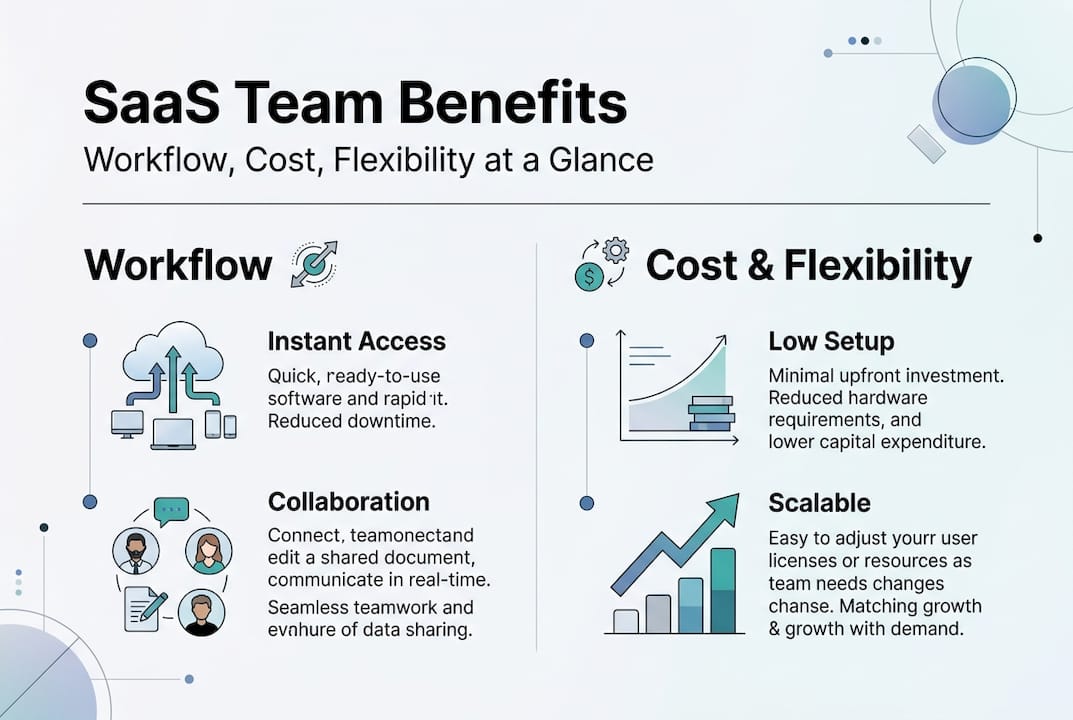
For fast-moving, distributed, or resource-limited teams, SaaS wins almost every time. You get instant access from any device, automatic updates, and pricing that scales with your headcount. On-premise solutions are favored only for extreme customization or strict regulatory environments, which represent a small fraction of SMBs.
| Factor | SaaS | On-premise |
|---|---|---|
| Upfront cost | Low (subscription) | High (licenses + hardware) |
| Setup time | Hours to days | Weeks to months |
| Scalability | Instant user add/remove | Requires IT planning |
| Updates | Automatic | Manual, often delayed |
| Remote access | Built-in | Requires VPN setup |
| Security for SMBs | Vendor-managed | Self-managed |
The cost difference alone is significant. When your team is already spending $2,884 per employee annually across tools, optimizing which SaaS platforms you use, and how they connect, directly impacts your bottom line.
Here is how SaaS directly boosts team coordination:
- Real-time data access: Every team member sees the same information at the same moment, eliminating version conflicts.
- Universal access: Remote, hybrid, or in-office teams collaborate without friction from any location.
- Centralized updates: Vendors push improvements automatically, so your team always works with the latest features.
- Pre-built integrations: Modern SaaS tools connect to each other, reducing manual data transfers and errors.
Using centralized planning tools is what separates teams that scale cleanly from those that constantly fight coordination fires.
Solving key team pain points with SaaS platforms
Now that we see SaaS’s advantages for teams, let’s examine how it resolves specific pain points project managers encounter daily.
| Workflow challenge | How SaaS addresses it |
|---|---|
| Version control confusion | Single source of truth, live document syncing |
| Update lag | Instant notifications and real-time dashboards |
| Collaboration friction | Shared workspaces, comment threads, task assignments |
| Tool fragmentation | API integrations and unified platforms |
The centralization of SaaS tools is what reduces tool chaos and gives operations leads a reliable view of project status across the entire organization.
Here is how SaaS centralizes team processes from start to finish:
- Project initiation: Create a project in your SaaS platform, assign team members, and set timelines in one place.
- Resource allocation: Visualize who has capacity and assign tasks without over-scheduling anyone.
- Execution tracking: Monitor progress in real time, flag blockers early, and adjust resources as needed.
- Cross-team communication: Use integrated messaging or comment features to keep conversations tied to specific tasks.
- Reporting: Pull automated reports on utilization, delivery timelines, and budget without manual spreadsheet work.
Consider a real-world example: a remote-first SMB with a 20-person product team spread across three time zones. Before SaaS, they relied on email chains and shared drives. After consolidating into a single resource planning platform, they cut status meeting time by 40% and improved on-time delivery. The key was not just adopting SaaS, but choosing tools that supported scalable project workflows from day one.

For teams exploring automation, studying workflow automation examples can reveal quick wins that free up hours every week.
Pro Tip: Avoid tool bloat by starting with the minimum viable stack. Add a new tool only when a clear, recurring need exists and no current tool can fill it. This keeps your SaaS spend purposeful and your team focused.
Smart scaling: How SaaS enables growth and adaptability
While solving pain points is vital, smart teams also look ahead. Let’s see how SaaS supports future growth.
Scaling a team is rarely linear. You might add five engineers in a quarter, then pause hiring, then bring on a whole new department. SaaS handles this without drama:
- Instant user management: Add or remove seats in minutes, not weeks. No IT tickets required.
- Immediate feature access: When vendors release new capabilities, your whole team gets them automatically.
- Integration with new tools: As your stack evolves, SaaS platforms connect via APIs, keeping your workflows intact.
- Pay-as-you-grow pricing: You pay for what you use. No locked-in licenses for headcount you no longer have.
Compliance is another area where SaaS quietly saves growing teams enormous effort. As your organization crosses new thresholds in team size or geography, reputable SaaS vendors handle regulatory updates, security certifications, and data residency requirements on your behalf. That is a significant burden lifted from small IT teams.
“SMBs benefit from SaaS due to low upfront costs and adaptable per-user pricing, making it the most accessible path to enterprise-grade tooling without enterprise-grade budgets.”
Pro Tip: When evaluating a new SaaS tool, ask the vendor three scaling questions: Can I add users mid-cycle? Does pricing tier fairly as we grow? What happens to our data if we downgrade or cancel? The answers reveal how vendor-friendly the platform actually is.
For teams managing complex delivery schedules, understanding project timeline management becomes even more critical as headcount grows and dependencies multiply.
Considerations and pitfalls: What to watch out for with SaaS adoption
With so much promise, it is important to go in with eyes open. Here is what smart teams monitor when adopting SaaS.
The most common SaaS pitfalls are not technical. They are organizational:
- Tool overlap: Two teams buy different platforms for the same job, doubling cost and splitting data.
- Weak integrations: Tools that do not connect well force manual data entry, which defeats the purpose.
- Compliance gaps: Not every SaaS vendor meets the data residency or privacy standards your industry requires.
- Underestimated training: Even intuitive tools need structured onboarding or adoption stays low.
- Shadow IT: Individual team members sign up for tools outside the approved stack, creating security blind spots.
There are genuine cases where hybrid or on-premise solutions make more sense. Healthcare organizations handling sensitive patient data, financial firms under strict audit requirements, or companies needing deeply custom workflows may find SaaS constraints outweigh its convenience. These are edge cases, but they are real.
For most SMBs, a disciplined SaaS rollout checklist prevents the majority of problems:
- Vet vendors on security certifications, uptime guarantees, and integration support.
- Map your current tool stack and identify overlaps before adding anything new.
- Plan integrations before launch, not after.
- Build a structured onboarding program for every new tool, even simple ones.
- Schedule a quarterly SaaS stack review to retire tools that no longer earn their cost.
For teams managing multiple tools, exploring resources on managing SaaS integrations helps avoid the fragmentation that kills coordination gains.
Our take: What teams actually win with SaaS (and what most miss)
Here is the uncomfortable truth most SaaS articles skip: buying the right tools is only about 30% of the equation. The other 70% is process discipline, team training, and honest periodic review of what is actually being used.
We have seen teams with best-in-class SaaS stacks still running critical updates through email because no one took ownership of the platform. And we have seen lean teams with three well-integrated tools outperform organizations spending ten times more on software.
The real competitive advantage is not the tool. It is the clarity of your workflows before you choose the tool. Teams that document their processes first, then select SaaS to support those processes, win consistently. Teams that buy software hoping it will create process clarity almost always end up with expensive confusion.
Centralization, structured onboarding, and regular stack reviews are the unglamorous habits that separate high-performing teams from ones perpetually chasing their own tail. If you want to see what scalable workflows in practice actually look like, start there, not with the software catalog.
Next steps: Power your team with the right SaaS partner
For teams ready to put theory into action, here is a powerful next step.
Purpose-built SaaS platforms give project managers and operations leads the real-time visibility, resource planning depth, and coordination tools that generic software simply cannot match. The difference between a platform built for teams and a general-purpose tool is felt immediately in onboarding speed and daily usability.

The TeamBuilt platform was designed specifically for growing startups, SMBs, and agencies managing complex, multi-team workflows. From workload visualization to delivery forecasting, every feature targets the coordination challenges covered in this article. Explore the full resource planning features and see how TeamBuilt replaces scattered spreadsheets with a single, reliable source of truth for your entire team.
Frequently asked questions
Why is SaaS better for small and growing teams than traditional software?
SaaS offers fast setup, flexible scaling, and pay-as-you-go pricing, making it ideal for teams that need to adapt quickly without large upfront IT investments.
What are the biggest risks of using too many SaaS tools?
Using too many SaaS tools causes workflow confusion, integration failures, and unnecessary spending. Centralizing your SaaS stack reduces this chaos and keeps your team aligned.
When should a team consider on-premise or hybrid solutions instead of SaaS?
Teams with strict regulatory requirements or highly specialized workflows may benefit from on-premise or hybrid solutions, though these cases are rare among typical SMBs.
How do we prevent SaaS app sprawl in our organization?
Regularly review your SaaS stack, consolidate overlapping tools, and prioritize platforms with strong native integrations. Centralizing tool management is the most effective long-term defense against sprawl.
Recommended
- Trackio - Webflow HTML Website Template
- Agency project workflows: A guide for scalable success | Teambuilt Blog
- Features - Teambuilt | Resource Planning & Scheduling
- Workflow Automation Examples for Project Managers 2026 | Teambuilt Blog
- Why outsource administrative services: 60% cost savings
- Why Smart Businesses Are Ditching Traditional Web Agencies for a $299/Month WordPress Model - MonsterWP