Why SMBs need planning tools to cut costs and grow


TL;DR:
- Outdated methods like spreadsheets and email cause significant time loss and project failures in SMBs.
- Modern planning tools centralize data, automate updates, and improve resource visibility and project delivery.
- Effective adoption relies on user-friendly platforms, team onboarding, and focusing on core needs rather than tools with excess features.
Relying on spreadsheets and email threads to manage projects might feel familiar, but it quietly drains your team’s time and budget every single week. When tasks fall through the cracks or deadlines slip because no one had a clear picture of who was doing what, the cost compounds fast. Planning tools centralize task tracking, collaboration, and workflows, replacing spreadsheets and emails to reduce miscommunication and manual effort. This article breaks down why outdated methods hurt SMBs, what modern tools actually deliver, how to choose the right fit, and what real outcomes look like in practice.
Table of Contents
- The hidden costs of outdated planning methods
- How planning tools transform SMB workflows
- What to look for in SMB-friendly planning tools
- Planning tools in practice: Real SMB outcomes
- Why most SMBs get planning tool adoption wrong
- Take the next step: Smarter team planning for your SMB
- Frequently asked questions
Key Takeaways
| Point | Details |
|---|---|
| Manual methods cost time | Fragmented spreadsheets and emails cause miscommunication and lost productivity. |
| Planning tools boost ROI | Digital tools help SMBs save money and increase productivity through task centralization and automation. |
| Choose for scalability | Scalable, user-friendly platforms with AI and integration features are best for growing SMBs. |
| Real results, real fast | Most SMBs see improved resource management and cost savings within months of adopting planning tools. |
The hidden costs of outdated planning methods
Most SMBs don’t realize how much they’re losing to poor planning until the damage shows up in missed deadlines, budget overruns, or burned-out team members. The problem isn’t a lack of effort. It’s the absence of a system that connects the dots.
When data lives in separate spreadsheets, inboxes, and sticky notes, your team spends significant time hunting for information instead of actually doing the work. A project manager might spend two or three hours a week reconciling conflicting versions of a project plan. Multiply that across a team of ten and you’re losing days every month to tasks that a good planning tool would handle automatically.
The numbers make this concrete. Poor planning causes roughly 30% of project failures due to resource issues, and fragmented data can cost teams weeks in reconciliation alone. For an SMB with tight margins, that’s not a minor inefficiency. It’s a real threat to delivery and client relationships.
“The biggest source of waste in small business operations isn’t overspending. It’s time lost to disorganized processes that nobody has formally measured.”
Here’s what that looks like in practice for teams relying on SMB workflow examples that haven’t been updated in years:
- Duplicate data entry across multiple tools, increasing the chance of errors
- No single view of who’s available, who’s overloaded, and who’s idle
- Delayed decisions because managers can’t get a real-time picture of project status
- Resource conflicts that only surface when it’s too late to fix them
- Manual reporting that’s already outdated by the time it reaches leadership
| Planning challenge | Impact without tools | Impact with tools |
|---|---|---|
| Resource visibility | Blind spots and conflicts | Real-time capacity view |
| Status reporting | Manual, often outdated | Automated and live |
| Cross-team coordination | Email chains and confusion | Centralized, shared workspace |
| Deadline tracking | Reactive firefighting | Proactive alerts and forecasting |
| Budget control | Reconciled after the fact | Tracked continuously |
These aren’t edge cases. They’re the daily reality for SMBs that haven’t made the shift yet.
How planning tools transform SMB workflows
After seeing the pitfalls of old methods, it’s clear why modern planning tools are game-changers for SMBs. The shift from scattered processes to centralized planning isn’t just about convenience. It changes how your team thinks, communicates, and delivers.
Modern project management tools for SMBs replace the patchwork of emails and spreadsheets with a single, connected workspace. Everyone sees the same information, tasks are assigned with clear ownership, and timelines are visible at a glance. That transparency alone reduces the back-and-forth that eats up so much of a team’s day.
Here’s what a digitized planning workflow actually looks like step by step:
- Create a project and define deliverables inside the platform, with estimated effort and deadlines attached to each task.
- Assign resources based on real availability rather than guesswork, using live capacity data that shows who has bandwidth and who doesn’t.
- Set dependencies so the system automatically flags when one delayed task will ripple into others.
- Monitor progress in real time with dashboards that give managers, ops leads, and executives a shared view of how projects are tracking.
- Run automated reports instead of compiling data manually, freeing your team to focus on delivering work rather than documenting it.
The financial case is just as compelling as the operational one. Tool consolidation saves businesses an average of $127 per month, with case studies reporting a 30% reduction in SaaS spending and 22% productivity gains after switching to integrated platforms. For a small business watching every dollar, those numbers matter.
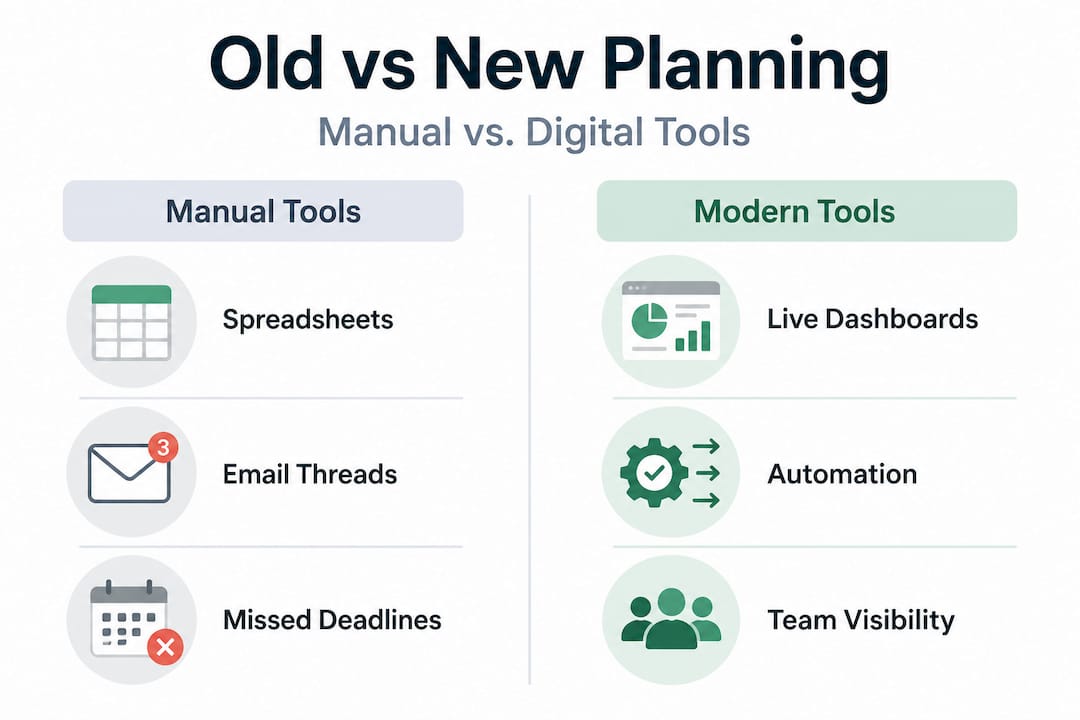
Comparison: Manual vs. modern planning tools
| Feature | Manual (spreadsheets/email) | Modern planning tool |
|---|---|---|
| Task tracking | Manual updates, version conflicts | Centralized, real-time updates |
| Resource scheduling | Guesswork and email checks | Visual workload and capacity tracking |
| Team communication | Siloed email threads | In-context comments and notifications |
| Forecasting | Not available | AI-powered delivery date estimates |
| Integration | None or manual export | API and pre-built integrations |
Centralized planning tools also benefit everyday operations in ways that aren’t always obvious up front. When a team member calls in sick or a client changes scope mid-project, a connected planning system lets you reallocate instantly rather than sending a flurry of messages hoping someone notices.

Pro Tip: When evaluating tools, prioritize platforms that include automation and built-in AI features. Automating routine tasks like status updates, deadline reminders, and capacity alerts will save your team real hours every week and make your investment more durable as your business grows.
What to look for in SMB-friendly planning tools
Knowing that not every tool fits every business, let’s clarify how to choose ones that actually deliver value for your team. The market is crowded with planning software, and plenty of it is built for enterprise teams with dedicated IT departments. That’s not you, and choosing the wrong tool is an expensive mistake.
Scalable, user-friendly tools consistently outperform complex enterprise software for SMBs, especially when conditions are changing fast and teams need to adapt without a long learning curve. AI features in particular tend to shine in volatile environments where forecasting and flexible scheduling make a measurable difference.
Here’s what to look for when evaluating your options:
- Ease of use: If your team needs a week of training to navigate the tool, adoption will be slow and inconsistent. Look for intuitive interfaces that new users can learn in a day.
- Scalability: Your business will grow. Choose a platform that can handle more users, more projects, and more complexity without requiring a full migration to a new tool.
- Integration capability: Your planning tool should connect with the software you already use. That means accounting software, communication tools, file storage, and any custom systems via open API.
- Resource and capacity tracking: This is non-negotiable. You need visibility into who’s working on what and how much capacity remains across your team at any moment.
- AI and automation features: 82% of SMBs now use AI tools, and nearly all plan broader digital adoption according to recent Bank of America research. Tools that automate scheduling, forecasting, and reporting give SMBs an edge that’s increasingly hard to ignore.
- Support and community: Look for vendors with a track record of serving businesses at your scale, not just enterprise case studies. Localized support matters when you need help fast.
There are also common pitfalls to avoid. Overengineering is a real risk. Some teams spend months searching for the one perfect tool that checks every possible box, only to either never decide or land on a bloated platform they use at 20% of its capacity. A focused tool that covers your core needs well beats a sprawling platform your team ignores.
Similarly, avoid choosing tools based on price alone. A low-cost tool that requires heavy customization or doesn’t integrate with your existing stack will cost you far more in time than the monthly savings justify. Use resource planning tips to pressure-test your shortlist against your actual workflows before committing.
Pro Tip: Ask vendors for case studies from businesses similar to yours in size, industry, and team structure. Generic testimonials are easy to find. Specific, relatable results from comparable SMBs are the real signal that a tool will work for you.
Planning tools in practice: Real SMB outcomes
With a practical understanding of what to look for, it helps to see how smarter planning tools have already paid off for real SMBs. The data is clear, and the patterns are consistent across industries.
Tool consolidation delivers an average of $127 per month in direct savings, with some businesses cutting SaaS costs by 30% and productivity rising by 22% after centralizing their planning processes. Those aren’t projections. They’re measured results from businesses that made the switch and tracked the outcomes.
Here’s what operational change typically looks like in numbered terms for SMBs that adopt integrated planning tools:
- Time savings of 5 to 8 hours per week per manager, recovered from manual status updates, report compilation, and coordination emails.
- 30 to 40% reduction in resource conflicts, because capacity is visible before scheduling rather than discovered after the damage is done.
- Faster project delivery, often by 15 to 20%, because blockers are surfaced earlier and dependencies are tracked automatically.
- Fewer budget overruns, as real-time cost tracking removes the lag between spending and awareness.
- Improved team morale, because people aren’t constantly put in impossible situations created by overallocation or unclear priorities.
| Metric | Before planning tools | After planning tools |
|---|---|---|
| Weekly admin hours (per manager) | 8 to 12 hours | 2 to 4 hours |
| Project on-time delivery rate | 55 to 65% | 80 to 90% |
| Resource conflict frequency | Weekly | Rare, flagged in advance |
| Reporting turnaround | 2 to 3 days | Real-time |
Strong project timeline guidance paired with the right platform also improves how you communicate with clients. When you can show a live view of project status and delivery forecasts, trust goes up and scope disputes go down.
“Digital planning tools don’t just make operations smoother. They change what leadership can see and decide, which ultimately changes what the business can do.”
Project delivery strategies built on real capacity data also reduce the guesswork in client commitments. Instead of estimating timelines based on gut feel and hoping nothing goes wrong, you’re making promises backed by actual resource availability.
Why most SMBs get planning tool adoption wrong
Here’s the honest truth about where most SMBs stumble, and what separates the teams that thrive from the ones that give up after a few months.
The most common mistake is treating tool adoption as a technology problem rather than a change management problem. You can buy the best platform on the market, but if your team doesn’t use it consistently, you’ll get none of the benefits. The tool becomes another line item on the software bill with nothing to show for it.
The second mistake is falling into the trap of “one more tool.” Many SMBs layer specialized apps on top of each other, hoping to fill gaps without committing to a real consolidation. The result is tool sprawl that creates exactly the kind of fragmentation they were trying to solve. Research comparing planning approaches consistently shows that fewer, well-integrated platforms outperform a collection of niche tools, even when individual niche tools score higher on specific features.
The best-performing SMBs take a different approach. They start with a clear picture of their biggest planning pain points, choose a platform that addresses those specifically, and invest real time in team onboarding before declaring the tool “live.” They also designate an internal champion, someone who learns the platform deeply, trains peers, and acts as the bridge between the software and the team’s actual workflow.
A centralized planning perspective matters here. The goal isn’t to find a tool that does everything perfectly. It’s to find one that your whole team will actually use, that connects the planning, scheduling, and delivery functions you depend on every day. Structure and flexibility aren’t opposites. The right platform gives you both.
Take the next step: Smarter team planning for your SMB
The evidence is consistent. SMBs that replace fragmented processes with centralized, purpose-built planning platforms see real gains in time, cost, and delivery reliability. The question isn’t whether to make the shift. It’s how to make it efficiently.

TeamBuilt is built specifically for the kind of complex, multi-team workflows that SMBs face every day. From real-time workload visualization and capacity tracking to AI-powered delivery forecasting and cross-team scheduling, the TeamBuilt platform gives your operations and project teams the visibility they need to plan with confidence. Explore the full range of TeamBuilt features and see how purpose-built resource planning can replace the spreadsheets, reduce the conflicts, and give your team a clear picture of what’s actually possible.
Frequently asked questions
What are the biggest signs our SMB needs a planning tool?
If your team is dealing with missed deadlines, duplicate data entry, and no clear view of who’s working on what, those are strong signals it’s time to make the shift. Fragmented data alone can cost weeks of productivity and contributes to roughly 30% of project failures caused by resource mismanagement.
How quickly can SMBs see ROI from digital planning tools?
Most SMBs begin seeing measurable time and cost savings within the first few months of consistent use. Tool consolidation delivers an average of $127 per month in savings, with productivity gains of 22% reported in case studies tracking post-adoption results.
Do SMB planning tools need AI to be effective?
AI isn’t a strict requirement, but it significantly improves adaptability. AI-powered planning tools outperform traditional approaches in volatile, fast-changing environments where fast scheduling adjustments and accurate forecasting are critical to staying on track.
Can planning tools integrate with accounting and payments platforms?
Yes, most modern planning tools support integrations with accounting, invoicing, and payment systems through pre-built connectors or open APIs. Centralized platforms are designed to consolidate workflows across tools rather than replace every system, making integration a core part of the value they deliver.
Recommended