Workflow Automation Examples for Project Managers 2026

Manual workflows are quietly draining your team’s capacity. When project managers spend hours chasing status updates, reformatting reports, and scheduling recurring meetings, they lose time that should go toward actual decisions. Research shows teams managing multiple projects can cut admin time from 11 to 3 hours weekly by automating the right tasks. This article walks you through exactly which processes to automate, real examples with measurable outcomes, a side-by-side tool comparison, and a practical path to implementation without the usual pitfalls.
Table of Contents
Key Takeaways
| Point | Details |
|---|---|
| Automation saves time | Teams reduce admin time by automating repetitive workflows, freeing hours each week. |
| Start with high-impact tasks | Automate routine reporting, meeting prep, and status updates for the fastest gains. |
| Balance people and tech | Blend automation with human judgment to avoid rigidity and mistakes. |
| Use proven tools | Platforms like Notion, n8n, and TeamBuilt offer tested automation solutions for growing teams. |
How to choose the right processes to automate
Not every repetitive task is worth automating. The best candidates share a few clear traits: they happen frequently, follow a predictable pattern, and consume time that could be spent on higher-value work. Before you touch a single tool, map out where your team’s hours actually go.
Here is what to look for when evaluating a process for automation:
-
High frequency: Tasks that happen daily or weekly compound fast. A 15-minute manual status update done five times a week costs over 60 hours a year per person.
-
Rule-based logic: If a task follows an “if this, then that” structure, it is a strong automation candidate. Judgment-heavy tasks are not.
-
Error-prone steps: Processes where humans regularly make small mistakes (copy-paste errors, missed notifications) are ideal for automation.
-
Clear bottlenecks: If a task delays other team members from moving forward, automating it has a multiplier effect on overall throughput.
-
Measurable baseline: You need to know how long something takes today to prove the automation is working.
One real example: teams using Notion for project management found that automating status updates, meeting prep, and project reporting reduced admin time from 11 hours per week to just 3 hours. That is not a marginal gain. That is nearly a full workday returned to each team member every week.
Involving your team in the selection process matters more than most guides admit. The people doing the work know which steps are genuinely painful and which ones actually require human judgment. Skipping this step leads to automations that nobody trusts or uses. You can explore how project status automation fits into your existing workflows as a starting point for those conversations.
Maintaining human oversight in automation is not a weakness in your system. It is a design feature. Build in review checkpoints from the start, especially for anything client-facing or cross-departmental.
Pro Tip: Start with the task your team complains about most. Not the one that sounds impressive to automate. The complaint-driven approach gets faster buy-in and shows results quickly, which builds momentum for bigger changes later.
Top examples of workflow automation for project teams
With your selection criteria in place, here are five automation examples that consistently deliver measurable results for project teams at startups and SMBs.
-
Automated status update notifications. Instead of manually pinging teammates for updates, set triggers in tools like Notion, Slack, or your project management platform to push status changes automatically. When a task moves from “in progress” to “review,” the relevant person gets notified instantly without anyone lifting a finger.
-
Meeting agenda preparation. Auto-generate meeting agendas by pulling open action items, blockers, and recent status changes from your project tool. Paired with meeting preparation automation, this cuts prep time from 30 minutes to under 5 minutes per meeting.
-
Automated project reporting. Weekly and monthly summaries can be compiled and distributed automatically. Pull data from your task tool, format it into a template, and send it to stakeholders on a schedule. No more Friday afternoon scrambles.
-
Lead and candidate intake workflows. Connect Calendly to your CRM so that every new booking triggers a contact record, a welcome email, and a task assignment. This is especially valuable for agencies and growing teams handling a high volume of inbound requests.
-
Onboarding sequences for new projects or hires. Trigger a checklist of tasks, welcome messages, and resource links automatically when a new project or team member is added. Consistency goes up, and nothing falls through the cracks.
“n8n automation saved a 6-person marketing agency 20 to 22 hours per week by connecting Calendly to their CRM, automating onboarding emails, and scheduling daily reporting.”
That kind of result is not reserved for large engineering teams. A small, well-chosen toolchain with clear triggers and outcomes can deliver the same impact for teams of five or fifty.
Comparison table: Workflow automation outcomes by tool
Choosing the right tool depends on your team’s technical skill, budget, and the complexity of the workflows you want to automate. This table gives you a fast reference to evaluate your options.
| Automation example | Tool | Setup effort | Weekly hours saved | Best use case |
|---|---|---|---|---|
| Status update notifications | Notion / Slack | Low | 2 to 3 hours | Multi-project teams |
| Meeting agenda prep | Google Workspace / Notion | Low | 1 to 2 hours | Weekly recurring meetings |
| Project reporting | Notion / Zapier | Medium | 2 to 3 hours | Stakeholder reporting |
| Lead intake workflows | n8n / Zapier + CRM | Medium to high | 5 to 8 hours | Agencies, sales teams |
| Onboarding sequences | n8n / TeamBuilt | Medium | 3 to 5 hours | Growing teams, HR ops |
For teams that are newer to automation, Notion and Google Workspace offer the lowest barrier to entry. Zapier sits in the middle, offering broad integrations without requiring code. n8n is more powerful and flexible but assumes some technical comfort. Platforms like TeamBuilt layer project reporting automation directly into your resource planning workflow, which removes the need to stitch together separate tools.
The data supports starting with reporting and status updates. Reducing admin time by up to 8 hours per week for multi-project teams is a realistic and achievable outcome with even basic automation setups. The key is matching tool complexity to your team’s actual capacity to maintain it.
How to implement and refine workflow automation
Knowing what to automate is only half the work. Executing it well requires a structured approach, especially if your team has never done this before.
Here is a practical sequence to follow:
-
Map your current workflow first. Document exactly how the process works today, including every manual step, tool, and handoff. You cannot automate what you have not clearly defined.
-
Choose one pilot process. Pick the highest-impact, lowest-risk candidate from your list. Automate it fully before moving on to anything else.
-
Measure your baseline. Track how long the process takes before automation. This gives you a real comparison point and helps justify the investment to leadership.
-
Build in exception handling. Every workflow has edge cases. Design your automation to flag exceptions for human review rather than silently failing or producing wrong outputs.
-
Gather feedback from the team. After two to four weeks, ask the people using the automation what is working and what is not. Refine based on their input, not assumptions.
-
Document every change. As you iterate, keep a running record of what the automation does, why it was built that way, and who owns it.
The most common pitfall is over-automation. Teams get excited early and try to automate entire departments at once. The result is a fragile system that breaks under real conditions and loses team trust fast. Pure automation fails in ambiguous situations, and growing teams encounter ambiguous situations constantly.

Exploring project automation best practices before scaling helps you avoid building something that works in theory but collapses under the weight of real team dynamics.
Pro Tip: Schedule a monthly 20-minute review of your active automations. Check error logs, confirm the outputs still match expectations, and ask your team if anything feels off. Automations drift over time as processes change around them.
A realistic perspective on automating team workflows
Here is something most automation guides will not tell you: the teams that get the most out of automation are not the ones with the most sophisticated setups. They are the ones with the clearest ownership and the most honest conversations about what is actually broken.
We have seen growing teams invest weeks building elaborate automation systems only to abandon them within a month. The issue is rarely technical. It is cultural. When automation is designed by one person and handed to a team without context, it gets ignored or worked around. The tool becomes a liability instead of an asset.
Small, incremental automations that solve a specific pain point tend to stick. A single automated weekly report that saves everyone 20 minutes on Friday builds more trust than a 10-step workflow that nobody fully understands. That trust is what creates space for bigger changes later.
The other uncomfortable truth: automation does not fix a broken process. It amplifies it. If your status update workflow is chaotic because ownership is unclear, automating the notification will just send more confusing alerts faster. Fix the process first, then automate it. Reviewing automation pitfalls and lessons before you build is time well spent.
Supercharge your workflow with the right tools
If the examples in this article made you think about the hours your team is still spending on manual coordination, that instinct is worth acting on. TeamBuilt is built for exactly this kind of work: helping project managers and operations leads at growing startups and SMBs replace scattered workflows with centralized, automated planning.
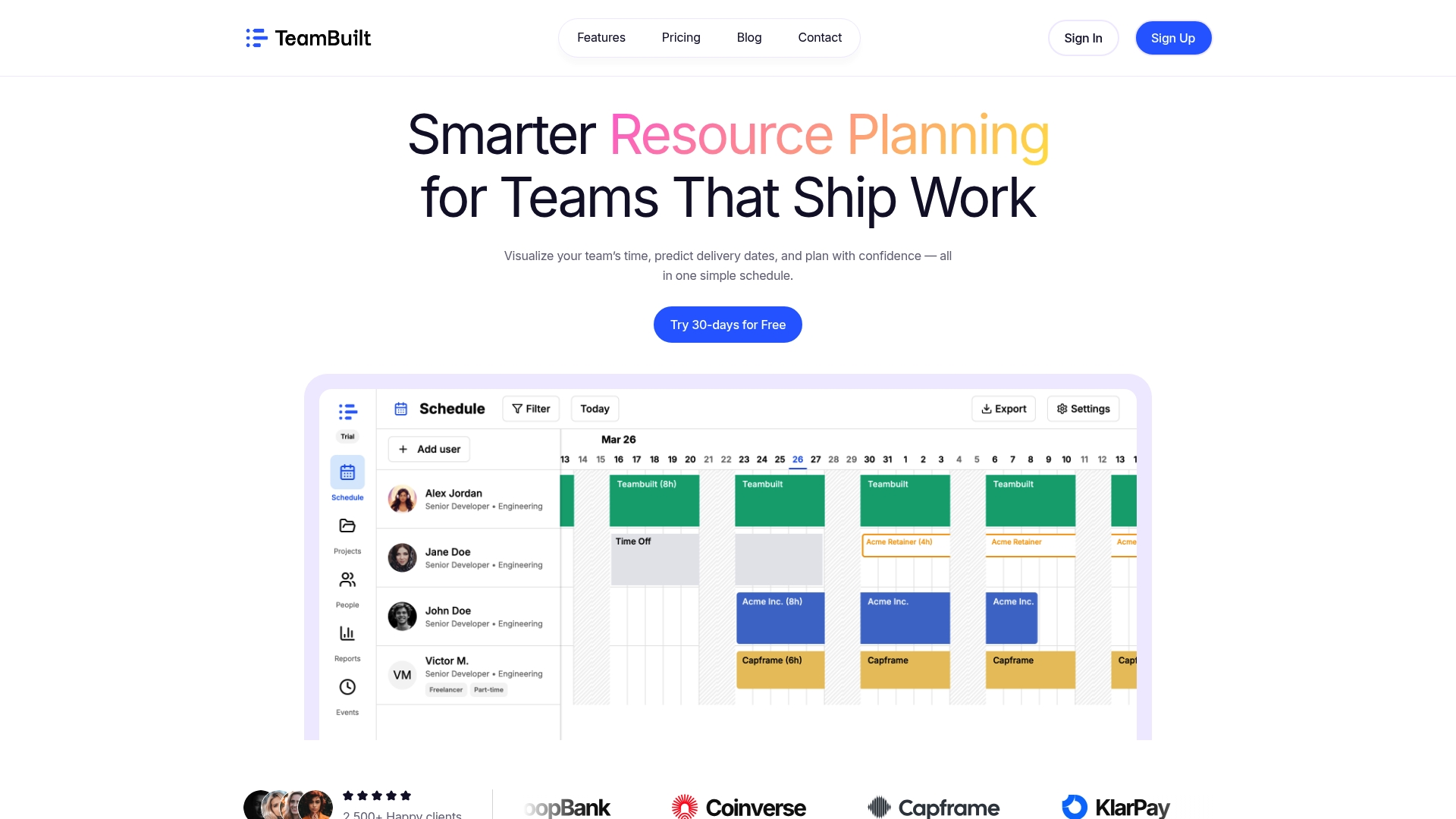
With ready-to-use project automation templates for reporting, notifications, and resource scheduling, you can go from manual chaos to structured automation without starting from scratch. TeamBuilt connects your team’s capacity data with your project timelines so that automation decisions are grounded in real availability, not guesswork. Start with one workflow, see the results, and scale from there.
Frequently asked questions
What is workflow automation in project management?
Workflow automation uses software to handle repetitive tasks like notifications, status updates, and reporting automatically. Automating common tasks in project management tools significantly reduces admin workload and frees teams to focus on higher-value work.
Which team processes deliver the biggest gains when automated?
Status updates, recurring meeting prep, onboarding, and weekly reports are the strongest candidates. Meeting prep, status updates, and reporting frequently offer the highest return on investment when automated.
Are there risks to automating too much?
Yes. Over-automation creates rigid systems that break when exceptions arise. Pure automation fails in ambiguous situations, so always build in checkpoints for human review.
What tools are best for workflow automation?
Popular options include Notion, n8n, Zapier, and platforms like TeamBuilt. Platforms like Notion and n8n are widely used by teams to automate common tasks and save meaningful hours each week, with the best choice depending on your team’s technical comfort and workflow complexity.
Recommended